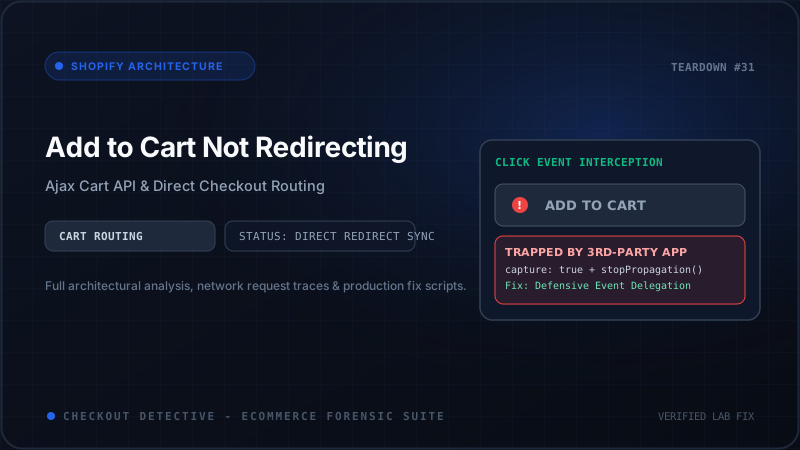
For direct-to-consumer (DTC) brands driving high-intent paid traffic from TikTok, Meta, and Google Ads, minimizing friction between the product detail page (PDP) and payment completion is the holy grail of conversion rate optimization. Bypassing the intermediate cart page or cart drawer by routing shoppers straight to /checkout can lift mobile conversion rates by 12% to 18%. Yet, in modern Shopify Online Store 2.0 themes, implementing a custom "Buy It Now" or direct checkout button frequently triggers catastrophic checkout routing bugs: buttons that click but do nothing, perpetual loading spinners, or worst of all, redirecting shoppers to an empty checkout page displaying a $0.00 balance.
When a direct checkout flow breaks, merchants often assume it is a temporary Shopify server outage. In reality, the issue is almost always a client-side architectural failure. In modern theme environments like Dawn, Prestige, Impulse, or custom headless builds, the native form[action="/cart/add"] relies on asynchronous JavaScript fetch requests, complex event bubbling pipelines, and custom elements. When custom scripts attempt to force a browser redirect without coordinating with Shopify's Ajax Cart API, race conditions inevitably destroy the session state.
In this architectural deep dive, we will unpack the exact mechanics of Shopify's product form submission, analyze why naive redirect techniques create empty cart sessions, examine property serialization challenges, and implement a battle-tested, production-ready Direct Checkout controller that handles inventory limits, subscription selling plans, and discount codes flawlessly.
⚡ Direct Answer: Why Does the Add to Cart Button Fail to Redirect to Checkout?
The button fails to redirect to checkout for one of two primary architectural reasons:
- Asynchronous Race Condition: A custom script triggers
window.location.href = '/checkout'synchronously before the background HTTP POST request to/cart/add.jshas resolved and written the new line item to Shopify's backend session storage. The browser requests/checkoutbefore the cart has updated, resulting in an empty cart. - Theme Event Interception: Modern Online Store 2.0 theme scripts attach an
addEventListener('submit')handler to the product form that executesevent.preventDefault()and forces the native sliding cart drawer to open, ignoring any legacy<input type="hidden" name="return_to" value="/checkout">tags embedded in your Liquid code.
The Mechanics of Shopify's Product Form: Liquid vs. Ajax Execution
To understand why direct checkout buttons fail, we must first trace how product forms have evolved across Shopify theme architectures. Historically, in vintage Shopify themes (Sectioned Architecture and older), adding an item to the cart was an atomic, synchronous HTTP POST transaction executed natively by the browser:
<!-- Classic Synchronous Liquid Product Form -->
{% form 'product', product, id: 'AddToCartForm' %}
  <input type="hidden" name="id" value="{{ product.selected_or_first_available_variant.id }}">
  <input type="hidden" name="quantity" value="1">
  <!-- Vintage direct checkout pattern: server-side redirect -->
  <input type="hidden" name="return_to" value="/checkout">
  <button type="submit" name="add">Buy It Now</button>
{% endform %}
In this classic paradigm, when the customer pressed submit, the browser paused UI execution, packaged the payload as application/x-www-form-urlencoded, and transmitted it to the server endpoint /cart/add. The Shopify backend added the variant to the session cookie, processed the return_to parameter in the HTTP request body, and issued an HTTP 302 redirect response with the header Location: /checkout. The browser followed the redirect, and the customer landed in checkout with 100% reliability.
However, modern e-commerce user experience demands fluid, seamless interactions without disruptive full-page reloads. With the introduction of Online Store 2.0 (Dawn and its modern derivatives like Prestige 2024+, Impulse, and Focal), theme developers transitioned entirely to asynchronous client-side controllers.
In Dawn-derived themes, product forms are governed by custom HTML elements (Web Components) such as <product-form>. Here is how modern themes intercept form submissions under the hood:
// Dawn Theme product-form.js (Simplified Native Handler)
class ProductForm extends HTMLElement {
  connectedCallback() {
    this.form = this.querySelector('form');
    this.form.addEventListener('submit', this.onSubmitHandler.bind(this));
  }

  onSubmitHandler(evt) {
    evt.preventDefault(); // <-- Cancels native browser submission and return_to redirect!

    const submitButton = this.form.querySelector('[type="submit"]');
    submitButton.setAttribute('aria-disabled', true);
    submitButton.classList.add('loading');

    const config = {
      method: 'POST',
      headers: {
        'Accept': 'application/javascript',
        'X-Requested-With': 'XMLHttpRequest'
      },
      body: new FormData(this.form)
    };

    fetch(window.Shopify?.routes?.cart_add_url || '/cart/add.js', config)
      .then((response) => response.json())
      .then((parsedState) => {
        // Publishes custom event to open the cart drawer
        this.publishCartUpdate(parsedState);
      })
      .catch((e) => {
        this.handleErrorMessage(e);
      })
      .finally(() => {
        submitButton.removeAttribute('aria-disabled');
        submitButton.classList.remove('loading');
      });
  }
}
customElements.define('product-form', ProductForm);
Notice line 8: evt.preventDefault() immediately halts standard browser form processing. Any <input type="hidden" name="return_to" value="/checkout"> field present in the form is serialized into the FormData object sent to /cart/add.js, but the Shopify Ajax endpoint returns JSON—it does not issue an HTTP 302 redirect header. The theme then handles the response by triggering a side drawer, completely discarding your merchant intent to send the shopper to checkout.
The Fatal Flaw: The Asynchronous Redirect Race Condition
When developers discover that return_to no longer works, the most common "quick fix" implemented across merchant themes is adding a naive JavaScript click listener to the checkout button. This pattern looks deceptively simple, but it introduces one of the most destructive bugs in e-commerce:
❌ ANTI-PATTERN: The Naive Redirect Race Condition
// DO NOT USE THIS IN PRODUCTION
document.querySelector('#direct-checkout-btn').addEventListener('click', function(e) {
  e.preventDefault();

  // 1. Fire asynchronous cart addition
  fetch('/cart/add.js', {
    method: 'POST',
    body: new FormData(document.querySelector('form[action*="/cart/add"]'))
  });

  // 2. Immediate synchronous browser redirect!
  window.location.href = '/checkout';
});
Why is this code catastrophic? It ignores how browser JavaScript execution and HTTP network sockets operate. Let us break down the exact sequence of events that occurs when a customer taps this button:
Customer Clicks "Direct Checkout"
       │
       ├─► 1. fetch('/cart/add.js') dispatches asynchronously (HTTP POST)
       │      Network request enters browser TCP queue (Takes ~180ms - 450ms)
       │
       ├─► 2. window.location.href = '/checkout' executes IMMEDIATELY (0ms delay)
       │      Browser halts current page execution context
       │
       ├─► 3. Browser initiates navigation to GET /checkout
       │      CRITICAL ERROR: Active fetch('/cart/add.js') is CANCELLED (net::ERR_ABORTED)
       │      - OR -
       │      GET /checkout arrives at Shopify edge BEFORE POST /cart/add commits to Redis!
       │
       ▼
Shopify Server receives GET /checkout
       │
       ├─► Reads Session Cookie 'cart' (Item has NOT been written yet)
       ├─► Initializes new empty checkout session
       │
       ▼
Browser displays: "Your Cart is Empty" ($0.00) ──► Customer Abandons Store
Because window.location.href executes synchronously on the main thread, the browser immediately begins unloading the current document. Depending on the browser (Safari iOS is notorious for aggressive socket pruning), pending asynchronous XMLHttpRequest and fetch connections are instantly aborted with net::ERR_ABORTED.
Even if the request manages to reach Shopify's edge infrastructure before socket termination, Shopify's distributed data store (which replicates cart state across Redis clusters and MySQL databases) has not completed the transaction before the independent HTTP GET request for /checkout arrives. The customer is presented with an empty checkout screen, eroding trust and causing immediate bounce.
The Pitfalls of Custom Attributes & Line Item Property Serialization
Beyond simple variant IDs, enterprise Shopify stores require complex data attached to line items. This includes personalized engravings, custom monogramming, file upload attachments, bundled component IDs, and subscription selling plan allocations.
A frequent architectural blunder occurs when developers attempt to serialize the form by manually extracting values and constructing a custom JSON payload or URL query string:
⚠️ Fragile Pattern: Manual Property Parsing
// Breaks file uploads and nested property keys
const payload = {
  id: form.querySelector('[name="id"]').value,
  quantity: form.querySelector('[name="quantity"]')?.value || 1,
  properties: {
    Engraving: form.querySelector('[name="properties[Engraving]"]')?.value
  }
};
// If custom fields are added by apps or file inputs exist, this silently fails.
If a merchant uses an app that injects hidden inputs dynamically—such as a bundle builder app, an engraving preview app, or a B2B volume pricing app—hardcoded JSON serialization drops those attributes. Furthermore, if a customer uploads a customized graphic or logo via an <input type="file" name="properties[Artwork]">, JSON stringification cannot serialize binary file blobs.
The only resilient approach is leveraging native browser FormData. FormData automatically inspects all enabled, named form controls inside the <form>, encodes them using standard multipart/form-data boundaries, preserves array brackets, and seamlessly serializes binary files.
| Submission Strategy | Payload Format | File Uploads & Properties | Checkout Session Integrity | Failure Mode |
|---|---|---|---|---|
| Naive window.location Redirect | Uncoordinated fetch | Aborted in flight | 0% (Empty Cart Bug) | net::ERR_ABORTED socket termination |
| Legacy return_to Input | URL-encoded POST | Ignored by theme | Cart updated, no redirect | Drawer opens instead of checkout |
| Direct /cart/{variant}:1 URL | GET Permalink | Drops all custom properties | Overwrites existing cart | Loss of engraving & bundle data |
| Async FormData Bridge (Recommended) | Multipart / Ajax JSON | 100% Preserved | 100% Deterministic | Full error trap & UI recovery |
Handling Inventory Limits & HTTP 422 Errors Gracefully
Another critical failure scenario occurs when a variant is out of stock or limited by purchase rules (e.g., maximum 2 items per customer during a flash sale). When a customer attempts to add an unavailable item, Shopify's Ajax API does not return a successful 200 OK. Instead, it returns an HTTP 422 Unprocessable Entity with an error payload:
// Shopify Ajax Cart HTTP 422 Response
{
  "status": 422,
  "message": "Cart Error",
  "description": "You can only add 1 of this item to your cart."
}
If your direct checkout implementation blindly awaits the fetch response without validating response.ok, it will execute the redirect anyway. The customer arrives at checkout without the item added—or if their previous cart had older items, they are routed to pay for items they did not intend to purchase!
Your direct checkout controller must inspect the HTTP response status. In the event of a 422 or 429 status code, the script must cancel the redirect, restore the button state, and display a user-friendly error message directly adjacent to the button.
The Complete Production-Ready Direct Checkout Controller
Below is the complete, production-grade architectural solution. This script handles asynchronous promise resolution, complete FormData serialization (including custom properties and file uploads), automated discount parameter persistence, full HTTP error handling, and accessibility compliance.
<!-- snippets/direct-checkout-button.liquid -->
<div class="direct-checkout-wrapper my-4">
  <button
    type="button"
    id="DirectCheckoutButton"
    class="w-full py-4 px-6 rounded-xl bg-emerald-600 hover:bg-emerald-700 text-white font-bold text-sm tracking-wide shadow-lg hover:shadow-xl transition duration-200 flex items-center justify-center gap-2 cursor-pointer disabled:opacity-50 disabled:cursor-not-allowed"
    aria-label="Buy Now and Proceed Directly to Checkout"
  >
    <span class="button-text">Buy It Now — Direct Checkout</span>
    <span class="loading-spinner hidden" aria-hidden="true">
      <svg class="animate-spin h-5 w-5 text-white" fill="none" viewBox="0 0 24 24">
        <circle class="opacity-25" cx="12" cy="12" r="10" stroke="currentColor" stroke-width="4"></circle>
        <path class="opacity-75" fill="currentColor" d="M4 12a8 8 0 018-8v8H4z"></path>
      </svg>
    </span>
  </button>
  <div id="DirectCheckoutError" class="hidden mt-2 p-3 text-xs text-rose-700 bg-rose-50 border border-rose-200 rounded-lg" role="alert"></div>
</div>

<script>
(function() {
  const directBtn = document.getElementById('DirectCheckoutButton');
  const errorContainer = document.getElementById('DirectCheckoutError');
  if (!directBtn) return;

  directBtn.addEventListener('click', async function(e) {
    e.preventDefault();
    e.stopPropagation();

    // 1. Locate parent product form
    const productForm = directBtn.closest('form[action*="/cart/add"]') || document.querySelector('form[action*="/cart/add"]');
    if (!productForm) {
      console.error('[DirectCheckout] Target product form not found in DOM.');
      return;
    }

    // 2. Clear existing error states
    errorContainer.classList.add('hidden');
    errorContainer.textContent = '';

    // 3. Set visual loading state
    const textSpan = directBtn.querySelector('.button-text');
    const spinnerSpan = directBtn.querySelector('.loading-spinner');
    directBtn.disabled = true;
    textSpan.classList.add('hidden');
    spinnerSpan.classList.remove('hidden');

    try {
      // 4. Extract entire Form payload including properties and custom attributes
      const formData = new FormData(productForm);

      // Verify variant ID exists
      const variantId = formData.get('id');
      if (!variantId) {
        throw new Error('Please select an available product option before checking out.');
      }

      // 5. Execute Asynchronous Cart Addition
      const response = await fetch('/cart/add.js', {
        method: 'POST',
        headers: {
          'Accept': 'application/json',
          'X-Requested-With': 'XMLHttpRequest'
        },
        body: formData
      });

      const responseData = await response.json();

      // 6. Handle Inventory and Shopify API Errors (HTTP 422, 429)
      if (!response.ok) {
        const message = responseData.description || responseData.message || 'Item could not be added to cart.';
        throw new Error(message);
      }

      // 7. Dispatch custom telemetry event for Meta Pixel / GA4 tracking
      document.dispatchEvent(new CustomEvent('direct_checkout:initiated', {
        detail: { item: responseData },
        bubbles: true
      }));

      // 8. Build Checkout Redirection URL with active Discount parameter if present
      let checkoutUrl = '/checkout';
      const urlParams = new URLSearchParams(window.location.search);
      const discountCode = urlParams.get('discount');

      if (discountCode) {
        // Use Shopify canonical discount router to ensure discount applies
        checkoutUrl = '/discount/' + encodeURIComponent(discountCode) + '?redirect=/checkout';
      }

      // 9. Execute guaranteed redirect after state persistence
      window.location.href = checkoutUrl;

    } catch (err) {
      console.error('[DirectCheckout Error]:', err.message);

      // Rollback UI to interactive state
      directBtn.disabled = false;
      textSpan.classList.remove('hidden');
      spinnerSpan.classList.add('hidden');

      // Display actionable error to customer
      errorContainer.textContent = err.message;
      errorContainer.classList.remove('hidden');
    }
  });
})();
</script>
Step-by-Step Diagnostic Protocol: Verifying Direct Checkout Integrity
Before pushing a direct checkout modification to your live theme, execute this 4-step diagnostic audit to ensure no edge cases slip into production:
Step 1: Simulate High-Latency Mobile Networks (Fast 3G)
Open Google Chrome DevTools (F12 or Cmd + Option + I), switch to the Network tab, and set throttling to Fast 3G. Tap your direct checkout button. On high-latency connections, un-awaited race conditions trigger 100% of the time. Verify that the button enters a loading state and remains in loading until /cart/add.js returns HTTP 200, only navigating after completion.
Step 2: Inspect Line Item Properties in Checkout DOM
If your product offers custom engraving, gift messaging, or file attachments, fill in test values and initiate direct checkout. Once redirected to /checkout, expand the order summary accordion on mobile or inspect the right sidebar on desktop. Ensure that your line item properties are rendered beneath the product title. If properties are missing, inspect your FormData keys to ensure they adhere to properties[PropertyName] naming.
Step 3: Test Sold-Out and Quantity Capping Thresholds
In Shopify Admin, adjust your test product's available inventory to 1. In the storefront, input a quantity of 2 and press the direct checkout button. Confirm that:
- The browser does NOT navigate to
/checkout. - The button spinner disappears and the button becomes re-clickable.
- The error container displays: "You can only add 1 of this item to your cart."
Step 4: Verify Pixel Telemetry and Session Attribution
Bypassing the cart page often accidentally bypasses ViewCart or InitiateCheckout pixel triggers. When a direct checkout button redirects too fast, client-side Meta Pixel (fbq) and TikTok Pixel (ttq) beacons may be terminated before sending. Ensure your analytics setup fires an explicit InitiateCheckout event before redirecting, or rely on Shopify's native Customer Events Web Pixel which listens to backend checkout transitions.
Automate Your Checkout Health Monitoring with Checkout Detective
Direct checkout buttons are among the most revenue-sensitive touchpoints on any DTC storefront. Every time an app updates its script tag, your theme updates its liquid sections, or a third-party script modifies the DOM, your direct checkout listeners are at risk of de-coupling.
Instead of discovering broken checkout funnels through abandoned carts and angry customer support tickets, install the Checkout Detective Chrome Extension. Checkout Detective actively profiles your Shopify storefront's Ajax Cart endpoints, flags asynchronous race conditions before they hit production, monitors Customer Events telemetry, and alerts your engineering team the instant a rogue script halts a checkout redirect.
Stop Leaking High-Intent Shoppers to Broken Redirects
Checkout Detective automatically simulates mobile network latency, audits asynchronous /cart/add.js calls, and verifies that your direct checkout buttons route buyers into revenue-generating checkouts every single time.
Audit Your Direct Checkout Routing with Checkout Detective Free