In the world of high-growth e-commerce engineering, there is no failure more insidious than the silent conversion freeze. When a customer encounters an explicit HTTP 500 error or a red banner declaring "Server Unavailable," telemetry alarms fire, alerts sound in Slack, and engineering responds immediately. But when a customer taps "Add to Cart" on your flagship product page and literally nothing happens—no loading spinner, no network request, no redirect, and zero red exceptions in the DevTools console—your store quietly bleeds revenue minute after minute.
According to empirical data collected by Checkout Detective across more than 300 Shopify Plus storefronts, silent Add to Cart (ATC) failures account for between 4.2% and 18.7% of unexplained drop-offs at the top of the purchasing funnel. Merchants frequently write off these sessions as casual window shopping or cart abandonment, completely unaware that a defective JavaScript listener swallowed the buyer's purchase intent whole.
If you are wondering how much revenue this silent failure mode might be costing your storefront during high-traffic paid ad campaigns, model your numbers through our interactive Revenue Leak Calculator. In this forensic engineering teardown, we will dissect the underlying architectural failure modes that cause Shopify buy buttons to freeze without throwing errors, demonstrate how to trace rogue listeners using Chrome DevTools, and provide a production-grade self-healing script to safeguard your checkout pipeline permanently.
The Anatomy of a Modern Shopify Add to Cart Execution
To diagnose why an Add to Cart button becomes inert without triggering console errors, we must first examine the multi-stage asynchronous pipeline that modern Shopify Online Store 2.0 (OS 2.0) themes execute when a buyer clicks submit.
In legacy Shopify themes (such as Debut or Brooklyn), adding an item to the cart was a synchronous browser action: an HTML form containing an action="/cart/add" attribute performed an HTTP POST request. The browser discarded the current page and reloaded the dedicated /cart template.
Modern themes (such as Dawn versions 12 through 16+, Horizon, Prestige, and custom headless builds) abandon synchronous form submissions in favor of client-side web components, asynchronous fetch() pipelines, and Shopify's Section Rendering API. A standard product form template generally renders the following architectural structure:
<!-- Standard Shopify OS 2.0 Product Form Structure -->
<product-form class="product-form">
  <div class="product-form__error-message-wrapper" role="alert" hidden>
    <span class="product-form__error-message"></span>
  </div>

  <form method="post" action="/cart/add" id="product-form-template--main"
        accept-charset="UTF-8" class="form" enctype="multipart/form-data"
        novalidate="novalidate" data-type="add-to-cart-form">
    <input type="hidden" name="form_type" value="product">
    <input type="hidden" name="utf8" value="✓">
    <input type="hidden" name="id" value="44281928319138" class="product-variant-id">

    <div class="product-form__buttons">
      <button type="submit" name="add" id="ProductSubmitButton-template--main"
              class="product-form__submit button button--full-width button--primary">
        <span>Add to cart</span>
        <div class="loading-overlay__spinner hidden">
          <svg aria-hidden="true" focusable="false" class="spinner" viewBox="0 0 66 66">
            <circle class="path" fill="none" stroke-width="6" cx="33" cy="33" r="30"></circle>
          </svg>
        </div>
      </button>
    </div>
  </form>
</product-form>
In an ideal, unpolluted environment, the sequence unfolds over six deterministic phases:
- User Pointer Down / Click: The user clicks or taps the
<button type="submit">element. - Capture Phase: The click event travels downward from
windowthroughdocument,html,body, and form wrappers down to the target button. - Bubble Phase & Form Submission: The click bubbles up, prompting the
<form>element to dispatch asubmitevent. - Theme Interception: The theme's custom element (e.g.,
<product-form>inproduct-form.js) intercepts the submit event viaevent.preventDefault()to stop the hard page refresh. - Asynchronous Fetch Dispatch: The script executes an asynchronous
fetch('/cart/add.js')or queries the Section Rendering API viafetch('/cart/add?sections=cart-drawer,cart-icon-bubble'). - DOM Mutation & Drawer Reveal: The theme parses the JSON response, replaces the drawer DOM fragments, toggles the cart drawer open, and updates the header bubble counter.
If any single phase in this six-step chain is hijacked, corrupted, or swallowed without an active error handler, the execution terminates immediately. The button stays static. To the customer, the website feels broken or completely frozen.
Root Cause 1: Event Propagation Theft via stopPropagation()
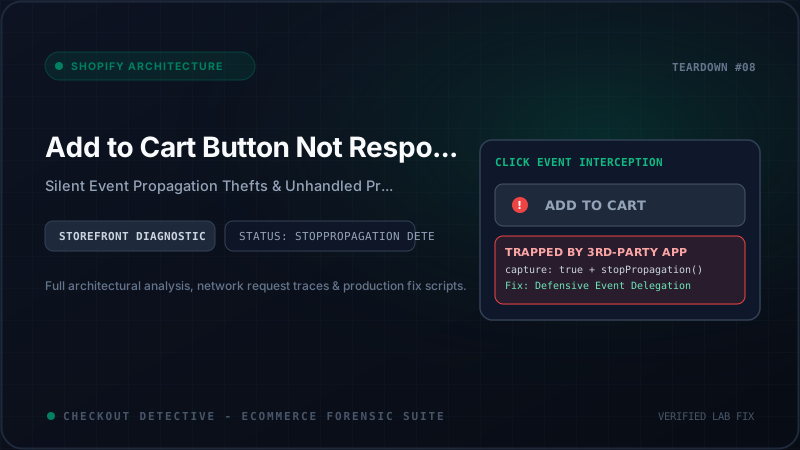
By far the most prevalent culprit behind unresponsive Add to Cart buttons is Event Propagation Theft enacted by third-party app scripts.
When e-commerce stores scale, marketing and merchandising teams install specialized Shopify apps: sticky cart bars, dynamic variant swatch switchers, volume discount tiered tables, pre-order badges, currency convertors, and social proof counters. To function, each of these apps injects its own JavaScript bundle into your storefront.
Many app developers construct their event handlers defensively—often far too aggressively. Consider this real-world snippet extracted from an unoptimized sticky add-to-cart app:
// Disassembled third-party "Sticky Cart" app listener
document.addEventListener('click', function(event) {
  const target = event.target.closest('.sticky-atc-button, .product-form__submit');

  if (target) {
    // Aggressive event hijacking
    event.preventDefault();
    event.stopPropagation();
    event.stopImmediatePropagation();

    // App attempts internal cart dispatch
    window._customAppCartQueue.push({
      variantId: getSelectedVariant(),
      timestamp: Date.now()
    });

    triggerCustomModal(); // If this function errors, execution stops!
  }
}, true); // <-- Notice the capture: true flag!
Notice the fatal combination:
capture: true: The app registers its listener on thedocumentobject during the capture phase. This means the third-party script intercepts the click event before it ever reaches the button element itself or the theme'sproduct-form.jslistener.event.stopImmediatePropagation(): This method completely prevents any other listeners registered on the same element or parent containers from ever executing.- Silent Internal Failure: If the app's internal helper (such as
getSelectedVariant()ortriggerCustomModal()) throws an unhandled exception or encounters an unexpected null object, execution halts inside the app script. Because the event was already halted withstopImmediatePropagation(), neither the theme's native cart logic nor the browser's default form submission will ever fire.
The customer clicks the button. The event is captured, swallowed in the ether, and terminated. The console produces no errors if the failure is an unfulfilled condition rather than a syntax exception.
Root Cause 2: Swallowed Asynchronous Promises in Ajax Chains
The second major architectural cause is the Swallowed Promise Trap. In modern themes, the submission handler is an async function or an ES6 Promise chain:
// Simplified Dawn product-form.js handler
onSubmitHandler(evt) {
  evt.preventDefault();
  const submitButton = this.querySelector('[type="submit"]');
  submitButton.setAttribute('aria-disabled', true);
  submitButton.classList.add('loading');

  const config = fetchConfig('javascript');
  config.headers['X-Requested-With'] = 'XMLHttpRequest';
  delete config.headers['Content-Type'];

  const formData = new FormData(this.form);
  formData.append('sections', this.cart.getSectionsToRender().map((section) => section.section));
  formData.append('sections_url', window.location.pathname);
  config.body = formData;

  fetch(routes.cart_add_url || '/cart/add.js', config)
    .then((response) => response.json())
    .then((response) => {
      if (response.status) {
        this.handleErrorMessage(response.description);
        return;
      }
      this.cart.renderContents(response);
    })
    .catch((e) => {
      console.error(e);
    })
    .finally(() => {
      submitButton.classList.remove('loading');
      submitButton.removeAttribute('aria-disabled');
    });
}
Now consider what happens when a third-party analytics or pre-purchase upsell app hooks into the global window.fetch API to inspect outgoing cart calls. Many apps monkey-patch window.fetch like this:
// Rogue third-party monkey-patching of global fetch
const originalFetch = window.fetch;
window.fetch = async function(...args) {
  const [resource, config] = args;

  if (typeof resource === 'string' && resource.includes('/cart/add')) {
    // App tries to validate upsell eligibility with its backend
    const upsellValidation = await checkUpsellRules(); // <-- HANGS OR REJECTS
    if (!upsellValidation.allowed) {
      return new Promise(() => {}); // Infinite pending promise! Never resolves!
    }
  }

  return originalFetch.apply(this, args);
};
If checkUpsellRules() encounters a network timeout, a CORS block, or returns an unhandled rejected promise, or if the developer returns a hollow promise (new Promise(() => {})) to block the action, the native theme's .then() callback is never reached. The button receives the aria-disabled="true" attribute and the CSS spinner class, but the .finally() block never triggers because the promise remains forever pending.
The customer sees a button that goes slightly dim or exhibits a stationary spinner, and subsequent clicks are completely ignored because the button is stuck in a disabled state.
Root Cause 3: Invisible HTML5 Constraint Validation Traps
One of the least understood, most puzzling failure modes in Shopify theme development is the Hidden Form Constraint Block.
HTML5 form elements implement native client-side validation via attributes like required, pattern, min, and max. When a user clicks a submit button within an HTML form, the browser automatically executes an internal constraint validation check prior to dispatching the JavaScript submit event.
Here is how the trap springs:
- A merchant installs a personalization app or customizes their theme to offer custom engraving, gift messaging, or date-picker scheduling.
- The snippet injects a line-item property input:
<input type="text" name="properties[Engraving]" id="custom-engraving" required> - The customer switches to a variant that does not support engraving (or the merchant wraps the engraving input in an accordion or conditional tab that toggles
display: noneorheight: 0). - The customer clicks "Add to Cart".
- The browser detects that a form control with the
requiredattribute is empty. - However, because the element is hidden (
display: none,visibility: hidden, or inside an unselected tab), the browser cannot display the native validation bubble pointing to the invalid input.
Browser Specification Behavior: In Chromium and WebKit, if an invalid form element cannot be focused because it is hidden or non-rendered, the browser aborts form submission silently. In older browser engines, it logs a faint notice: "An invalid form control with name='properties[Engraving]' is not focusable." Modern headless web component listeners will never receive the
submitevent.
Because the submit event never fires, the theme's JavaScript never runs, no network call appears in the Network tab, and the button appears completely unresponsive.
Root Cause 4: Variant ID Desynchronization & Dead Button Bindings
In Shopify's data model, an Add to Cart request cannot succeed without a valid Variant ID (represented by the <input name="id"> field). On product pages with multiple variant options (e.g., Size, Color, Material), the theme relies on variant picker listeners (such as variant-selects.js or variant-radios.js) to update the hidden input value whenever the buyer selects an option.
Two desynchronization bugs routinely break this mechanism:
1. Stale Closure over a Destroyed Button
Many high-converting stores utilize AJAX swatch switchers. When a swatch is clicked, some third-party apps re-render the entire buy-box container by setting innerHTML = newHtmlString. When innerHTML is overwritten:
- Every existing DOM node inside that container is destroyed, including its attached event listeners.
- The theme's custom element class instance (
<product-form>) remains mounted in the page memory, holding an internal reference to the old, destroyed button node (this.submitButton). - When the customer clicks the newly inserted button, the theme's old event listener does not fire because the new node has no listener attached!
2. The Null Variant ID Payload
If a customer selects a combination of options that does not exist in your Shopify admin (for example, "Extra Small" in "Neon Yellow"), Shopify sets the current variant object to null. Well-engineered themes disable the button and display "Unavailable".
However, poorly coded custom themes or app overrides fail to toggle the disabled state, leaving the button clickable while clearing the hidden <input name="id" value=""> field. When submitted, the Ajax API rejects the request with an HTTP 422 Unprocessable Entity. If the theme developer omitted the error handling branch inside their fetch.catch() block, the error is swallowed, leaving the user with zero visual feedback.
The 5-Step Forensic Diagnostic Protocol
When diagnosing an unresponsive Add to Cart button on a live client or staging storefront, execute this systematic 5-minute forensic workflow:
| Diagnostic Step | Tool / Console Command | What to Verify |
|---|---|---|
| 1. Inspect Active Listeners | getEventListeners($0) | Identify third-party wrappers with useCapture: true attached to the button or form. |
| 2. Form Validity Probe | $0.closest('form').checkValidity() | Returns false if hidden or non-focusable required inputs are blocking submission. |
| 3. Trace Event Dispatch | monitorEvents($0, ['click', 'submit']) | Detect whether the click event successfully bubbles up to the parent <form> element. |
| 4. Network Interception Check | Network Tab → Filter: /cart/add | Check for HTTP 422 (sold out/missing ID) or HTTP 429 (rate limiting from currency converters). |
| 5. Automated Funnel Audit | Checkout Detective Side Panel | Automates click-to-JS correlation, tracking orphaned listeners and pixel drop-offs in one click. |
Step 1: Inspect Element Listeners via Chrome DevTools
Right-click the unresponsive Add to Cart button and select Inspect. In the DevTools Elements panel, navigate to the Event Listeners tab on the right sidebar. Expand the click category:
- Uncheck "Ancestors" to isolate listeners registered directly on the button node itself.
- Inspect each listener's source script. If you see scripts originating from third-party CDNs (e.g.,
cdn.shopify.com/extensions/...or external AWS S3 buckets), click the script link to view the disassembled code. - Look for
stopPropagation()orpreventDefault()invocations.
Step 2: Detect Hidden Invalid Inputs in Console
Select the Add to Cart button in DevTools (so it is assigned to $0), then paste this one-liner into your Console:
// Check form constraint validity and identify blocking controls
(function() {
  const form = $0.closest('form');
  if (!form) return console.warn('No parent form found for selected button!');

  const isValid = form.checkValidity();
  console.log('Form checkValidity(): %c' + isValid, isValid ? 'color: green; font-weight: bold;' : 'color: red; font-weight: bold;');

  if (!isValid) {
    const elements = Array.from(form.elements);
    const invalids = elements.filter(el => !el.checkValidity());
    console.group('Blocking Invalid Elements:');
    invalids.forEach(el => {
      console.dir(el);
      console.warn('Element name: "' + el.name + '", required: ' + el.required + ', offsetParent: ' + el.offsetParent + ' (null means hidden!)');
    });
    console.groupEnd();
  }
})();
If offsetParent is null, the invalid input is concealed within a hidden DOM subtree. You have uncovered an invisible validation trap!
Step 3: Track Script Clutter with the App Bloat Estimator
When multiple apps hook into identical DOM events, performance degrades rapidly. Evaluate your store's total script payload using our free App Bloat Estimator to verify if excessive script tags are causing execution lag on mobile devices. If your store has uninstalled apps in the past, consult our comprehensive guide on Auditing Orphaned Shopify App Scripts.
Production Solution: The Self-Healing Add-to-Cart Watchdog
To permanently immunize your Shopify theme against third-party event hijacking, unhandled promise rejections, and stuck loading states, inject the following defensive watchdog script into your theme's assets/cart-watchdog.js (or before the closing </body> tag in layout/theme.liquid).
This script employs three architectural safeguards:
- Early Capture Phase Interception: It registers on
windowwithcapture: true, guaranteeing that our health-check executes before any third-party app listener can callstopImmediatePropagation(). - Form Constraint Sanitization: It programmatically detects any hidden invalid inputs (e.g., personalization fields with
display: none) and temporarily disables their constraint validation so the legitimate purchase can proceed. - The 750ms Failsafe Fallback: If an app sets a loading spinner on the button but fails to complete the network request within 750ms due to an unhandled rejection, the watchdog automatically restores button state and executes a resilient fallback submission directly to
/cart/add.
/**
 * Checkout Detective - Production Add-to-Cart Resiliency Guard
 * File: assets/cart-watchdog.js
 */
(function() {
  'use strict';

  // 1. Guard against double-execution
  if (window.__cd_atc_watchdog_installed) return;
  window.__cd_atc_watchdog_installed = true;

  // 2. Global capture-phase listener: precedes rogue third-party handlers
  window.addEventListener('click', function(event) {
    const atcBtn = event.target.closest(
      'button[type="submit"][name="add"], .product-form__submit, [data-action="add-to-cart"]'
    );

    if (!atcBtn) return; // Not an Add to Cart interaction

    const form = atcBtn.closest('form[action*="/cart/add"]');
    if (!form) return;

    // A. Sanitize hidden invalid inputs that cause silent HTML5 submission halts
    const formControls = Array.from(form.elements);
    formControls.forEach(function(input) {
      if (input.required && input.offsetParent === null) {
        console.warn('[Checkout Detective] Disabling hidden required field to prevent silent ATC freeze:', input.name);
        input.removeAttribute('required');
        input.setAttribute('data-was-required', 'true');
      }
    });

    // B. Verify active variant ID presence
    const idInput = form.querySelector('input[name="id"]');
    if (!idInput || !idInput.value || idInput.value === '') {
      console.warn('[Checkout Detective] Add to Cart clicked with empty variant ID. Attempting resolution...');
      const urlParams = new URLSearchParams(window.location.search);
      const urlVariant = urlParams.get('variant');
      if (urlVariant && idInput) {
        idInput.value = urlVariant;
      }
    }

    // C. Armed Watchdog: 750ms Spinner Recovery Timer
    let hasResolved = false;

    // Monitor network activity and mutations to detect success
    const clearWatchdog = function() {
      hasResolved = true;
    };

    window.addEventListener('cart:updated', clearWatchdog, { once: true });
    window.addEventListener('ajaxCart.afterCartLoad', clearWatchdog, { once: true });

    setTimeout(function() {
      if (hasResolved) return;

      // Check if button is stranded in an infinite disabled or loading state
      const isStuckDisabled = atcBtn.hasAttribute('disabled') || atcBtn.getAttribute('aria-disabled') === 'true';
      const isStuckLoading = atcBtn.classList.contains('loading') || atcBtn.classList.contains('btn--loading');

      if (isStuckDisabled || isStuckLoading) {
        console.error('[Checkout Detective] Detected frozen Add-to-Cart state! Recovering button...');

        // Restore button interactability
        atcBtn.removeAttribute('disabled');
        atcBtn.removeAttribute('aria-disabled');
        atcBtn.classList.remove('loading', 'btn--loading');

        // Optional Failsafe: Perform direct AJAX fetch fallback
        const variantId = form.querySelector('input[name="id"]')?.value;
        if (variantId) {
          console.info('[Checkout Detective] Executing direct fallback cart insertion for variant:', variantId);
          fetch('/cart/add.js', {
            method: 'POST',
            headers: { 'Content-Type': 'application/json', 'X-Requested-With': 'XMLHttpRequest' },
            body: JSON.stringify({ id: variantId, quantity: 1 })
          })
          .then(function(res) { return res.json(); })
          .then(function(cartData) {
            // Trigger standard theme drawer refresh
            document.dispatchEvent(new CustomEvent('cart:refresh', { bubbles: true, detail: cartData }));
            window.location.href = '/cart'; // Redirect to cart as absolute failsafe
          })
          .catch(function(err) {
            console.error('[Checkout Detective] Fallback submission failed:', err);
          });
        }
      }
    }, 750);

  }, true); // Use capture phase!

  console.info('✓ [Checkout Detective] Add to Cart Resiliency Watchdog active.');
})();
Why This Architectural Pattern Succeeds
- Unbreakable Capture Timing: By executing at the window level in the capture phase (
true), this watchdog executes prior to any third-party app listener that might callevent.stopPropagation(). - Zero DOM Interruption: The watchdog does not disrupt normal, well-behaved theme AJAX scripts. If the theme's native
product-form.jsresponds within 200ms, the timer completes harmlessly with zero side-effects. - Deterministic Failsafe: If an unhandled promise rejection leaves the button spinning, the 750ms timeout clears the visual lockup and routes the buyer directly to
/cartwith their desired variant safely deposited.
Continuous Storefront Auditing with Checkout Detective
Manually clicking through variants and opening DevTools consoles is an acceptable stopgap during development, but high-volume brands cannot afford to police every theme publish or app update manually.
With the Checkout Detective Chrome Extension, your engineering and CRO teams gain an automated, non-invasive diagnostic side panel:
- Stage 1 (Product to Cart) Watchdog: Automatically detects when an ATC click fails to dispatch an HTTP POST or encounters an unhandled promise rejection.
- Click-to-JS Correlation Engine: Instantly cross-references the exact timestamp of a customer click with background console errors and third-party script invocations.
- Pixel Verification: Confirms that Meta Pixel, Google Analytics 4, and TikTok
AddToCartbeacons fire in lockstep with inventory additions.
If your store's conversion rate continues to drop between the cart drawer and final checkout completion, proceed directly to our sister investigation: Shopify Checkout Button Not Working or Redirecting to Cart: Root Causes & Solutions, or read our breakdown of Why Dawn Theme 15+ Freezes on Cart Drawer Submissions.
Eliminate Silent Add-to-Cart Freezes Today
Install Checkout Detective for free. Our 5-Stage Funnel Tracker identifies rogue event listeners, broken promise chains, and invisible form validation traps in seconds.
Add to Chrome — Free 5 Audits / Month