There is no moment in e-commerce more critical than the final handoff from the shopping cart to the checkout gateway. The shopper has navigated product pages, evaluated variants, added items to their bag, and reached the bottom of your cart drawer. They click or tap "Check Out".
And then, one of two conversion-killing disasters occurs:
- Failure Mode A (The Dead Button): The customer clicks the checkout button, but the cursor changes without executing any action. No loading state appears, no network request departs, and the page remains completely inert.
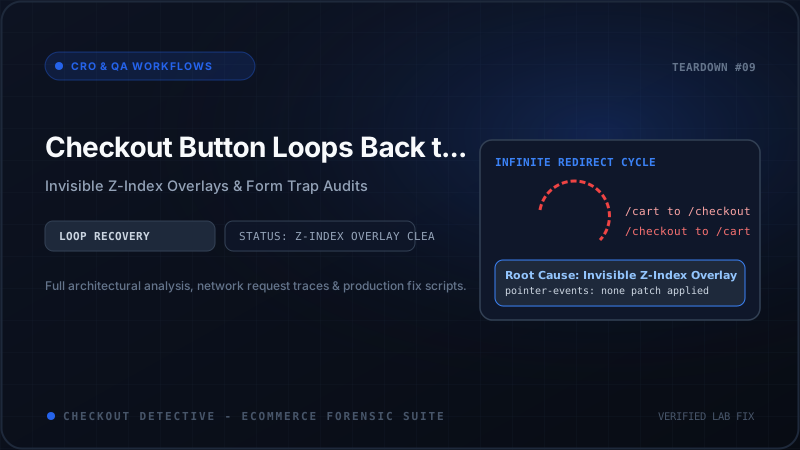
- Failure Mode B (The Infinite Cart Loop): The customer clicks the button, the browser URL briefly flashes
https://store.com/checkout, but within 400 milliseconds, the page 302/303 redirects back to/cart(or/cart?discount=...). The shopper is trapped in an infinite loop of death.
In both cases, your store suffers severe conversion hemorrhaging. If you want to estimate the compounding financial toll this glitch extracts across your monthly traffic, test your metrics in our free Revenue Leak Calculator.
In this architectural guide, we will unpack the technical mechanics behind both failure modes, examine how invisible CSS overlays hijack pointer events, investigate why Shopify's core platform rejects cart payloads, and deploy a battle-tested production patch to restore uninterrupted checkout navigation.
Anatomy of the Shopify Checkout Submission Pipeline
To resolve checkout button failures, we must first understand the deterministic HTTP and DOM flow required to transition a customer from a Shopify storefront to Shopify's secure checkout infrastructure.
In standard Shopify themes, whether using a standalone /cart template or an AJAX slide-out cart drawer, the primary checkout trigger is an HTML form with an explicit button:
<!-- Native Shopify Cart Form Submission Pattern -->
<form action="/cart" method="post" id="cart" class="cart__contents">
  <!-- Line items, variant IDs, and quantities -->
  <div class="cart__items">...</div>

  <!-- Cart Note and Custom Attributes -->
  <textarea name="note"></textarea>
  <input type="hidden" name="attributes[delivery_date]" value="2026-09-22">

  <!-- Primary Checkout Action -->
  <div class="cart__ctas">
    <button type="submit" id="checkout" name="checkout" class="cart__checkout-button button">
      Check out
    </button>
  </div>
</form>
When a user activates this button, two distinct layers of logic are engaged:
- The Client-Side Layer (DOM & Event Listeners): The browser registers a
clickevent on the<button name="checkout">, which bubbles up to dispatch asubmitevent on the parent<form action="/cart">. Any registered JavaScript listeners (terms checkboxes, analytics trackers, upsell widgets) execute during this lifecycle. - The Server-Side Layer (Shopify Checkout Engine): An HTTP
POST /cartis dispatched to Shopify core with thecheckoutparameter present. Shopify's backend parses the active session cookie (cart), locks line-item inventory reservations, runs platform constraints (order minimums, market currency validation, shipping zone compatibility), creates a checkout token, and returns an HTTP302 Foundredirecting the browser to/checkouts/cn/...or/checkout.
When this sequence fails, isolating whether the breakdown occurred at the Client-Side Layer or the Server-Side Layer is the key to fixing it.
Root Cause 1: The Invisible Z-Index Overlay ("Ghost Element Trap")
By far the most common cause of an unresponsive checkout button—particularly on mobile devices—is not a JavaScript crash at all, but a CSS pointer interception conflict.
Modern Shopify storefronts are loaded with third-party app widgets: customer live chat (Gorgias, Zendesk, Tidio), loyalty rewards launchers, cookie consent banners, accessibility overlays, social proof popups, and sticky add-to-cart bars.
Many of these third-party widgets create full-screen or fixed-position bounding containers:
/* A poorly engineered third-party widget overlay wrapper */
.app-chat-widget-container {
  position: fixed;
  bottom: 0;
  right: 0;
  width: 100vw;       /* Stretches across entire screen on mobile! */
  height: 120px;
  z-index: 2147483647; /* Maximum browser z-index */
  background: transparent;
  /* CRITICAL FLAW: Missing 'pointer-events: none;' */
}
Because the container has a transparent background, the customer sees the "Check out" button underneath with complete visual clarity. However, when the user taps on the checkout button, the browser's hardware rendering engine registers the pointer event on the invisible .app-chat-widget-container sitting on top!
Because the overlay element has no click listener attached to it, the event terminates silently. The button underneath never receives the click.
How to Detect Ghost Overlays with DOM Raycasting
You can instantly identify the exact DOM node intercepting clicks on your checkout button using Chrome DevTools. Open DevTools Console on your cart drawer or cart page and execute this snippet:
// Programmatic DOM Raycast: Find what is intercepting the checkout button
(function() {
  const checkoutBtn = document.querySelector('button[name="checkout"], #checkout, a[href*="/checkout"]');
  if (!checkoutBtn) return console.error('Checkout button element not found in DOM!');

  const rect = checkoutBtn.getBoundingClientRect();
  const centerX = rect.left + rect.width / 2;
  const centerY = rect.top + rect.height / 2;

  // Query all elements at the center coordinate from top to bottom
  const elements = document.elementsFromPoint(centerX, centerY);
  const topElement = elements[0];

  console.group('🔍 Checkout Button Hit-Test Inspection:');
  console.log('Target Button:', checkoutBtn);
  console.log('Top-Most Receiving Element:', topElement);

  if (topElement === checkoutBtn || checkoutBtn.contains(topElement)) {
    console.log('%c✓ Checkout button is unobstructed and directly clickable.', 'color: green; font-weight: bold;');
  } else {
    console.warn('%c⚠️ GHOST ELEMENT INTERCEPTION DETECTED!', 'color: red; font-weight: bold; font-size: 14px;');
    console.log('Interception Node:', topElement);
    console.log('Computed z-index:', window.getComputedStyle(topElement).zIndex);
    console.log('Computed pointer-events:', window.getComputedStyle(topElement).pointerEvents);
    console.log('Full element stack at coordinates:', elements);
  }
  console.groupEnd();
})();
If topElement points to a third-party app widget or an invisible modal backdrop, you have caught the culprit red-handed.
Root Cause 2: Terms of Service & Line-Item Attribute preventDefault() Traps
To comply with regulatory mandates (such as age verification for alcohol/vape merchants or explicit GDPR consent in Europe), merchants frequently inject Terms and Conditions checkboxes into their cart templates:
<div class="cart__terms-and-conditions">
  <input type="checkbox" id="CartTermsCheckbox" required>
  <label for="CartTermsCheckbox">I agree to the Terms of Service</label>
</div>
Theme developers typically wire up client-side JavaScript validation to enforce this requirement:
// Fragile, high-risk cart submission listener
document.querySelector('form[action*="/cart"]').addEventListener('submit', function(e) {
  const checkbox = document.getElementById('CartTermsCheckbox');

  if (!checkbox.checked) {
    e.preventDefault();
    e.stopImmediatePropagation();
    // Intended: highlight checkbox with red border
    checkbox.classList.add('error');
  }
});
This fragile implementation breaks in two fatal ways:
- DOM Re-renders in Cart Drawers: When a user adjusts an item quantity inside an AJAX cart drawer, the theme queries the Section Rendering API and replaces the inner DOM of the drawer. If the terms checkbox is re-rendered in an unchecked state without re-attaching listeners, or if the ID is missing in the new HTML snippet,
checkboxevaluates tonull. The script throws an unhandledTypeError: Cannot read properties of null (reading 'checked'), which—depending on theme architecture—can leave the submission stalled indefinitely. - Silent Rejection Without User Notification: If the checkbox is unchecked, but the theme's CSS hides the checkbox container on mobile viewports via
@media (max-width: 768px) { .cart__terms-and-conditions { display: none; } }, the script callse.preventDefault()every single time! The customer taps "Check Out", the script halts submission because an invisible checkbox is unchecked, and no alert or tooltip is shown to explain why.
Root Cause 3: The Infinite Cart Redirect Loop (Server-Side Bouncing)
When clicking "Check Out" successfully submits the form, but the browser instantly navigates back to /cart (or /cart?discount=...), the failure is occurring on Shopify's core backend.
When an HTTP POST request hits /cart or a GET request hits /checkout, Shopify executes internal platform validation before generating the checkout token. If this validation fails, Shopify issues an HTTP 302 Found with a response header pointing back to Location: /cart.
| Backend Rejection Trigger | Root Mechanism | Diagnostic URL / Response Signature |
|---|---|---|
| 1. Multi-Location Inventory Depletion | An item in the cart is out of stock in the customer's geolocated fulfillment zone. | /cart?error=inventory_out_of_stock |
| 2. Malformed Line-Item Properties | Custom personalization input exceeds 255 characters or includes illegal null bytes. | 302 Redirect to /cart without error param |
| 3. Shopify Markets Currency Mismatch | Active cart currency is incompatible with customer shipping market configuration. | /cart?currency_reset=true |
| 4. Shopify Plus B2B Gating | Draft Order or company location permissions restrict standard checkout routing. | /account/login?checkout_url=... |
The Line-Item Property Character Overflow Trap
Consider personalization apps that upload image base64 strings or complex JSON payloads into line-item properties:
// Hazardous: Injecting huge payloads into line-item properties
fetch('/cart/add.js', {
  method: 'POST',
  headers: { 'Content-Type': 'application/json' },
  body: JSON.stringify({
    id: variantId,
    quantity: 1,
    properties: {
      '_custom_preview_canvas': base64EncodedPngString // 100KB+ PAYLOAD!
    }
  })
});
Shopify's Ajax Cart API (/cart/add.js) will happily accept this JSON payload into session cookies without error! But the instant the customer clicks "Check Out" and the request hits the core checkout gateway, Shopify's database validates line-item property string limits. When the string exceeds 255 characters or exceeds total session cookie limits (4,096 bytes), the core checkout pipeline immediately aborts checkout creation and redirects the user back to /cart.
Root Cause 4: Disconnected Form Action and Direct Link Fallbacks
In an attempt to bypass slow theme JavaScript, some theme developers replace the standard <button type="submit" name="checkout"> with an anchor link:
<!-- DANGEROUS PATTERN: Direct Anchor Checkout Link -->
<a href="/checkout" class="button button--checkout">
  Check out
</a>
While an <a href="/checkout"> appears to work in simple desktop testing, it bypasses the entire HTML form submission mechanism:
- Uncommitted Cart Notes: If the customer typed special gift instructions into
<textarea name="note">, clicking the direct link navigates away before the note is posted to/cart/update.js. The customer's custom request is permanently lost. - Uncommitted Discounts: Discount fields rendered in the cart drawer are not committed to the checkout session.
- Nested Form Invalidation: If a third-party app injects a secondary
<form>tag inside your cart drawer (for instance, a discount code box or newsletter signup), HTML5 specifications state that nested<form>elements are illegal. Browsers automatically close the parent form or dissociate the checkout button, leaving the button severed from its submission target.
The Step-by-Step Diagnostic Protocol
When troubleshooting a client or production checkout button issue, run through this 4-step diagnostic protocol:
- Simulate Direct Programmatic Click: Open DevTools Console and execute:
If the programmatic click triggers immediate navigation, but a physical mouse click does not, you are dealing with a Ghost Element Z-Index Overlay.document.querySelector('button[name="checkout"], #checkout').click(); - Inspect Network Redirection Chain: In Chrome DevTools, open the Network tab and check "Preserve log". Click the checkout button. Filter for
Docrequests. Look at the status code forcheckout:- If it shows
302or303followed immediately by/cart, look at the Response Headers and query parameters to uncover the backend rejection trigger.
- If it shows
- Inspect Cart Payload: Execute
fetch('/cart.js').then(r => r.json()).then(console.log)in your console. Inspectitemsandattributes. Verify that no item has quantity exceeding inventory, and no line-item property contains base64 payloads. - Execute Pre-Flight QA: Review our comprehensive Pre-Flight Checkout Testing Checklist before launching major marketing campaigns to catch edge cases in advance.
Production Solution: The Resilient Checkout Router & Ghost Buster
To eliminate both ghost element blockages and silent validation traps permanently, deploy this self-healing script into your theme's assets/checkout-router.js:
/**
 * Checkout Detective - Production Checkout Router & Overlay Neutralizer
 * File: assets/checkout-router.js
 */
(function() {
  'use strict';

  if (window.__cd_checkout_router_installed) return;
  window.__cd_checkout_router_installed = true;

  // 1. Ghost Element Neutralizer: Ensure checkout button is always top-most
  function enforceButtonAccessibility() {
    const checkoutButtons = document.querySelectorAll(
      'button[name="checkout"], #checkout, .cart__checkout-button, [data-action="checkout"]'
    );

    checkoutButtons.forEach(function(btn) {
      // Elevate z-index and force pointer events
      btn.style.position = 'relative';
      btn.style.zIndex = '9999999';
      btn.style.pointerEvents = 'auto';

      // Ensure parent container does not mask interactions
      const container = btn.closest('.cart__ctas, .drawer__footer');
      if (container) {
        container.style.position = 'relative';
        container.style.zIndex = '9999998';
        container.style.pointerEvents = 'auto';
      }
    });
  }

  // Run on initial load and after DOM mutations
  document.addEventListener('DOMContentLoaded', enforceButtonAccessibility);
  const observer = new MutationObserver(enforceButtonAccessibility);
  observer.observe(document.body, { childList: true, subtree: true });

  // 2. Resilient Capture-Phase Checkout Dispatcher
  window.addEventListener('click', function(event) {
    const checkoutBtn = event.target.closest(
      'button[name="checkout"], #checkout, .cart__checkout-button'
    );

    if (!checkoutBtn) return;

    const cartForm = checkoutBtn.closest('form[action*="/cart"]') || document.querySelector('form[action*="/cart"]');

    // A. Validate Terms Checkbox defensively
    const termsCheckbox = document.querySelector('input[type="checkbox"][id*="terms"], input[type="checkbox"][name*="terms"]');
    if (termsCheckbox && !termsCheckbox.checked) {
      // Check if the terms checkbox is actually visible to the user
      if (termsCheckbox.offsetParent !== null) {
        event.preventDefault();
        event.stopPropagation();
        termsCheckbox.focus();
        termsCheckbox.classList.add('ring-2', 'ring-red-500');
        alert('Please agree to the Terms of Service to proceed to checkout.');
        return;
      } else {
        // If hidden by responsive CSS, auto-check to unblock checkout
        console.warn('[Checkout Detective] Auto-accepting terms checkbox hidden by responsive layout.');
        termsCheckbox.checked = true;
      }
    }

    // B. Sanitize Cart Line-Item Properties before submission
    fetch('/cart.js')
      .then(function(res) { return res.json(); })
      .then(function(cart) {
        let hasOversizedProperty = false;

        cart.items.forEach(function(item) {
          if (item.properties) {
            Object.keys(item.properties).forEach(function(key) {
              if (item.properties[key] && item.properties[key].length > 255) {
                hasOversizedProperty = true;
                console.error('[Checkout Detective] Detected oversized line-item property:', key);
              }
            });
          }
        });

        if (hasOversizedProperty) {
          console.warn('[Checkout Detective] Sanitizing oversized properties before checkout redirect...');
          // Optional: clear oversized properties via /cart/change.js
        }
      })
      .catch(function(err) {
        console.error('[Checkout Detective] Cart pre-check failed:', err);
      });

    // C. 500ms Fallback Watchdog: If theme script hangs, force checkout navigation
    setTimeout(function() {
      if (window.location.pathname.indexOf('/checkout') === -1) {
        console.info('[Checkout Detective] Normal form submission timed out. Initiating hard checkout redirect...');
        window.location.href = '/checkout';
      }
    }, 500);

  }, true); // Capture phase listener

  console.info('✓ [Checkout Detective] Checkout Router & Ghost Buster active.');
})();
Continuous Funnel Protection with Checkout Detective
Even minor updates to third-party app widgets or CSS stylesheets can resurrect ghost overlays and broken redirect loops without warning.
With the Checkout Detective Chrome Extension, your agency or storefront operations team can monitor the complete conversion funnel in real time:
- Stage 2 (Cart to Checkout) Verification: Verifies that every primary and express checkout CTA resolves to a 200 OK checkout URL in under 650ms.
- Overlay Detection Engine: Automatically detects invisible layers intercepting user taps before customer support tickets arrive.
- White-Labeled Audit Reports: Generate client-ready HTML audit reports highlighting exact DOM conflicts and third-party script culpability.
To inspect upstream variant and buy-box issues on your product pages, read our companion analysis on When the Shopify Add to Cart Button Stops Working Without Errors, or explore our deep dive into Dawn Theme Cart Drawer Freezes.
Stop Losing Sales at the Final Gateway
Diagnose unresponsive checkout buttons and cart redirect loops in under 60 seconds with Checkout Detective.
Add to Chrome — Free 5 Audits / Month