It is the peak hour of your biggest flash sale of the year. Hundreds of concurrent shoppers are adding items to their carts, adjusting variant options, and entering discount codes. On the surface, your storefront looks fast and responsive. But deep inside your browser console logs and customer support queues, an insidious failure is unfolding: shoppers tapping "Add to Cart" or adjusting quantities are greeted by frozen cart drawers, disappearing line items, and unhandled HTTP 429 Too Many Requests errors.
When storefront developers investigate these spikes, their first reaction is often confusion: "How could our cart be rate-limited when we're only making three calls per user?"
The culprit is an architectural misunderstanding of how Shopify meters API consumption. Shopify does not enforce a naive "X requests per minute" rolling window. Instead, every endpoint across Shopify's REST Admin, GraphQL Admin, Storefront API, and AJAX Cart API operates on variations of the Leaky Bucket Algorithm.
When multiple third-party apps—such as bundle customizers, currency converters, loyalty widgets, and shipping calculators—execute uncoordinated asynchronous fetches simultaneously, they rapidly exhaust the available bucket capacity. Once the bucket overflows, Shopify's edge servers drop subsequent requests instantly.
If your theme relies on multiple apps injecting unthrottled cart mutations, you can assess your store's total script weight and network strain using our Shopify App Bloat Estimator.
In this exhaustive technical guide, we dissect the mathematical mechanics of Shopify's Leaky Bucket limiter, analyze how cost calculation works in GraphQL vs. REST, examine rate limit response headers, and provide production-ready TypeScript implementations of exponential backoff with full jitter and client-side cart request serialization.
The Mechanics of the Leaky Bucket Algorithm
To write resilient code for Shopify, you must understand the mathematical abstraction governing every API call.
Imagine a bucket with a small hole at the bottom. Water is poured into the bucket in discrete bursts (incoming API requests or GraphQL query complexity points). The water continuously leaks out of the hole at a smooth, constant rate (the replenishment rate).
       Incoming Burst Traffic (Cart Adds, Bundle Steps, App Queries)
                           │   │   │   │
                           ▼   ▼   ▼   ▼
               ┌───────────────────────────────┐
               │ █ █ █ █ █ █ █ █ █ █ █ █ █ █ █ │ ◄── [OVERFLOW SPILL]:
               │ █ █ █ █ █ █ █ █ █ █ █ █ █ █ █ │     Capacity Exceeded (Cost > Available)
               │                               │     ──▶ HTTP 429 Too Many Requests
               │      CURRENT FILL LEVEL (L)   │
               │   Total Accumulated Requests  │
               │      or GraphQL Complexity    │
               │                               │
               │~~~~~~~~~~~~~~~~~~~~~~~~~~~~~~~│ ◄── BUCKET MAXIMUM CAPACITY (C)
               │                               │     REST: 40 calls (80 on Plus)
               │                               │     GraphQL: 1,000 pts (2,000 on Plus)
               └───────────────┬───────────────┘
                               │
                               │ [LEAK HOLE] Constant Drain Rate (r)
                               │ REST: 2 calls/second (4 on Plus)
                               ▼ GraphQL: 50 pts/second (100 on Plus)
                      Smooth Replenishment
The Governing Formula
At any given timestamp $t$, the state of the bucket is defined by three variables:
- Maximum Capacity ($C$): The maximum volume of burst requests or complexity points the bucket can hold before overflowing.
- Leak Rate ($r$): The constant rate at which water drains from the bucket per second.
- Current Fill Level ($L$): The current accumulated cost in the bucket.
When a new request with cost $w$ arrives at time $t_{ ext{new}}$ after a previous request at $t_{ ext{prev}}$, Shopify calculates the new fill level:
L(t_new) = max(0, L(t_prev) - r * (t_new - t_prev)) + w
If $L(t_{ ext{new}}) > C$, the request is throttled immediately. The server rejects the call with an HTTP 429 Too Many Requests status and emits a Retry-After response header indicating how many seconds the client must wait for the bucket to leak enough water to accommodate the requested cost.
Shopify Quota Matrix: REST vs. GraphQL vs. Storefront & Cart APIs
Different Shopify APIs utilize different parameterizations of the leaky bucket model. The table below details the exact capacities, drain rates, and throttling behaviors across Shopify's API landscape:
| API Endpoint | Metering Unit | Standard Capacity / Leak | Shopify Plus Capacity / Leak | Throttling Mechanism |
|---|---|---|---|---|
| REST Admin API | 1 Request = 1 Unit | 40 units / 2 units/sec | 80 units / 4 units/sec | HTTP 429 with Retry-After and X-Shopify-Shop-Api-Call-Limit |
| GraphQL Admin API | Calculated Query Complexity Points | 1,000 pts / 50 pts/sec | 2,000 pts / 100 pts/sec | GraphQL error array with THROTTLED code + extensions.cost metadata |
| Storefront API (GraphQL) | Calculated Query Points per Buyer IP | Dynamic time-bucket quotas keyed by IP & Buyer Identity | Elevated burst limits on Shopify Plus with Oxygen hosting | HTTP 429 or GraphQL THROTTLED error response |
| Storefront AJAX Cart API (/cart/*) | Session & IP Mutation Rate | Heuristic rate limiter preventing rapid mutation flooding | Shared Cloudflare Edge rate limits across store domain | HTTP 429 with HTML/JSON error response; drops subsequent calls |
Parsing Rate Limit Headers in TypeScript
To avoid hitting the bucket ceiling proactively, your application should monitor consumption in real time by parsing response telemetry.
REST API Header: X-Shopify-Shop-Api-Call-Limit
Every response from the REST Admin API includes the current fill level and capacity formatted as current/max:
HTTP/1.1 200 OK
Date: Sun, 20 Sep 2026 13:00:00 GMT
Content-Type: application/json; charset=utf-8
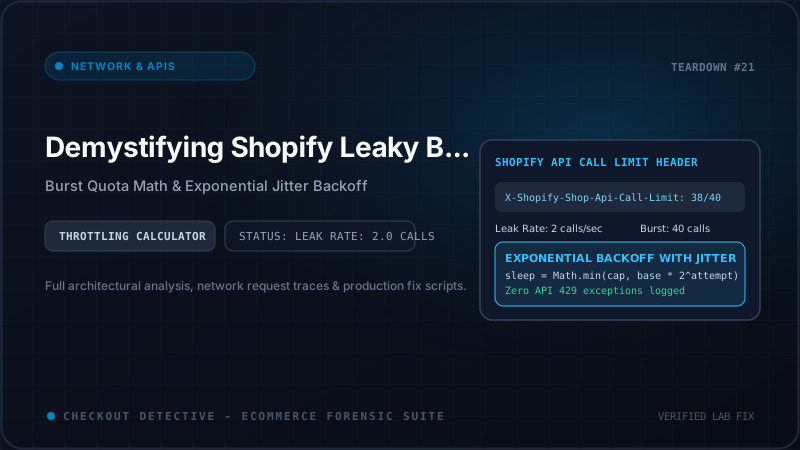
X-Shopify-Shop-Api-Call-Limit: 38/40
Retry-After: 2.0
When your client sees 38/40, the bucket has only 2 requests of headroom remaining. Any concurrent burst will immediately overflow the bucket.
GraphQL Metadata: extensions.cost
In the GraphQL Admin API and Storefront API, the response payload contains an extensions.cost object providing exact bucket telemetry:
{
  "data": {
    "cart": { "id": "gid://shopify/Cart/c1-abc123" }
  },
  "extensions": {
    "cost": {
      "requestedQueryCost": 12,
      "actualQueryCost": 12,
      "throttleStatus": {
        "maximumAvailable": 1000.0,
        "currentlyAvailable": 245.0,
        "restoreRate": 50.0
      }
    }
  }
}
Here, currentlyAvailable indicates that only 245 points remain. If an upcoming query costs 300 points, dispatching it immediately will trigger an execution rejection.
Here is a production-grade utility to extract and normalize throttle status across both REST and GraphQL responses:
export interface ThrottleTelemetry {
  apiType: 'REST' | 'GRAPHQL';
  currentLevel: number;
  maxCapacity: number;
  availableHeadroom: number;
  retryAfterSeconds?: number;
  isNearingLimit: boolean;
}

export function parseShopifyThrottleHeaders(
  response: Response,
  graphqlJsonBody?: any
): ThrottleTelemetry | null {
  // 1. Check REST API header
  const restHeader = response.headers.get('X-Shopify-Shop-Api-Call-Limit');
  if (restHeader) {
    const [usedStr, maxStr] = restHeader.split('/');
    const currentLevel = parseInt(usedStr, 10);
    const maxCapacity = parseInt(maxStr, 10);
    const retryAfter = response.headers.get('Retry-After');

    return {
      apiType: 'REST',
      currentLevel,
      maxCapacity,
      availableHeadroom: maxCapacity - currentLevel,
      retryAfterSeconds: retryAfter ? parseFloat(retryAfter) : undefined,
      isNearingLimit: currentLevel / maxCapacity > 0.85
    };
  }

  // 2. Check GraphQL extensions.cost
  if (graphqlJsonBody?.extensions?.cost?.throttleStatus) {
    const { maximumAvailable, currentlyAvailable } = graphqlJsonBody.extensions.cost.throttleStatus;
    const currentLevel = maximumAvailable - currentlyAvailable;

    return {
      apiType: 'GRAPHQL',
      currentLevel,
      maxCapacity: maximumAvailable,
      availableHeadroom: currentlyAvailable,
      isNearingLimit: currentlyAvailable / maximumAvailable < 0.15
    };
  }

  return null;
}
The Dangerous Anti-Pattern: Uncoordinated Cart Mutations
Why do storefronts hit rate limits when users are simply browsing a product page? Consider a typical modern Shopify store with five apps installed:
- A Bundle Builder that adds 4 separate product variants to the cart via individual
POST /cart/add.jscalls. - A Currency Converter that listens to cart mutations and immediately fires
GET /cart.jsto recalculate localized totals. - A Free Shipping Progress Bar that fires its own
GET /cart.jsto compute tier progress. - A Slide-Out Drawer that triggers
GET /cart.jsto re-render the drawer line items. - A Volume Discount App that computes multi-buy discounts with an asynchronous call to a custom app proxy.
When a customer clicks "Add Bundle", these apps dispatch 8 to 12 HTTP requests within a 150-millisecond window from the exact same browser session.
Shopify's edge security layers detect this burst as potential scraping or denial-of-service activity. If one request fails with HTTP 429, naive frontend scripts often react by immediately retrying in an unthrottled while loop. This behavior causes the "Thundering Herd" catastrophe: the client keeps the leaky bucket permanently full, locking the shopper out of the checkout funnel completely.
Production Implementation: Exponential Backoff with Full Jitter
When a request is throttled with an HTTP 429 response, how should your application recover?
Naive retry architectures employ fixed intervals (e.g. wait 500ms and retry). Under high concurrency, hundreds of throttled clients all wake up at the exact same millisecond, hammering the API again simultaneously.
The industry-standard solution developed by AWS Systems Architecture is Exponential Backoff with Full Jitter.
The Mathematics of Full Jitter
Let $B$ be the base delay (e.g., 200ms) and $M$ be the maximum delay ceiling (e.g., 5000ms). For retry attempt $i in {1, 2, dots, N}$:
ext{ExponentialCap}(i) = min(M, B imes 2^i)
ext{SleepTime}(i) = ext{random}(0, ext{ExponentialCap}(i))
By drawing the sleep duration uniformly from the interval $[0, ext{ExponentialCap}]$, we spread the retry distribution evenly across time, eliminating synchronization waves and allowing the leaky bucket to drain smoothly.
Here is a complete, production-grade TypeScript fetch wrapper that implements exponential backoff with full jitter, honoring Shopify's Retry-After header:
interface RetryConfig {
  maxRetries?: number;
  baseDelayMs?: number;
  maxDelayMs?: number;
}

export async function fetchWithShopifyBackoff(
  url: string,
  options: RequestInit = {},
  config: RetryConfig = {}
): Promise<Response> {
  const {
    maxRetries = 4,
    baseDelayMs = 250,
    maxDelayMs = 4000
  } = config;

  let attempt = 0;

  while (true) {
    try {
      const response = await fetch(url, options);

      // Return immediately if successful or client error that shouldn't be retried
      if (response.status !== 429 && response.status < 500) {
        return response;
      }

      // If we exhausted retries, throw or return the final response
      if (attempt >= maxRetries) {
        console.error([ShopifyBackoff] Exhausted ${maxRetries} retries for ${url}. Returning response.);
        return response;
      }

      attempt++;

      // Check if Shopify sent a specific Retry-After header (in seconds)
      const retryAfterHeader = response.headers.get('Retry-After');
      let sleepMs: number;

      if (retryAfterHeader) {
        // Honor Shopify's exact drain calculation, adding 100ms safety padding
        sleepMs = (parseFloat(retryAfterHeader) * 1000) + 100;
        console.warn([ShopifyBackoff] HTTP 429: Honoring Retry-After header: ${sleepMs}ms);
      } else {
        // Calculate Exponential Backoff with Full Jitter
        const exponentialCap = Math.min(maxDelayMs, baseDelayMs * Math.pow(2, attempt));
        sleepMs = Math.floor(Math.random() * exponentialCap);
        console.warn([ShopifyBackoff] HTTP ${response.status}: Retry attempt ${attempt} sleeping for ${sleepMs}ms);
      }

      await new Promise((resolve) => setTimeout(resolve, sleepMs));

    } catch (networkError: unknown) {
      if (attempt >= maxRetries) {
        throw networkError;
      }
      attempt++;
      const exponentialCap = Math.min(maxDelayMs, baseDelayMs * Math.pow(2, attempt));
      const sleepMs = Math.floor(Math.random() * exponentialCap);
      await new Promise((resolve) => setTimeout(resolve, sleepMs));
    }
  }
}
The Architectural Solution: Client-Side Cart Request Serializer
While backoff prevents permanent failures, the cleanest architectural solution for storefronts is to prevent rate limiting from ever occurring in the first place.
Instead of allowing individual components to dispatch concurrent requests to /cart/add.js, /cart/change.js, or /cart/update.js, route all cart mutations through a centralized singleton queue that guarantees sequential execution:
type CartTask<T> = () => Promise<T>;

interface QueueItem {
  task: CartTask<any>;
  resolve: (value: any) => void;
  reject: (reason?: any) => void;
}

class StorefrontCartQueue {
  private static instance: StorefrontCartQueue;
  private queue: QueueItem[] = [];
  private isProcessing = false;
  private minIntervalMs = 200; // Enforce minimum spacing between cart mutations
  private lastExecutionTime = 0;

  private constructor() {}

  public static getInstance(): StorefrontCartQueue {
    if (!StorefrontCartQueue.instance) {
      StorefrontCartQueue.instance = new StorefrontCartQueue();
    }
    return StorefrontCartQueue.instance;
  }

  /**
   * Enqueue a cart mutation. Returns a promise that resolves when the task completes.
   */
  public enqueue<T>(task: CartTask<T>): Promise<T> {
    return new Promise<T>((resolve, reject) => {
      this.queue.push({ task, resolve, reject });
      this.processNext();
    });
  }

  private async processNext(): Promise<void> {
    if (this.isProcessing || this.queue.length === 0) {
      return;
    }

    this.isProcessing = true;
    const { task, resolve, reject } = this.queue.shift()!;

    // Enforce leak pacing: ensure at least minIntervalMs has elapsed
    const now = Date.now();
    const timeSinceLast = now - this.lastExecutionTime;
    if (timeSinceLast < this.minIntervalMs) {
      await new Promise((r) => setTimeout(r, this.minIntervalMs - timeSinceLast));
    }

    try {
      const result = await task();
      this.lastExecutionTime = Date.now();
      resolve(result);
    } catch (err) {
      reject(err);
    } finally {
      this.isProcessing = false;
      // Continue draining queue
      this.processNext();
    }
  }
}

// Global accessor for theme scripts
export const cartQueue = StorefrontCartQueue.getInstance();

// Safe helper to mutate cart without triggering HTTP 429
export async function safeAddToCart(variantId: number, quantity: number) {
  return cartQueue.enqueue(async () => {
    const res = await fetchWithShopifyBackoff('/cart/add.js', {
      method: 'POST',
      headers: { 'Content-Type': 'application/json' },
      body: JSON.stringify({ items: [{ id: variantId, quantity }] })
    });
    return res.json();
  });
}
Auditing Cart Throttling with Checkout Detective
Even with optimized theme code, third-party apps injected via script tags or app embeds can covertly hammer your API quotas behind the scenes.
With Checkout Detective's diagnostic engine, engineering teams can monitor live API call patterns directly inside the browser side panel:
- Real-Time Call Counter: Tracks total requests dispatched to
/cart/*.js, GraphQL Storefront endpoints, and Checkout UI extension workers. - Burst Rate Alarms: Flags scripts generating more than 3 requests in under 500ms.
- HTTP 429 Interceptor: Captures dropped network packets and surfaces the exact script origin responsible for exhausting the leaky bucket.
For high-growth merchants and development agencies requiring automated continuous monitoring and CI/CD rate limit assertions, explore our multi-store plans on the Checkout Detective Pricing page.
Summary: Graceful Degradation Is Non-Negotiable
Shopify's Leaky Bucket algorithm is an essential defense mechanism that preserves platform stability during massive traffic surges. As developers, our responsibility is not to fight the rate limiter, but to architect systems that respect its mathematical constraints.
By replacing uncontrolled concurrent fetches with serialized queues, parsing rate limit headers proactively, and backing off with randomized full jitter, you ensure that your cart remains fast, resilient, and conversion-ready under any traffic volume.
Eliminate cart API bottlenecks today
Install Checkout Detective to inspect live network calls, trace third-party app rate limit leaks, and debug cart freezes before they cost you sales.
Install Checkout Detective Free