Few discrepancies provoke greater panic in an e-commerce boardroom than discovering that your Meta Ads Manager is reporting twice the number of purchases that actually cleared your bank account. Your media buyers celebrate an apparent 4.2x Return on Ad Spend (ROAS) on a scaling campaign, only for the finance controller to reveal that net revenue is flat, Stripe payouts are half of platform figures, and your customer acquisition cost (CAC) has secretly doubled.
When the Meta Pixel fires twice on purchase in Shopify, the consequences extend far beyond cosmetic reporting errors. Meta's conversion optimization algorithms (Advantage+ Shopping Campaigns and Lookalike Audiences) actively ingest these duplicate signals. When the machine learning model believes low-intent or single-purchase shoppers are transacting twice, it bids aggressively on the wrong audience segments, burns ad capital on depleted lookalikes, and pollutes your attribution models.
In this architectural breakdown, we unpack the mechanics of Meta's deduplication engine, dissect the five root causes of duplicate purchase events across Shopify Online Store 2.0 and Checkout Extensibility, provide a production-ready code fix for Shopify Customer Events, and demonstrate how to audit your telemetry pipeline in real time.
Direct Answer: Why Does Meta Pixel Fire Twice on Shopify Purchases?
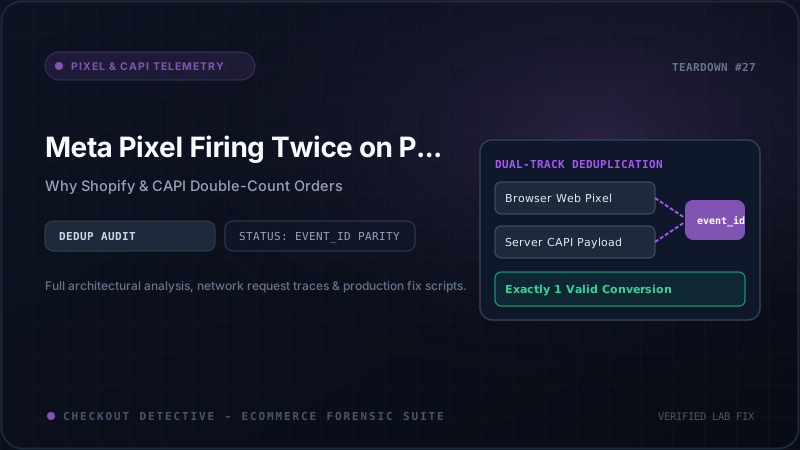
The Meta Pixel fires twice on purchase because Meta's ingestion pipeline receives two independent conversion signals—one from the client's browser (Meta Pixel) and one from the server (Conversions API / CAPI)—that fail to deduplicate due to a missing or mismatched event_id. Alternatively, the browser fires two separate client-side beacons because an uncoordinated legacy script (such as an old GTM container or theme app snippet) runs alongside Shopify's native Web Pixel, or because the customer refreshed the order confirmation screen without an idempotency guard.
┌─────────────────────────────────────────────────────────────────────────┐
│                     Customer Completes Order on Shopify                 │
│                          (One-Page Checkout DOM)                        │
└────────────────────────────────────┬────────────────────────────────────┘
                                     │
                 Dispatches: checkout_completed Event
                                     │
           ┌─────────────────────────┴─────────────────────────┐
           ▼                                                   ▼
┌───────────────────────────────────┐               ┌───────────────────────────────────┐
│   Client-Side Browser Pixel       │               │   Server-Side CAPI Webhook        │
│   (Customer Events Sandbox)       │               │   (Shopify Cloud / App Engine)    │
│                                   │               │                                   │
│   Event: "Purchase"               │               │   Event: "Purchase"               │
│   event_id: "order_9482019"       │               │   event_id: "order_9482019"       │
│   _fbp: "fb.1.171829.8291"        │               │   _fbp: "fb.1.171829.8291"        │
└─────────────────┬─────────────────┘               └─────────────────┬─────────────────┘
                  │                                                   │
          HTTP POST Beacon                                    HTTP POST REST
      facebook.com/tr/ (Pixel)                           graph.facebook.com (CAPI)
                  │                                                   │
                  └─────────────────────────┬─────────────────────────┘
                                            │
                                            ▼
                        ┌───────────────────────────────────────┐
                        │      Meta Event Ingestion Engine      │
                        │    (48-Hour Sliding Deduplication)    │
                        └───────────────────┬───────────────────┘
                                            │
                               [ Evaluate Match Keys ]
                                            │
                     ┌──────────────────────┴──────────────────────┐
                     │                                             │
             Keys Match Exactly                             Keys Disagree
       (Same event_id & event_name)               (Missing / Mismatched event_id)
                     │                                             │
                     ▼                                             ▼
          ┌─────────────────────┐                       ┌─────────────────────┐
          │   Deduplication OK  │                       │   DUPLICATE ORDER   │
          │   1 Recorded Order  │                       │   2 Recorded Orders │
          │   ROAS Accurate     │                       │   200% ROAS Mirage  │
          │   EMQ Score: 9.4/10 │                       │   Wasted Ad Budget  │
          └─────────────────────┘                       └─────────────────────┘
The Mechanics of Meta Event Deduplication: event_id & event_name
To survive third-party cookie restrictions, Safari ITP, and network ad blockers, modern e-commerce brands deploy a redundant tracking architecture: browser-side Meta Pixel paired with server-side Meta Conversions API (CAPI). When both channels transmit an identical conversion, Meta relies on two primary parameters to combine them into a single record:
-
event_name: Must match character-for-character (e.g.,Purchase). If the browser sendsPurchasewhile the server sendsOrderCompletedorpurchase(lowercase), deduplication immediately fails. -
event_id: A unique, deterministic string generated for that specific transaction (e.g., the Shopify Order ID). Both the client beacon and the server payload must transmit the exact same identifier.
When Meta receives both payloads within a 48-hour window sharing identical match keys, it deduplicates the events. It combines the granular client-side session parameters (IP address, User Agent, _fbp browser cookie, _fbc click ID) with the deterministic, authenticated billing data from the server payload (normalized SHA-256 hashed email, phone, city, zip).
However, if the event_id is omitted on one side, or if the client transmits shopify_order_1042 while the server transmits 1042 or gid://shopify/Order/847291048, Meta treats the two requests as distinct, unrelated customer purchases. The result is double-counted revenue.
| Tracking Configuration | Browser event_id | Server CAPI event_id | Deduplication Result | Ad Account Impact |
|---|---|---|---|---|
| Deterministic Parity | "shopify_8492019" | "shopify_8492019" | 100% Deduplicated (1 Order) | Accurate ROAS; optimal bidding |
| Format Discrepancy | "8492019" | "#1042" (Order Name) | Double-Counted (2 Orders) | ROAS inflated by 100%; budget misallocated |
| Missing Client ID | null / undefined | "8492019" | Double-Counted (2 Orders) | Meta registers both independently |
| Page Refresh Trap | "shopify_8492019" (fires x2) | "shopify_8492019" (fires x1) | Partial Duplicate (Meta rate-limited) | Event quality degraded; warning flags |
| Dual App Conflict | No event_id (App A) + "8492019" (App B) | "8492019" (Native CAPI) | Triple-Counted (3 Orders) | Severe algorithmic distortion |
The 5 Real Technical Root Causes of Duplicate Purchases in Shopify
1. The event_id Key Mismatch in Customer Events Web Pixels
Under Shopify Checkout Extensibility, scripts in checkout.liquid and "Additional Scripts" are replaced by Customer Events Web Pixels running in an isolated Web Worker sandbox.
When developers set up a custom Web Pixel by subscribing to analytics.subscribe('checkout_completed', ...), they often pull the order identifier from the payload using event.data.checkout.order.id. Depending on the API version, this value may return a global GraphQL node ID like "gid://shopify/Order/592819482910" or the raw numeric database ID "592819482910".
Meanwhile, server-side CAPI integrations (such as the native Meta Sales Channel or an AWS/Cloudflare webhook) frequently use the human-readable order name ("#1042") or the order token. Because "592819482910" !== "#1042", Meta's deduplication engine sees two distinct transactions and records both. For more details on this exact failure mode, see our deep-dive on debugging Meta CAPI & Pixel deduplication in Shopify.
2. The "Thank You" & Order Status Page Reload Trap
When a customer completes a purchase, Shopify routes them to the order confirmation URL: /checkouts/.../thank_you. Many customers refresh this screen to confirm order status, or revisit the page days later through an order confirmation email or SMS tracking link.
If your client-side Web Pixel executes on every page render without verifying whether this is the first visit, it dispatches another Purchase beacon. If the client beacon generates a random timestamp-based UUID on each load, Meta cannot associate the second visit with the original server CAPI webhook. Consequently, an eager shopper checking shipping updates three times can register three distinct purchases in Meta Events Manager!
3. Ghost Scripts: The Dual App & Legacy GTM Conflict
When merchants migrate to Shopify's native Facebook & Instagram app, they often forget to clean up their old tracking infrastructure. Common culprits include:
- An active Google Tag Manager web container in
theme.liquidthat still contains a legacy Facebook Pixel tag. - Third-party multi-channel tracking apps (e.g., older versions of Trackify, Elevar, or Littledata) running concurrently with the native Meta Sales Channel.
- Hardcoded
fbq('track', 'Purchase', ...)snippets left behind in theme snippets or layout files.
When both the native app and the legacy script execute on checkout completion, the browser dispatches two network requests to facebook.com/tr/. If one of those requests lacks an event_id entirely, Meta is forced to count it as a separate conversion.
4. Post-Purchase Upsell Apps Intercepting Checkout
Post-purchase upsell applications (such as ReConvert, Zipify OCU, or CartHook) intercept the checkout sequence between the payment authorization and the final Thank You screen.
When misconfigured, the checkout emits an initial checkout_completed event when the initial cart is authorized. When the customer subsequently accepts an upsell offer, the upsell app modifies the existing order and re-emits a checkout_completed event or triggers its own pixel call. If the secondary event does not include the delta amount or uses a different event ID, Meta logs the entire order value twice. Learn more about resolving this in our guide to post-purchase upsell tracking and double counting.
5. Rogue ob3_plugin Rules & Aggregator Scripts
Older affiliate networks, multi-pixel aggregators, and analytics packages sometimes inject global mutation observers or automated event detection plugins (such as Meta's automated "Track Events Automatically Without Code" toggle).
When Meta's automated button-click heuristic detects a user clicking a button labeled "Complete Order" or "Pay Now", it synthesizes a Purchase event via DOM scraping. Moments later, your official integration fires the actual programmatic Purchase event. Because the synthetic event contains no event_id, deduplication is impossible.
The Exact Code Fix: Deterministic Web Pixel with Idempotency Guard
To eliminate duplicate purchases permanently, you must enforce three strict architectural requirements:
- Deterministic Key Normalization: Extract the raw numeric Shopify order ID, stripping any GraphQL prefixes or hash symbols.
- SessionStorage Idempotency Guard: Prevent multiple executions if the user reloads or navigates back to the confirmation screen.
- SHA-256 Advanced Matching: Pass normalized, lowercase, trimmed customer data to maximize Event Quality Match (EMQ) scores.
Navigate to Shopify Admin > Settings > Customer Events, click Add custom pixel, name it Meta-Pixel-Deterministic-CAPI, and deploy this production-grade code:
// Initialize Meta Pixel Base Code in Customer Events Sandbox
!function(f,b,e,v,n,t,s)
{if(f.fbq)return;n=f.fbq=function(){n.callMethod?
n.callMethod.apply(n,arguments):n.queue.push(arguments)};
if(!f._fbq)f._fbq=n;n.push=n;n.loaded=!0;n.version='2.0';
n.queue=[];t=b.createElement(e);t.async=!0;
t.src=v;s=b.getElementsByTagName(e)[0];
s.parentNode.insertBefore(t,s)}(window, document,'script',
'https://connect.facebook.net/en_US/fbevents.js');

const META_PIXEL_ID = 'YOUR_META_PIXEL_ID_HERE';

// Subscribe to Customer Events checkout_completed pub/sub
analytics.subscribe('checkout_completed', async (event) => {
  const checkout = event.data?.checkout;
  if (!checkout) return;

  // 1. Extract and normalize the deterministic Order ID
  let rawOrderId = checkout.order?.id || checkout.token;
  if (typeof rawOrderId === 'string' && rawOrderId.includes('/')) {
    // Strip GraphQL gid://shopify/Order/ prefix if present
    rawOrderId = rawOrderId.split('/').pop();
  }

  // Standardize the event_id key to match server-side CAPI payload
  const deterministicEventId = `shopify_order_${rawOrderId}`;

  // 2. Idempotency Guard: Check if this order was already processed in this browser session
  const processedKey = `meta_purchase_fired_${rawOrderId}`;
  try {
    const alreadyFired = await browser.sessionStorage.getItem(processedKey);
    if (alreadyFired === 'true') {
      console.warn('[Telemetry] Purchase event already dispatched for order:', rawOrderId);
      return; // Abort duplicate fire on page reload
    }
  } catch (err) {
    // Fallback if browser.sessionStorage is restricted
  }

  // 3. Extract Advanced Matching Parameters
  const email = checkout.email?.trim().toLowerCase();
  const phone = checkout.phone?.replace(/[^0-9+]/g, '');
  const firstName = checkout.shippingAddress?.firstName?.trim().toLowerCase();
  const lastName = checkout.shippingAddress?.lastName?.trim().toLowerCase();
  const city = checkout.shippingAddress?.city?.trim().toLowerCase();
  const zip = checkout.shippingAddress?.zip?.trim();
  const country = checkout.shippingAddress?.countryCode?.toLowerCase();

  // Initialize fbq with advanced matching keys
  fbq('init', META_PIXEL_ID, {
    em: email,
    ph: phone,
    fn: firstName,
    ln: lastName,
    ct: city,
    zp: zip,
    country: country
  });

  // 4. Format Line Items Array
  const contents = (checkout.lineItems || []).map((item) => ({
    id: item.variant?.id ? String(item.variant.id) : item.id,
    quantity: item.quantity || 1,
    item_price: parseFloat(item.variant?.price?.amount || 0)
  }));

  // 5. Dispatch Purchase Event with strict eventID matching
  fbq('track', 'Purchase', {
    content_type: 'product',
    contents: contents,
    value: parseFloat(checkout.totalPrice?.amount || 0),
    currency: checkout.currencyCode || 'USD',
    num_items: contents.reduce((acc, curr) => acc + curr.quantity, 0)
  }, {
    eventID: deterministicEventId // CRITICAL: Must match server CAPI event_id
  });

  // 6. Set Idempotency Lock
  try {
    await browser.sessionStorage.setItem(processedKey, 'true');
  } catch (err) {
    // Ignore storage write errors
  }
});
How to Verify Parity in Server-Side CAPI Payloads
Having clean client-side JavaScript solves only half the equation. You must guarantee that your server-side Conversions API integration passes the exact same event_id.
If you utilize a custom Cloudflare Worker, AWS Lambda, or a server-side GTM container to transmit Shopify webhooks (orders/create or orders/paid) to Meta's Graph API, verify that your server payload formats the event_id identically:
{
  "data": [
    {
      "event_name": "Purchase",
      "event_time": 1726918800,
      "event_id": "shopify_order_592819482910", // Exact match with client-side eventID
      "event_source_url": "https://yourstore.com/checkouts/cn/c1-84920/thank_you",
      "action_source": "website",
      "user_data": {
        "em": ["268c78a0f40d8984920e8b248a803..."], // SHA-256 hashed
        "ph": ["8f9024b481948201a48201..."],
        "client_ip_address": "172.56.21.89",
        "client_user_agent": "Mozilla/5.0 (iPhone; CPU iPhone OS 17_5 like Mac OS X)...",
        "fbp": "fb.1.1718293849.84920194",
        "fbc": "fb.1.1718293849.IwAR39104820194"
      },
      "custom_data": {
        "currency": "USD",
        "value": 149.50,
        "contents": [
          { "id": "48201948201", "quantity": 1, "item_price": 149.50 }
        ]
      }
    }
  ]
}
If you need to generate tailored CAPI payloads or inspect your server schema, use our free Shopify Meta CAPI & Pixel Setup Generator.
Step-by-Step Diagnostic Audit Protocol
Before marking your checkout tracking as verified, execute this three-step audit protocol to confirm that duplicate conversions have been completely eradicated.
Step 1: Check Meta Events Manager "Test Events" Tab
Log in to Meta Business Suite, navigate to Events Manager > Data Sources > Test Events. Open your browser in a new tab, navigate to your store, and execute a test order using the Shopify Bogus Gateway or a 100% discount coupon.
- Observe the incoming event log: within 10 seconds, you should see two entries appear for the single purchase.
- One entry should bear a Browser badge; the second entry should bear a Server badge.
- Look at the status column: Meta must display Deduplicated. If it shows two separate distinct events without the deduplicated tag, your
event_idis missing or mismatched.
Step 2: Inspect Browser Network Beacons via DevTools
Open Chrome DevTools (Cmd + Option + I or F12) and navigate to the Network tab. Filter requests by typing facebook.com/tr/ or fbevents.
Locate the outgoing POST or GET request where query parameter ev=Purchase. Inspect the payload:
- Verify parameter
eid(Event ID) exists and contains your formatted string (e.g.,shopify_order_...). - Refresh the Thank You page. Ensure that no second network beacon is dispatched to
facebook.com/tr/withev=Purchase.
Step 3: Run Real-Time Telemetry with Checkout Detective
While manual network sniffing works for isolated checkouts, it fails to reveal asynchronous race conditions, Web Worker sandbox isolation faults, or conflicts caused by customer consent banners.
The Checkout Detective Chrome Extension intercepts Shopify Customer Events and outgoing ad beacons directly in the browser viewport. It automatically analyzes outgoing Meta Pixel calls, validates event_id parity against server expectations, detects missing idempotency guards, and alerts you before faulty tracking inflates your ad spend.
Stop Bleeding Ad Budget to Phantom Conversions
Checkout Detective uncovers hidden tracking errors, duplicate pixel fires, and broken CAPI deduplication across your Shopify storefront. Verify event IDs, audit customer consent, and protect your ROAS in 60 seconds.