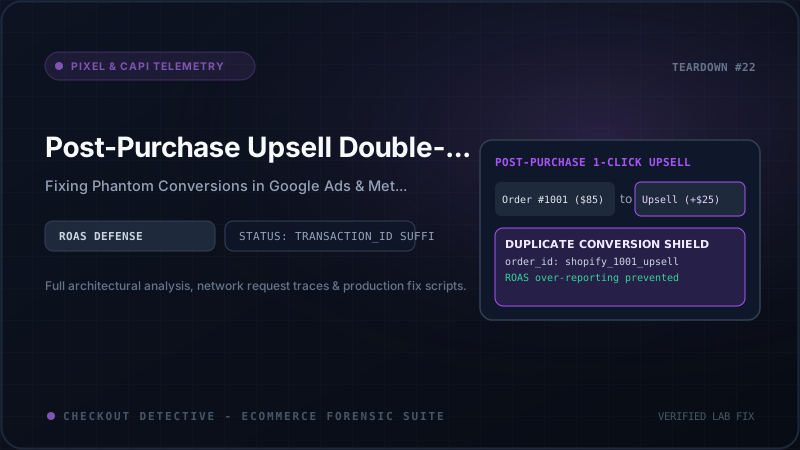
For high-growth direct-to-consumer brands on Shopify Plus, one-click post-purchase upsells are regarded as an automated revenue engine. Popular apps like ReConvert, Zipify OCU, AfterSell, and CartHook allow merchants to present complementary add-ons immediately after a buyer enters their payment details—capturing additional average order value (AOV) without requiring the buyer to re-enter their 16-digit credit card number.
In your media buying dashboards, the strategy appears to deliver astronomical returns. Meta Ads Manager reports an exceptional 4.8x Return on Ad Spend (ROAS); Google Ads Performance Max displays soaring conversion counts. Confident in these metrics, your marketing team doubles its daily ad spend.
Then the monthly financial reconciliation arrives: actual bank deposits and Shopify gross sales reflect a meager 2.9x blended ROAS. Your ad budget has been scaled aggressively into unprofitable territory.
What went wrong? You have fallen victim to the Post-Purchase Upsell Double-Counting Trap.
Because post-purchase upsell apps operate in an architectural limbo between the initial checkout authorization and the final order confirmation, they frequently cause tracking pixels and Conversions API (CAPI) pipelines to fire two complete purchase conversions for a single checkout session.
If you are currently generating tracking scripts or debugging discrepancies between ad networks and Shopify, you can generate clean deduplication tokens with our Meta CAPI Payload Generator.
In this forensic engineering guide, we dissect the post-purchase execution lifecycle, uncover why ad platforms double-count revenue, examine the differences between client-side Customer Events and server webhooks, and provide the definitive architectural fix for Shopify Plus.
The Post-Purchase Execution Lifecycle
To understand where double counting occurs, we must trace how an order mutates when a buyer accepts an upsell offer:
┌────────────────────────────────────────────────────────────────────────┐
│                        1. PRIMARY CHECKOUT STEP                        │
│  Buyer clicks "Pay now" with $100.00 cart                              │
│   ├── Shopify authorizes payment gateway token                         │
│   ├── Initial Order #1001 created in Shopify Backend ($100.00)         │
│   └── [TRIGGER 1]: Shopify Customer Events fires checkout_completed   │
│       ──▶ Client Pixel: fbq('track', 'Purchase', { value: 100.00 })    │
│       ──▶ Server CAPI: webhook orders/create fires with $100.00        │
└───────────────────────────────────┬────────────────────────────────────┘
                                    │
                       Buyer is NOT sent to Thank You Page
                       Redirected to Post-Purchase Sandbox
                                    │
┌───────────────────────────────────▼────────────────────────────────────┐
│                    2. POST-PURCHASE OFFER SANDBOX                      │
│  Buyer presented with: "Add Vitamin C Serum for $30.00"                │
│  Buyer clicks: "YES, ADD TO MY ORDER" (One-Click Acceptance)           │
│   ├── Post-Purchase App executes GraphQL Admin API:                    │
│   │   orderEditAddCustomItem on Order #1001                          │
│   ├── Additional $30.00 charged against existing payment vault         │
│   └── Shopify Order #1001 updated: New Total = $130.00                 │
└───────────────────────────────────┬────────────────────────────────────┘
                                    │
                       Redirected to Final Confirmation
                                    │
┌───────────────────────────────────▼────────────────────────────────────┐
│                    3. FINAL THANK YOU / STATUS PAGE                    │
│  Page loads URL: /checkouts/.../thank_you                              │
│   ├── Global DOM mounts theme tracking scripts & app embeds            │
│   └── [TRIGGER 2]: Scripts inspect DOM or liquid order.total_price   │
│       ──▶ Client Pixel: Fires Purchase AGAIN ($130.00 or $30.00)       │
│       ──▶ Server CAPI: webhook orders/updated fires with $130.00       │
│                                                                        │
│   [FATAL RESULT]:                                                      │
│   Meta & Google record: $100.00 + $130.00 = $230.00 Reported Revenue   │
│   Actual Customer Bank Charge: $130.00 (Overreported by $100.00!)      │
└────────────────────────────────────────────────────────────────────────┘
Notice the severe architectural vulnerability: two distinct purchase triggers are dispatched for one customer transaction.
- Trigger 1 (Initial Checkout Completion): When the buyer finishes the initial checkout step, Shopify emits the
checkout_completedlifecycle event. Pixels listening to Customer Events register a completed purchase of $100.00. - Trigger 2 (Post-Purchase Order Mutation): The buyer accepts the $30 upsell. The app edits the order in the background. The buyer is finally redirected to the Thank You page. Here, standard tracking scripts (or the native Shopify Google & YouTube app) re-evaluate the order total. Seeing an order with a total price of $130.00, they emit a second purchase conversion.
Why Ad Platforms Double-Count: Deduplication Mechanics
Both Meta Ads and Google Ads possess deduplication algorithms, but those algorithms strictly depend on specific developer-supplied identifiers. When post-purchase apps disrupt these identifiers, deduplication fails completely.
The Meta Pixel + CAPI Deduplication Breakdown
Meta deduplicates browser events and server events based on two criteria:
event_name: Must match exactly (e.g.Purchase).event_id: Must match byte-for-byte across browser and server payloads received within a 48-hour window.
When an upsell occurs, here is how the breakdown happens:
| Event Dispatch | Event Name | Event ID Passed | Monetary Value | Meta Processing Decision |
|---|---|---|---|---|
| Initial Client Pixel | Purchase | checkout_991823 | $100.00 | Recorded as Conversion #1 ($100.00). |
| Initial Server CAPI | Purchase | checkout_991823 | $100.00 | Deduplicated (Merged with Client Conversion #1). |
| Post-Purchase App Script | Purchase | order_1001_upsell | $30.00 (or $130.00) | DOUBLE COUNTED! Different Event ID treats this as a brand new purchase. |
| Thank You Page Reload | Purchase | undefined / missing | $130.00 | TRIPLE COUNTED! Missing event_id bypasses deduplication cache entirely. |
The Google Ads transaction_id Clashing
Google Ads handles deduplication via the transaction_id parameter in the conversion tag:
gtag('event', 'conversion', {
  'send_to': 'AW-123456789/AbCdEfGhIjK',
  'value': 130.00,
  'currency': 'USD',
  'transaction_id': '1001'
});
If Google Ads receives two conversion events with the exact same transaction_id within a short window, its documentation states that it deduplicates the second event. However:
- If the post-purchase app appends a suffix (e.g.
transaction_id: '1001-upsell-1'), Google Ads treats it as a separate transaction and logs both revenues. - If your Google Ads conversion action is set to count "Every" conversion (the standard setting for e-commerce) and the initial checkout event passed a checkout token while the Thank You page passed an order name, Google Ads records two distinct purchase conversions for the single buyer.
This discrepancy compounds with Google Analytics 4 tracking issues. For a detailed breakdown of how post-purchase pages disrupt attribution source tags and session identifiers, read our guide on the GA4 Purchase Attribution Trap in Shopify.
The Three Architectural Strategies: Which Is Right for You?
Engineering teams typically choose between three architectural approaches to resolve post-purchase tracking conflicts:
Strategy 1: The Incremental Delta Model (Recommended for App Developers)
In this pattern, the initial checkout event fires for the original cart total ($100.00). If the buyer accepts the post-purchase upsell, the app emits an explicit upsell conversion for only the incremental difference ($30.00), utilizing a deterministic child transaction ID:
- Event 1:
transaction_id: '1001', value:$100.00 - Event 2:
transaction_id: '1001-UPS-1', value:$30.00
Pros: Reflects real-time funnel timing; attribution platforms receive accurate total revenue ($130.00).
Cons: Ad platforms log two separate conversion events, which can distort Cost Per Acquisition (CPA) calculations.
Strategy 2: The Unified Thank You Page Delay (Recommended for Storefront Engineers)
In this pattern, client-side purchase tracking is suppressed during the initial checkout completion phase. Instead, the purchase event is fired only once, on the final Thank You page, with the definitive consolidated order value ($130.00 if accepted, $100.00 if declined).
Pros: Exactly one purchase event per order; perfect CPA accuracy; zero double counting.
Cons: If a buyer closes their browser tab immediately during the post-purchase offer screen before the final redirect, the purchase event could be missed on the client (requiring server CAPI fallback).
Production Implementation: Sandboxed Web Pixel Deduplication Guard
For stores running Shopify's modern Customer Events architecture, the most robust implementation utilizes Customer Events Web Pixels with session-persisted order state tracking.
This solution intercepts checkout_completed, inspects whether a post-purchase offer is pending, and enforces atomic deduplication:
import { register } from '@shopify/web-pixels-extension';

register(({ analytics, browser, init }) => {
  // Key used to store tracked transaction IDs in session storage
  const TRACKED_ORDERS_STORAGE_KEY = '_cd_tracked_orders';

  async function isOrderAlreadyTracked(orderId: string): Promise<boolean> {
    try {
      const raw = await browser.sessionStorage.getItem(TRACKED_ORDERS_STORAGE_KEY);
      const trackedList: string[] = raw ? JSON.parse(raw) : [];
      return trackedList.includes(orderId);
    } catch (e) {
      return false;
    }
  }

  async function markOrderAsTracked(orderId: string): Promise<void> {
    try {
      const raw = await browser.sessionStorage.getItem(TRACKED_ORDERS_STORAGE_KEY);
      const trackedList: string[] = raw ? JSON.parse(raw) : [];
      if (!trackedList.includes(orderId)) {
        trackedList.push(orderId);
        await browser.sessionStorage.setItem(
          TRACKED_ORDERS_STORAGE_KEY,
          JSON.stringify(trackedList)
        );
      }
    } catch (e) {
      console.warn('[PixelGuard] Could not write to sessionStorage:', e);
    }
  }

  // Subscribe to core checkout completion
  analytics.subscribe('checkout_completed', async (event) => {
    const checkout = event.data.checkout;
    const orderId = checkout.order?.id || checkout.token;
    const totalValue = checkout.totalPrice?.amount ?? 0;
    const currency = checkout.totalPrice?.currencyCode ?? 'USD';

    if (!orderId) {
      console.warn('[PixelGuard] checkout_completed missing order identifier. Bypassing.');
      return;
    }

    // 1. Check if this order was already dispatched to ad networks
    const alreadyFired = await isOrderAlreadyTracked(orderId);
    if (alreadyFired) {
      console.info([PixelGuard] Suppressing duplicate Purchase event for Order ${orderId}.);
      return;
    }

    // 2. Format a deterministic, unique Event ID for Meta CAPI and Google Ads
    const deduplicationKey = order_${orderId};

    // 3. Dispatch to Meta Pixel via sandboxed beacon or custom endpoint
    if ((window as any).fbq) {
      (window as any).fbq('track', 'Purchase', {
        value: totalValue,
        currency: currency,
        content_type: 'product',
        num_items: checkout.lineItems?.length ?? 1
      }, {
        eventID: deduplicationKey
      });
    }

    // 4. Dispatch to Google Ads gtag
    if ((window as any).gtag) {
      (window as any).gtag('event', 'conversion', {
        'send_to': 'AW-YOUR_CONVERSION_ID/LABEL',
        'value': totalValue,
        'currency': currency,
        'transaction_id': deduplicationKey
      });
    }

    // 5. Mark order as settled in session storage
    await markOrderAsTracked(orderId);
    console.info([PixelGuard] Successfully dispatched Purchase for Order ${orderId} ($${totalValue}).);
  });
});
Server-Side CAPI: Reconciling orders/create and orders/updated
If your store streams conversions to Meta Conversions API via server-side webhooks (such as AWS Lambda, Google Cloud Functions, or an app backend), you must never blindly fire a purchase event on both orders/create and orders/updated.
Follow this strict backend processing protocol:
-
The 5-Minute Hold Buffer: When an
orders/createwebhook is received from Shopify, do not immediately transmit the conversion to Meta CAPI. Place the event into a Redis or SQS delay queue with a 5-minute time-to-live (TTL). The typical post-purchase upsell decision window is 180 to 300 seconds. -
Intercepting Order Edits: If the customer accepts an upsell, Shopify emits an
orders/updatedwebhook with an updatedcurrent_total_priceand tags or line item notes indicating an upsell app was executed. -
Reconciliation & Dispatch: When the 5-minute queue timer expires, fetch the definitive order representation from Shopify's GraphQL Admin API. Dispatch a single, authoritative CAPI payload to Meta and Google with the final total price, using
order.idas the immutableevent_id.
// Example Node.js / TypeScript Server-Side CAPI Dispatcher
import axios from 'axios';

interface WebhookOrder {
  id: number;
  current_total_price: string;
  currency: string;
  email: string;
}

export async function sendMetaServerPurchase(order: WebhookOrder) {
  const pixelId = process.env.META_PIXEL_ID;
  const accessToken = process.env.META_CAPI_TOKEN;

  const payload = {
    data: [
      {
        event_name: 'Purchase',
        event_time: Math.floor(Date.now() / 1000),
        event_id: order_${order.id}, // EXACT match with client pixel eventID
        action_source: 'website',
        user_data: {
          em: [hashSHA256(order.email)]
        },
        custom_data: {
          currency: order.currency,
          value: parseFloat(order.current_total_price)
        }
      }
    ]
  };

  await axios.post(
    https://graph.facebook.com/v19.0/${pixelId}/events?access_token=${accessToken},
    payload
  );
}
Auditing Live Telemetry with Checkout Detective
Verifying post-purchase tracking manually is notoriously difficult: it requires placing live orders with real credit cards and navigating the entire multi-step upsell funnel.
With Checkout Detective's Ad Recovery & Telemetry inspector, you can audit your post-purchase event stream without placing test orders:
- Deduplication Verification: Verifies that every
Purchaseevent emitted by the client contains a valid, matchingevent_id. - Post-Purchase Listener Detection: Inspects active Customer Events Web Pixels to ensure duplicate calls on Thank You page transitions are filtered.
- Payload Comparison: Compares client-side event values against Shopify order metadata in real time to highlight revenue discrepancies.
Conclusion: True ROAS Demands Clean Attribution
Post-purchase upsells are one of the most effective levers for increasing Shopify store profitability. But when uncoordinated pixels report phantom revenue, they corrupt your algorithmic bidding models and lead to disastrous ad spend decisions.
By enforcing synchronized event_id and transaction_id keys, managing state in sandboxed Web Pixels, and implementing a delayed server-side CAPI reconciliation buffer, you eliminate duplicate conversions and ensure your ad campaigns optimize against actual cash collected.
Audit your post-purchase tracking today
Use Checkout Detective to inspect live Pixel and CAPI events, verify transaction deduplication, and eliminate double-counted conversion revenue.
Install Checkout Detective Free