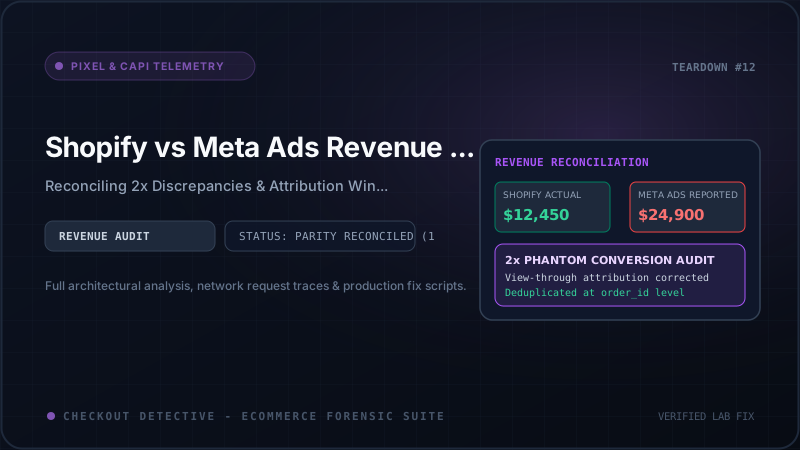
At 9:15 AM every Monday, e-commerce executives and media buyers re-enact the exact same ritual. The performance marketing lead pulls up Meta Ads Manager: $184,200 in Purchase Conversion Value at a 3.85x ROAS. Thirty seconds later, the Chief Financial Officer opens Shopify Admin: $98,400 in Total Store Sales across all acquisition channels combined.
A multi-thousand dollar discrepancy has opened up out of thin air. In other stores, the asymmetry swings in the exact opposite direction: media buyers spend $20,000 on Meta campaigns, but Ads Manager reports an abysmal $8,200 in revenue while Shopify reports record-breaking gross volume.
When revenue figures between Shopify and Meta diverge, marketing teams lose faith in their scaling signals, financial projections collapse, and automated bidding algorithms like Meta Advantage+ begin allocating capital based on corrupted mathematical inputs.
This discrepancy is neither random nor unavoidable. It is the predictable outcome of four intersecting engineering and telemetry failures: temporal attribution window shifts, broken Conversions API (CAPI) deduplication, timezone and accounting mismatches, and browser-level signal degradation.
In this technical diagnostic guide, we will break down each vector with real production data, provide architectural code fixes, and demonstrate how to reconcile your telemetry using Checkout Detective's Ad Recovery telemetry and our free Meta CAPI Payload & Event ID Generator.
The Two Asymmetrical Discrepancy Regimes
Before auditing tracking scripts, you must first categorize which of the two mathematical regimes your Shopify store is experiencing:
Symptoms: Ads Manager claims more purchase conversions than Shopify's entire order volume across all channels. ROAS appears extraordinarily high while bank account cash flow remains stagnant.
- Broken CAPI deduplication (Client Pixel + Server CAPI double-counted)
- Aggressive 1-Day View-Through attribution claiming organic sales
- Meta attributing sales to ad click dates rather than purchase dates
- Gross order values including un-captured auths, shipping, and VAT
Symptoms: Ads Manager shows low purchase numbers and sky-high CPAs, yet Shopify Admin shows strong storewide revenue and profitable ad spend.
- Aggressive client-side ad blockers (uBlock Origin, Brave, AdGuard)
- iOS Safari ITP capping tracking cookies (
_fbp) to 24 hours - Shopify Customer Events Web Pixel dropping customer identity keys
- Low Event Match Quality (EMQ < 5.0) causing Meta to discard CAPI batches
Vector 1: Attribution Windows & The Temporal Mismatch
The most pervasive reason Shopify and Meta disagree is fundamentally chronological. Shopify Admin records an order at the precise second the customer completes payment. If a customer places an order on Saturday, September 19 at 8:42 PM UTC, Shopify logs the order revenue into Saturday's analytics.
In stark contrast, Meta Ads Manager attributes the order to the date and time of the ad interaction (the click or the impression).
[ Customer Timeline: 7-Day Journey ]
   Monday, Sep 14                Thursday, Sep 17             Saturday, Sep 19
         |                              |                             |
 [ Clicks Meta Ad ]           [ Browses Catalog ]           [ Completes Checkout ]
         |                                                            |
         v                                                            v
 Meta Ads Manager logs:                                     Shopify Admin logs:
 +$120 on Sep 14                                            +$120 on Sep 19
 (Attribution to click date)                                (Attribution to transaction date)
If your media team evaluates daily performance on a 24-hour lookback window, Monday's Meta Ads Manager report will show $120 of revenue that does not exist in Monday's Shopify Admin report. Conversely, on Saturday, Shopify Admin will record $120 that Meta will never register in Saturday's column. Over a volatile 7-day period with scaling budgets, this creates constant reporting turbulence.
The 1-Day View-Through Illusion
By default, Meta ad sets operate on an attribution setting of 7-day click and 1-day view. View-through attribution credits Meta whenever a user completes an order within 24 hours of merely viewing an ad on Instagram or Facebook—even if they never clicked or interacted with the creative.
Consider this real-world scenario: An existing VIP customer receives a promotional SMS or Klaviyo newsletter announcing a product drop. While eating lunch, they open Instagram and scroll through Stories. Your retargeting ad flashes on their screen for 800 milliseconds. Two hours later, they open their email, click the Klaviyo link, and buy $250 worth of merchandise.
Who drove the sale?
- Shopify Admin: Categorizes the sale under "Klaviyo" or "Direct".
- Google Analytics 4: Attributes the sale to Last Non-Direct Click ("Email").
- Meta Ads Manager: Claims 100% of the $250 credit under 1-Day View Attribution.
To inspect how much phantom revenue view-through attribution is injecting into your reports, follow this configuration inside Meta Ads Manager:
- Open Meta Ads Manager → Campaigns.
- Click the Columns dropdown → Customize Columns.
- In the bottom-right corner, click Comparing Attribution Settings.
- Check the boxes for 1-day click, 7-day click, and 1-day view.
Across high-scale DTC brands running Advantage+ shopping campaigns, 1-day view attribution accounts for 28% to 54% of total reported Meta conversions. When you isolate 7-day click alone, Meta's reported revenue suddenly tracks significantly closer to Shopify Admin's attributed paid social metrics.
Vector 2: Broken Conversions API (CAPI) Deduplication (The 2x Multiplier)
When Meta Ads Manager reports almost exactly 200% of your real Shopify sales, the culprit is virtually never an attribution setting. It is an architectural failure in event deduplication.
Under Meta's redundant tracking guidelines, your Shopify store dispatches conversion signals via two independent pipelines:
- Browser Web Pixel (Client): Fires
fbq('track', 'Purchase', payload)from the customer's browser. - Conversions API (Server): Sends an HTTP POST request to Meta's Graph API directly from Shopify's backend servers upon order settlement.
Meta's intake engine is designed to merge these two events into a single conversion, provided that both payloads transmit an identical event_name and a unique, deterministic event_id within a 48-hour matching window.
As explored in our technical breakdown of Shopify Customer Events Pixel Deduplication, the introduction of Shopify's sandboxed Web Pixel API frequently shatters this contract:
+-------------------------+              +-------------------------+
|  Shopify Web Pixel API  |              |  Third-Party App / GTM  |
|  (Server CAPI via App)  |              |  (Client Browser Pixel) |
+-------------------------+              +-------------------------+
             |                                        |
      event_id: "c1-9a4f"                      event_id: "10842"
  (Shopify checkout token)                  (Shopify order name)
             |                                        |
             -------------------+--------------------/
                                 |
                                 v
                     [ Meta Graph Ingestion ]
                                 |
             Does "c1-9a4f" === "10842"?  ===> NO!
                                 |
                                 v
                     [ 2 PURCHASES RECORDED ]
               (Reported Revenue Doubles Instantly)
If your theme has a legacy tracking script in theme.liquid firing with the order number (e.g., #10842), while Shopify's official Facebook & Instagram app fires server CAPI using the checkout token (e.g., sh_token_9a4f...), the deduplication engine treats them as two completely separate customers buying identical products at the same minute.
The Solution: Deterministic Event ID Binding
To guarantee 100% deduplication parity across both client and server channels, your engineering team must enforce an immutable, shared identifier. The most stable identifier in modern Shopify checkout architecture is the customer's checkout.order.id or the checkout token:
// Inside Shopify Customer Events (Settings -> Customer Events -> Custom Pixel)
analytics.subscribe('checkout_completed', (event) => {
  const checkout = event.data.checkout;

  // Construct a deterministic, uniform event_id
  const orderId = checkout.order?.id || checkout.token;
  const deterministicEventId = `shopify_purchase_${orderId}`;

  // 1. Dispatch client-side browser beacon
  window.fbq('track', 'Purchase', {
    value: checkout.totalPrice.amount,
    currency: checkout.currencyCode,
    content_type: 'product',
    num_items: checkout.lineItems.length
  }, {
    eventID: deterministicEventId // <-- Must match server CAPI event_id exactly
  });
});
To generate and validate full production payloads with cryptographic SHA-256 customer data hashing, use our interactive Meta CAPI Payload & Event ID Generator.
Vector 3: Accounting Mechanics: Timezones, Currencies, and Taxes
Even when attribution windows and CAPI deduplication are technically flawless, baseline accounting differences between Shopify and Meta can create an ongoing 8% to 22% variance.
1. Timezone Skew
Your Shopify store's reporting timezone is configured in Settings → General → Timezone (e.g., America/New_York, UTC-5). Your Meta Ad Account timezone is configured in Ad Account Settings (frequently defaulted to UTC or America/Los_Angeles, UTC-8).
If your Shopify store is on EST and your Meta ad account is on PST, there is a 3-hour mismatch at the midnight rollover. Orders placed between 9:00 PM and 11:59 PM EST are credited to "Day 1" in Shopify, but recorded under "Day 0" in Meta. When media buyers evaluate day-over-day changes, this rollover creates constant synthetic spikes and dips.
2. Gross vs. Net Sales (Discounts, Returns, and Cancellations)
Shopify Admin's headline "Total Sales" metric is calculated with strict financial reconciliation:
Shopify Total Sales = Gross Sales - Discounts - Returns + Taxes + Shipping Charges
Meta Ads Manager, by contrast, has zero visibility into post-purchase modifications:
- If an order is cancelled or marked as fraudulent 10 minutes after placement, Meta keeps the revenue in Ads Manager.
- If a customer returns a $200 jacket three days later, Shopify deducts $200 from net sales. Meta retains the original $200 conversion value.
- If your tracking pixel fires on
subtotal_price(excluding taxes and shipping) while Shopify Admin displaystotal_price, or vice versa, your reports will consistently diverge by the average shipping and tax rate (typically 8% to 15%).
3. Multi-Currency and Shopify Markets Exchange Rates
If you sell globally via Shopify Markets, a shopper in London pays £100 GBP. If your Meta Ad Account billing currency is USD, the conversion pipeline operates as follows:
- Shopify processes £100 using its merchant banking exchange rate (e.g., 1.31 USD/GBP), logging $131.00 USD.
- The Web Pixel transmits
currency: "GBP", value: 100.00to Meta. - Meta converts £100 GBP to USD using Meta's internal daily financial rate (e.g., 1.28 USD/GBP), logging $128.00 USD in Ads Manager.
Across thousands of transactions, currency conversion fluctuations and bank spreads create a persistent 2% to 4% accounting drift.
Vector 4: The Signal Blindness Trap: Why Meta Shows Half Your Sales
While Regime A is dominated by over-counting, Regime B (where Meta reports far fewer sales than reality) is driven by signal loss.
| Interference Vector | Affected Population | Telemetry Impact | Ad Manager Consequence |
|---|---|---|---|
| Desktop Ad Blockers | 28% - 42% of desktop traffic | Blocks connect.facebook.net script injection |
100% loss of client-side pixel events |
| Safari ITP (iOS & macOS) | 45% - 65% of mobile DTC traffic | Caps client-side cookies (_fbp) to 24 hrs / 7 days |
Attribution broken on multi-day conversion journeys |
| iOS 17 Link Tracking Protection | Messages, Mail, Safari Private | Strips fbclid parameter from incoming URLs |
Server CAPI cannot match click without _fbc |
| Low Event Match Quality | Un-enriched CAPI setups | CAPI payload lacks hashed email, phone, IP, user-agent | Meta drops unmatchable server events entirely |
When a customer using Brave or Safari Private Browsing purchases on your store, their browser completely suppresses the Meta Pixel. If your store does not have an active server-side Conversions API, that sale is 100% invisible to Meta.
Furthermore, if your server-side CAPI is active but fails to capture and forward customer match keys (such as normalized SHA-256 emails, phone numbers, client IP, user agent, and the _fbp cookie), Meta's internal Event Match Quality score will plunge below 5.0. When EMQ is low, Meta's identity graph cannot link the server event back to the Facebook profile that saw the ad. The conversion is discarded, and your reported ROAS plummets.
Production Forensic Reconciliation Matrix
Use this diagnostic matrix to map observed percentage differences to their technical root causes:
| Observed Variance | Primary Root Cause | Secondary Check | Verification Tool |
|---|---|---|---|
| +100% (Meta 2x Shopify) | Duplicate CAPI / Pixel fires with non-matching event_id |
Legacy script in theme.liquid colliding with App |
Checkout Detective Telemetry |
| +30% to +60% (Meta > Shopify) | 1-Day View Attribution claiming organic & retention sales | Gross sales vs Net sales tax/shipping inclusion | Meta Ads Manager Attribution Setting Compare |
| ±8% to 15% (Daily Swings) | Timezone rollover offset (EST vs PST vs UTC) | Conversion date vs Click date attribution lag | Weekly cohort analysis & 7-day smoothing |
| -30% to -60% (Meta < Shopify) | Client ad blocking + low CAPI Event Match Quality (EMQ < 5) | Missing _fbp and _fbc cookie forwarding |
CAPI Payload Inspector |
Step-by-Step Diagnostic & Healing Protocol
To permanently reconcile your store's reporting and restore pristine optimization signals to Meta's bidding engine, execute this four-step engineering protocol:
Step 1: Segment Attribution Settings in Ads Manager
Immediately eliminate ambient view-through noise from your scaling decisions:
- Navigate to Meta Ads Manager → Customize Columns → Comparing Attribution Settings.
- Analyze your 7-Day Click ROAS independently from 1-Day View.
- If your 1-Day View ROAS is responsible for more than 40% of reported revenue, your campaigns are predominantly retargeting high-intent shoppers who were already converting via direct or email channels. Shift budget toward cold prospecting with 1-Day Click optimization.
Step 2: Audit Event ID Parity in Real Time
Launch the Checkout Detective Side Panel in Google Chrome:
- Open your storefront and navigate through a test purchase using a 100% off coupon or test gateway.
- Open the Pixel Detective tab inside the extension.
- Inspect the Purchase Event Stream:
- Verify whether
fbq('track', 'Purchase')is invoked once or multiple times. - Examine the
eventIDvalue logged by Checkout Detective. - Check the Duplicate Warning Flag. If Checkout Detective detects multiple purchase beacons within 500ms, it flags the colliding script origin immediately.
- Verify whether
- Cross-reference the
eventIDwith the server CAPI event inside Meta Events Manager → Test Events. Confirm that both payloads share identical strings.
Step 3: Enforce Standardized Value Payloads
Standardize whether your pixels transmit subtotal or total revenue. In standard e-commerce attribution, best practice is to track subtotal revenue (excluding shipping and sales tax) so that ad bidding optimizes for genuine merchandise value rather than high courier fees:
// Standardizing checkout value parameters in Customer Events
analytics.subscribe('checkout_completed', (event) => {
  const checkout = event.data.checkout;

  // Use subtotalPrice to prevent tax and shipping variance from distorting ROAS
  const purchaseValue = checkout.subtotalPrice?.amount || checkout.totalPrice.amount;
  const currencyCode = checkout.currencyCode;
  const orderId = checkout.order?.id || checkout.token;

  window.fbq('track', 'Purchase', {
    value: parseFloat(purchaseValue),
    currency: currencyCode,
    content_type: 'product',
    num_items: checkout.lineItems.reduce((acc, item) => acc + item.quantity, 0)
  }, {
    eventID: `shopify_order_${orderId}`
  });
});
Step 4: Maximize Event Match Quality (EMQ)
To protect against ad blockers and Safari ITP, ensure your server-side Conversions API integration transmits all first-party matching parameters. The server payload must include:
em: SHA-256 hashed customer email (lowercase, stripped of leading/trailing spaces).ph: SHA-256 hashed customer phone number (in E.164 international format, e.g.,+14155552671).client_ip_address: The visitor's remote IP address.client_user_agent: The raw browser user agent.fbp: The first-party_fbpbrowser cookie value.fbc: The_fbcclick identifier cookie value (containing thefbclidquery param).
When these match keys are populated, Meta's Event Match Quality climbs to 8.8+ out of 10, allowing Meta to recover up to 98% of conversions even when browser pixels are completely blocked.
Stop Guessing Why Your Ad Numbers Don't Match
Checkout Detective audits your live checkout funnel, inspects Meta Pixel and CAPI event parity, and flags duplicate purchase events in under 60 seconds.
Install Free Chrome Extension — Audit Your Pixels Now