There is no operational breakdown more devastating to an e-commerce brand than watching your warehouse ship hundreds of orders while your ad dashboards report zero purchases. Meta Ads Manager shows a cratered 0.32x Return on Ad Spend (ROAS), Google Ads Performance Max stops serving because it detects no conversion signals, and TikTok Ads Manager claims your top-performing creative hook drove zero checkouts. Meanwhile, your real blended revenue is healthy—but because your ad algorithms believe your store cannot convert, they bid up acquisition costs and trigger an algorithmic death spiral.
Direct Answer: Why Is Your Shopify Store Not Tracking Purchases?
A Shopify store fails to track purchases because modern e-commerce telemetry no longer relies on simple client-side browser script tags. Between external payment gateway redirects (shoppers closing tabs before returning from PayPal or Klarna), browser privacy walls (Safari 17+ Link Tracking Protection and Brave Shields), strict cookie consent banners blocking script execution, and Shopify’s Checkout Extensibility sandbox terminating legacy DOM scripts, client-side tracking beacons fail in 25% to 45% of customer journeys unless backed by a hardened, server-side Conversions API (CAPI) and resilient Web Pixels architecture.
| Diagnostic Step | Root Failure Mechanism | Affected Platforms | Typical Revenue Bleed | Core Remediation |
|---|---|---|---|---|
| 1. Gateway Redirects | Tab closure on PayPal/Klarna host | Meta, GA4, TikTok | 15% – 35% of orders | Enable PayPal Auto-Return & Server Webhooks |
| 2. Browser Privacy (ITP) | Safari 17+ strips fbclid/gclid & caps cookies | Meta Ads, Google Ads | 20% – 30% of iOS users | Server CAPI + First-Party Cookie Gateway |
| 3. Cookie Consent Traps | Banner withholds storage consent; scripts halt | GA4, Meta, TikTok | 25% – 45% (EU/CA) | Implement Google Consent Mode v2 Advanced |
| 4. Web Pixel Sandboxing | Legacy scripts call window.dataLayer in Worker | All Custom Scripts | 100% of custom pixels | Refactor to Shopify Web Pixels API events |
| 5. Multi-Pixel Conflicts | Event ID mismatch between App & Web Pixel | Meta CAPI, TikTok Events API | Skewed / dropped hits | Consolidate to single source of truth |
| 6. Currency / Value Bugs | String commas ("1,200.00") parsed as NaN | Meta, GA4, TikTok | Orders logged at $0 or dropped | Sanitize float conversion: parseFloat(amount) |
| 7. Ad Blocker Suppression | uBlock Origin blocks connect.facebook.net | Client-Side Pixels | 18% – 32% of desktop | Deploy Server-Side CAPI via Cloudflare/AWS |
Step 1: External Payment Gateway Drop-Offs (PayPal, Klarna & Shop Pay)
When a customer chooses a third-party checkout provider like PayPal Express, Klarna, Afterpay, or Zip, the browser redirects away from your Shopify checkout URL to the external provider’s authentication domain (e.g., paypal.com/checkoutnow).
Once the customer enters their PIN, completes two-factor biometric authentication, and authorizes payment, the external gateway displays its own native confirmation screen: "You paid $149.00 to Brand Co. Return to merchant?"
Between 25% and 40% of mobile shoppers close the browser tab or switch to another app at this exact second. They assume the transaction is finished because their banking app just sent a push notification confirming the charge. Because the customer’s browser never navigates back to /thank_you or /orders/status, your client-side tracking pixels never execute.
<!-- Telemetry Black Hole: The External Gateway Drop-Off -->
[Shopper in Shopify Checkout]
       │
       ▼ (Clicks "Pay with PayPal")
[Redirected to paypal.com]
       │
       ▼ (Approves $120 Transaction)
[Payment Authorized by Bank]
       │
       ├───► [Shopper Closes Mobile Safari Tab] ───► ❌ Client Pixels NEVER FIRE!
       │                                             GA4: 0 Purchases
       │                                             Meta: 0 Purchases
       │                                             TikTok: 0 Purchases
       │
       ▼ (Only 65% of shoppers return)
[Redirected back to shopify.com/.../thank_you] ────► ⚠️ Only partial orders tracked
How to Diagnose: Check your Shopify Admin under Orders. Filter by payment gateway: compare total orders paid via "Shopify Payments" (Credit Card) against orders paid via "PayPal Express" or "Klarna". If your GA4 or Meta purchase tracking rate is 95% for Credit Cards but only 55% for PayPal, you have an unmitigated gateway drop-off leak.
The Fix: In your PayPal Business account under Account Settings → Website Payments → Website Preferences, toggle Auto Return to ON and input your store’s base URL. Crucially, activate Payment Data Transfer (PDT). More importantly, implement redundant server-side conversion webhooks: because Shopify receives payment confirmation server-to-server via webhook regardless of whether the customer returns, a server-side Conversions API (CAPI) dispatches the purchase event with 100% reliability.
Step 2: Browser Privacy Blocks (Apple ITP & Safari 17+ Link Tracking Protection)
With iOS 17 and macOS Sonoma, Apple introduced Link Tracking Protection (LTP) in Safari Private Browsing, Messages, and Mail. LTP automatically inspects incoming URLs and strips known tracking query parameters:
fbclid(Meta Click Identifier)gclid&wbraid/gbraid(Google Ads Click Identifiers)ttclid(TikTok Click Identifier)msclkid(Microsoft Ads Identifier)
Simultaneously, Safari's Intelligent Tracking Prevention (ITP) restricts all client-side cookies set via JavaScript (document.cookie) to a strict 7-day—or in many cases, 24-hour—expiration window if the user visited via a link containing classified tracking parameters.
When a customer clicks your Meta Instagram ad on Tuesday, browses your store, leaves, and returns directly on Thursday to purchase, Safari has already purged the _fbp and _fbc click tokens. When the purchase occurs, Meta’s algorithm cannot tie the conversion back to the campaign, logging the sale as a zero-ROAS organic event.
The Fix: Shift conversion attribution to a First-Party Server-Side Ingestion Gateway (such as a Cloudflare Worker or AWS custom subdomain like tracking.yourbrand.com). When cookies are minted by HTTP response headers (Set-Cookie) via CNAME cloaking on your own apex domain, they are classified as true first-party cookies and bypass Safari’s 24-hour client-side caps.
Step 3: Strict Cookie Consent Banners & Google Consent Mode v2 Misconfigurations
In compliance with GDPR in Europe and CPRA in California, brands deploy Consent Management Platforms (CMPs) like OneTrust, Cookiebot, Pandectes, Consentmo, or Ketch. Many store owners install these apps with default "Strict Blocking" configurations.
Under strict blocking, the CMP intercepts the DOM and actively halts all marketing scripts (Meta Pixel, Google Tag, TikTok ttq) until the visitor clicks "Accept All Cookies". Between 30% and 55% of European shoppers completely ignore cookie banners—they never click "Accept" or "Decline"; they simply continue shopping.
If your store does not implement Google Consent Mode v2 in Advanced Mode, Google Analytics and Google Ads completely discard the session and subsequent purchase.
// Default Consent State: Must be set BEFORE pixels load
gtag('consent', 'default', {
  'ad_storage': 'denied',
  'analytics_storage': 'denied',
  'ad_user_data': 'denied',
  'ad_personalization': 'denied',
  'wait_for_update': 500
});
The Fix: Implement Google Consent Mode v2 Advanced. In Advanced Mode, Google tags still fire cookieless telemetry pings when consent is denied. Google’s machine learning models then recover 65% to 85% of missing conversions using behavioral modeling. Ensure your Shopify Customer Events Web Pixel listens to Shopify’s native browser.consent API:
// In Shopify Customer Events Web Pixel:
customerPrivacy.subscribe('visitorConsentCollected', (event) => {
  if (event.customerPrivacy.analyticsAllowed) {
    gtag('consent', 'update', { 'analytics_storage': 'granted' });
  }
  if (event.customerPrivacy.marketingAllowed) {
    gtag('consent', 'update', { 'ad_storage': 'granted', 'ad_user_data': 'granted' });
  }
});
Step 4: Customer Events Web Pixels Sandboxing & Unhandled Script Crashes
Shopify deprecated checkout additional_scripts (the old "Additional Google Analytics JavaScript" box) in favor of Checkout Extensibility and Customer Events Web Pixels. This transition introduced a fundamental architectural disruption that catches thousands of developers off guard:
<!-- The Web Pixels API Execution Environment -->
Shopify Customer Events execute inside a sandboxed Web Worker / isolated iframe container.
❌ NO access to the parent document DOM (document.querySelector will throw or return null)
❌ NO access to window.dataLayer or window.fbq from theme.liquid
❌ NO direct access to theme Liquid variables (e.g. {{ order.total_price }} is completely gone)
✅ ONLY access to the standardized event.data payload passed by Shopify
When agency developers copy-paste legacy Google Tag Manager snippets or custom Facebook tracking scripts into Customer Events, the worker runtime crashes immediately on line 1 with:
Uncaught ReferenceError: window is not defined (or document is not defined)
Because Web Worker console logs are hidden from the standard browser DevTools console (they require selecting the specific worker thread in DevTools), the merchant has zero visible indication that their purchase tracking has been completely paralyzed for months.
The Fix: All custom checkout tracking must be rewritten to subscribe to native Web Pixel SDK events: analytics.subscribe('checkout_completed', (event) => {...}) and read strictly from event.data.checkout.
Step 5: Redundant Multi-Pixel Conflicts & Broken Deduplication
During routine audits, we frequently encounter stores running three competing tracking implementations simultaneously:
- The official Shopify Facebook & Instagram Sales Channel app (which handles both client and server CAPI).
- A legacy hardcoded Meta Pixel script left behind in
theme.liquidby a former marketing agency. - A third-party tag manager app (e.g., Elevar, Littledata, or a custom Web Pixel) firing another purchase event.
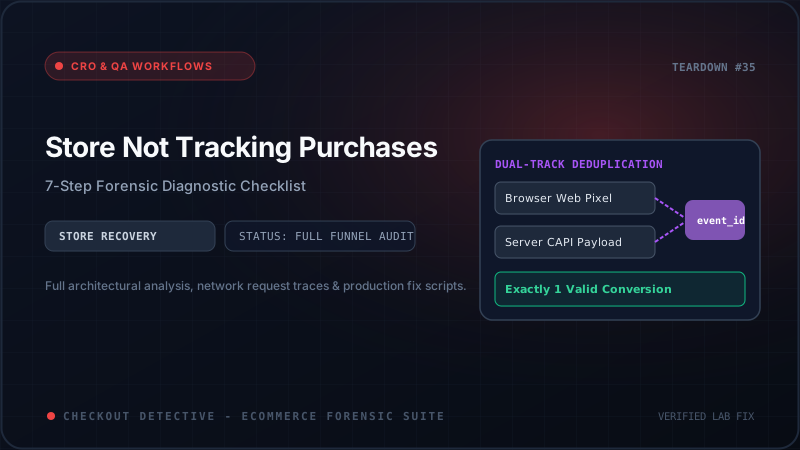
When multiple pixels fire for the same conversion, Meta Ads and TikTok attempt to run server-side deduplication. Deduplication works by matching event_name (e.g. Purchase) and a deterministic event_id (e.g. order_5829104) transmitted by both browser and server within a 48-hour window.
If App #1 sends event_id: "order_5829104" while App #2 sends event_id: "chk_3892a0e" and Theme #3 sends no event_id at all, deduplication fails completely. The ad platform will either double-count your revenue (wrecking budget allocations) or reject conflicting payloads as malformed spam, dropping the purchase from your optimization models.
Step 6: Currency & Floating-Point Value Formatting Mismatches
With the global expansion of Shopify Markets, multi-currency stores routinely convert between presentment currencies (e.g., EUR, GBP, CAD) and the store base currency (e.g., USD).
Conversion telemetry frequently breaks in two subtle mathematical ways:
-
String Localization Errors: European stores often format numbers with commas:
"1.250,50 €". If your custom tracking script passes this raw string to Meta (value: "1.250,50") or GA4, the ad platform’s ingestion parser runsparseFloat(), which truncates the value at the period, recording a purchase of $1.25 instead of $1,250.50! -
Presentment vs Base Currency Drift: Passing
value: 100withcurrency: "EUR"to Meta when your ad account is configured inUSDwithout exchange rates creates artificial ROAS inflation or deflation.
// Production-Hardened Value Sanitization Snippet:
const rawAmount = event.data.checkout.totalPrice.amount;
const sanitizedValue = Number(String(rawAmount).replace(/[^0-9.-]+/g,""));
const validCurrency = event.data.checkout.currencyCode || 'USD';
Step 7: Ad Blocker Suppression & Network Firewalls
Today, between 25% and 38% of desktop shoppers and tech-savvy consumers utilize ad blockers such as uBlock Origin, AdGuard, Privacy Badger, or hardware-level DNS filters like Pi-hole.
These tools do not merely hide banner ads; they maintain extensive filter lists (such as EasyPrivacy) that block network requests to known analytics endpoints:
- https://www.google-analytics.com/g/collect (Blocked: ERR_BLOCKED_BY_CLIENT)
- https://connect.facebook.net/en_US/fbevents.js (Blocked: ERR_BLOCKED_BY_CLIENT)
- https://analytics.tiktok.com/i18n/pixel/events.js (Blocked: ERR_BLOCKED_BY_CLIENT)
If your store relies exclusively on client-side browser beacons, every purchase made by an ad-blocker user is permanently lost to your marketing attribution. The only sustainable defense is a redundant Server-Side Conversions API (CAPI) architecture where Shopify backend webhooks transmit conversion events server-to-server, entirely immune to client-side browser blocking.
Auditing Your Store with Checkout Detective’s 7-Stage Funnel Health Stepper
Diagnosing these 7 failure vectors manually across staging checkouts, real credit card transactions, and multiple browsers takes hours of frustrating DevTools inspection.
To automate this entire diagnostic protocol, install Checkout Detective. Our purpose-built DevTools extension features an interactive 7-Stage Funnel Health Stepper that monitors every checkout micro-transition in real time:
The Checkout Detective 7-Stage Telemetry Audit Walkthrough:
event_id against server CAPI payloads to guarantee zero duplicate or dropped purchases.
transaction_id resolves deterministically before the customer leaves the confirmation page.
Protect Your Ad Spend and Recover Lost Conversions
E-commerce algorithms optimize on data purity. When your Shopify store leaks purchase telemetry, your advertising partners bid blindly, punishing your most profitable products and inflating customer acquisition costs.
Don't let silent tracking failures throttle your brand's growth. Test your full checkout funnel with Checkout Detective's 7-Stage Funnel Health Stepper today and ensure every single dollar of generated revenue is accurately credited to your campaigns.