Ask any senior Shopify developer or agency QA engineer about their least favorite weekly ritual, and you will hear the same story: spending hours clicking through staging checkouts with Chrome DevTools pinned to the side of the screen. To verify that a newly published theme or third-party app hasn't broken conversion tracking, engineers must juggle the Network tab, decode minified query parameters, inspect LocalStorage tokens, and switch JavaScript contexts into Shopify's sandboxed Web Worker iframes just to verify that a single Meta or GA4 purchase event fired accurately.
Direct Answer: Why Do You Need a Dedicated Shopify Checkout & Pixel Debugger Extension?
Standard Chrome DevTools was designed for generalist web development, not high-velocity e-commerce operations. It does not understand Shopify’s Ajax Cart API leaky-bucket rate limits, it cannot automatically validate GA4 e-commerce array schemas, and it leaves developers blind to the cross-domain session handoffs that power modern headless and Checkout Extensibility architectures. A dedicated Shopify checkout and pixel debugging extension replaces hours of manual console sleuthing with an automated, in-page heads-up display that instantly flags broken cart listeners, pixel deduplication mismatches, and third-party script conflicts in real time.
<!-- Workflow Comparison: The QA Time Drain -->
┌──────────────────────────────────────────────────┐      ┌──────────────────────────────────────────────────┐
│        Manual QA with Chrome DevTools            │      │       Automated QA with Checkout Detective       │
├──────────────────────────────────────────────────┤      ├──────────────────────────────────────────────────┤
│ 1. Open DevTools, filter Network for "collect"   │      │ 1. Navigate through normal store shopping flow   │
│ 2. Decode URL percent-encoded payload strings    │      │ 2. In-Page HUD monitors all events in real time  │
│ 3. Switch Console context to "web-pixel-sandbox" │      │ 3. 50+ Diagnostic Rules auto-evaluate in DOM     │
│ 4. Manually verify items[] array structure       │      │ 4. Instant alerts for missing transaction_ids    │
│ 5. Repeat manually for Meta, TikTok & Klaviyo    │      │ 5. Automated CAPI deduplication verification     │
│ 6. Screenshot errors & write manual client notes │      │ 6. 1-Click Export of client-ready HTML/PDF audit │
├──────────────────────────────────────────────────┤      ├──────────────────────────────────────────────────┤
│ ⏱️ Average Time: 4.5 Hours per Theme Audit       │      │ ⏱️ Average Time: 18 Minutes per Theme Audit      │
└──────────────────────────────────────────────────┘      └──────────────────────────────────────────────────┘
What Elite Shopify Agencies Look for in E-Commerce QA DevTools
When top direct-to-consumer (DTC) brands retain elite Shopify Plus agencies to manage site redesigns, theme migrations, or conversion rate optimization (CRO) testing, the QA methodology must be infallible. A single undiscovered JavaScript error on the checkout page can cost a merchant $50,000 in lost revenue overnight.
Agency technical leads evaluate debugging tools against five strict operational requirements:
1. Strict Zero-PII Compliance
Under GDPR, CCPA, and PCI-DSS Level 1 compliance, debugging tools must never capture, log, or transmit real customer billing data, credit card numbers, or personally identifiable information (PII) to external third-party cloud servers during testing.
2. Unified Multi-Pixel Telemetry
Instead of keeping 4 separate vendor tabs open, engineers require a single unified stream that displays Meta Pixel, Google Analytics 4, TikTok Pixel, Pinterest, and Klaviyo events side-by-side in chronological order.
3. Cart DOM & Ajax API Profiler
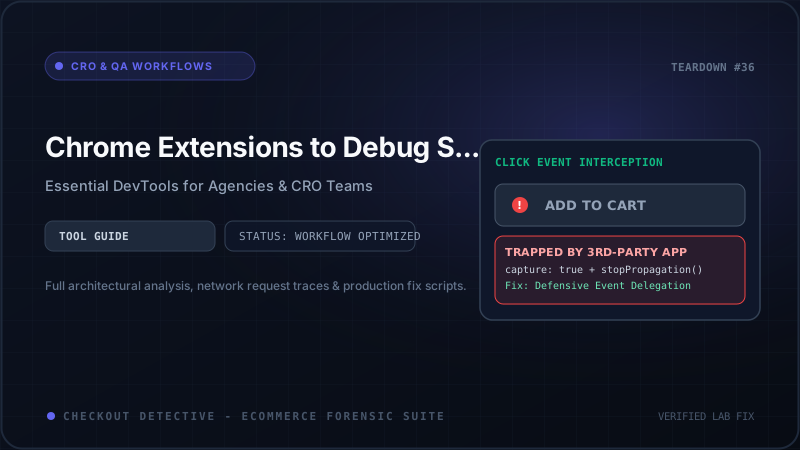
The ability to intercept asynchronous /cart/add.js, /cart/change.js, and /cart.js requests, highlighting DOM event listener conflicts (like event.stopPropagation() traps in page builders) and leaky-bucket 429 rate limits.
4. Customer Events Sandbox Penetration
With Shopify deprecating additional_scripts in favor of Checkout Extensibility, developer tools must look inside the secure Web Worker iframe container to catch silent worker-level runtime crashes that never bubble to the parent window.
In-Depth Comparison: The Top E-Commerce Developer Extensions
How do the leading browser extensions stack up when put to the test on a complex Shopify Plus storefront? The comparison table below highlights structural strengths and critical blindspots:
| Extension | Checkout Extensibility Support | Multi-Pixel Aggregation | Cart API & DOM State QA | Web Worker Inspection | Automated Client Audit Export |
|---|---|---|---|---|---|
| Checkout Detective | ✅ Full Native Support | ✅ Unified Multi-Platform | ✅ Real-Time Interception | ✅ Deep Sandbox Inspection | ✅ 1-Click HTML & PDF |
| Meta Pixel Helper | ⚠️ Partial (Client only) | ❌ Meta Only | ❌ No Cart Inspection | ❌ Blind to Worker Crashes | ❌ None (Manual Screenshots) |
| Google Tag Assistant | ⚠️ Requires Separate Tab | ❌ Google Ecosystem Only | ❌ No DOM Cart Auditing | ⚠️ Partial DataLayer View | ❌ Raw JSON Dump Only |
| Omnibug | ⚠️ Generic Network Sniffing | ✅ Broad Multi-Vendor | ❌ No Shopify Cart Context | ❌ Cannot Inspect Workers | ⚠️ CSV Export Only |
| Ad Inspector (Chrome) | ❌ Legacy Architecture | ⚠️ Ad Networks Only | ❌ No E-Commerce Features | ❌ No Worker Support | ❌ None |
Detailed Breakdown of the Leading Extensions
1. Meta Pixel Helper: Reliable for Basics, Blind to Modern Stacks
The Meta Pixel Helper has been the default extension in every performance marketer’s browser for nearly a decade. For checking whether a simple fbq('track', 'PageView') tag initialized on a traditional Shopify theme, it works reasonably well.
However, in modern Shopify Plus environments running Checkout Extensibility, Meta Pixel Helper falls short:
- It frequently displays confusing yellow warnings for pixels running inside Shopify Customer Events iframes, falsely diagnosing valid pixels as broken.
- It has zero visibility into Meta Conversions API (server-side) events, making it completely impossible to verify whether client-side
event_idtokens successfully match server-side payloads. - It provides zero insight into theme cart mechanics or Ajax button freezes.
2. Google Tag Assistant: Powerful but Clunky and Isolated
Google’s Tag Assistant Companion allows detailed inspection of Google Tag Manager (GTM) dataLayer states and GA4 measurement payloads. The tool provides a clean timeline of container evaluations.
The primary downside is operational friction: Tag Assistant requires opening an isolated browser tab (tagassistant.google.com), tethering the debugger via WebSocket, and repeatedly switching back and forth between tabs while navigating the store. Furthermore, it completely ignores non-Google pixels (Meta, TikTok, Pinterest) and cannot audit Shopify theme cart drawer DOM events.
3. Omnibug: Great for Network Sniffing, Lacks E-Commerce Context
Omnibug is an open-source browser extension that intercepts outbound HTTP requests to over 50 analytics providers. It decodes URL query parameters cleanly inside DevTools.
While excellent for generalist analytics engineers, Omnibug has no intrinsic knowledge of the Shopify ecosystem. It cannot tell you if a cart drawer failed to open due to an unhandled Promise rejection, whether a discount code triggered an API 429 rate limit, or whether a GA4 transaction_id is missing on the Order Status page.
Deep Dive: How Checkout Detective Re-Engineers Shopify QA
Checkout Detective was engineered from the ground up to solve the specific architectural headaches of modern Shopify merchants and technical agencies. Instead of functioning as a generic request logger, it embeds an intelligent 50-rule diagnostic engine directly into the storefront:
Core Architectural Features of Checkout Detective:
Renders a non-intrusive heads-up display directly on your store pages. As you browse, add items to cart, and step through checkout, the HUD dynamically tallies fired pixels, records network latency, and flags errors without requiring you to open Chrome DevTools.
Monitors every fetch() call made to /cart/add.js, /cart/change.js, and /cart/update.js. If a third-party app or page builder button stops event propagation or triggers rapid-fire duplicate requests that exceed Shopify's rate limits, Checkout Detective highlights the exact offending script line.
Penetrates the Web Worker isolation boundary in Shopify Checkout Extensibility, catching unhandled ReferenceError crashes, inspecting checkout_completed payloads, and verifying that transaction_id resolves deterministically before the shopper leaves.
Compares client-side browser event_id parameters against server CAPI payload formats, alerting you instantly if an ID mismatch will cause Meta or TikTok to drop your purchase conversions.
Automated Client Deliverables: Generating 1-Click HTML & PDF Audit Reports
For digital marketing agencies and e-commerce consultancies, technical findings are only as valuable as your ability to communicate them clearly to non-technical store owners and brand founders.
Traditionally, creating an audit deliverable required an agency analyst to take 25 screenshots in DevTools, paste them into Google Slides or Notion, annotate JSON snippets, and spend 3 hours writing explanations.
Checkout Detective eliminates this administrative friction with its 1-Click Diagnostic Report Generator. With a single click, the extension aggregates the entire session timeline—including cart requests, console exceptions, fired pixels, and latency waterfalls—into a beautifully formatted, executive-ready HTML or PDF report branded with your agency’s verification seal.
🚀 Case Study: Scaling Agency QA Efficiency by 80%
A leading Shopify Plus partner agency conducting 12 new theme launches per month integrated Checkout Detective into their standardized deployment runbook. By replacing manual DevTools inspections with the automated 7-Stage Funnel Health Stepper and 1-click audit exports, their engineering team reduced pre-launch QA time from 5.5 hours to 35 minutes per store, while simultaneously uncovering an average of $38,000 in untracked monthly revenue across their client base.
Step-by-Step: How to Run a 3-Minute Store Audit with Checkout Detective
Ready to audit your store’s checkout health and conversion tracking? Follow this rapid 3-minute workflow:
- Install the Extension: Add Checkout Detective from the Chrome Web Store and pin it to your browser toolbar.
- Navigate to Your Storefront: Open your store’s product page. The floating HUD appears automatically in the bottom corner, displaying active tracking tags and DOM event status.
-
Trigger Cart Actions: Click "Add to Cart". Verify that the HUD records the Ajax request with a green 200 OK status and logs matching
AddToCartevents for Meta, GA4, and TikTok. -
Initiate Checkout: Proceed to checkout. Verify that
begin_checkoutfires with correct line-item arrays, currency codes, and preserved campaign UTM parameters. -
Complete a Test Order: On the Thank You / Order Status page, confirm that
transaction_idis populated without race conditions and that duplicate idempotency checks pass. - Export the Audit: Click "Export Report" inside the HUD to download a complete, interactive diagnostic dossier for your development team or client.
Streamline Your E-Commerce QA Workflow Today
In direct-to-consumer e-commerce, margins are won or lost on data accuracy and checkout friction. Continuing to rely on clumsy, manual DevTools workflows wastes engineering hours and leaves your paid ad campaigns vulnerable to silent tracking drops.
Upgrade your agency’s testing arsenal with the purpose-built developer tool designed specifically for Shopify Plus. Install Checkout Detective DevTools today and experience lightning-fast, zero-PII checkout diagnostics.