It is the nightmare scenario for any Shopify Plus engineering team: you deploy a sleek Checkout UI Extension—perhaps an upsell carousel, a custom delivery date picker, or a loyalty points redemption widget. In your staging environment, testing with three standard catalog items, it performs flawlessly. But within two hours of pushing to production, customer support tickets flood in: "Checkout is frozen," "I can't click Pay Now," and "The payment screen went blank."
When you inspect your analytics, your checkout completion rate has plummeted by 4.2%. Yet when you check your server logs, there are zero HTTP 500 errors. What went wrong?
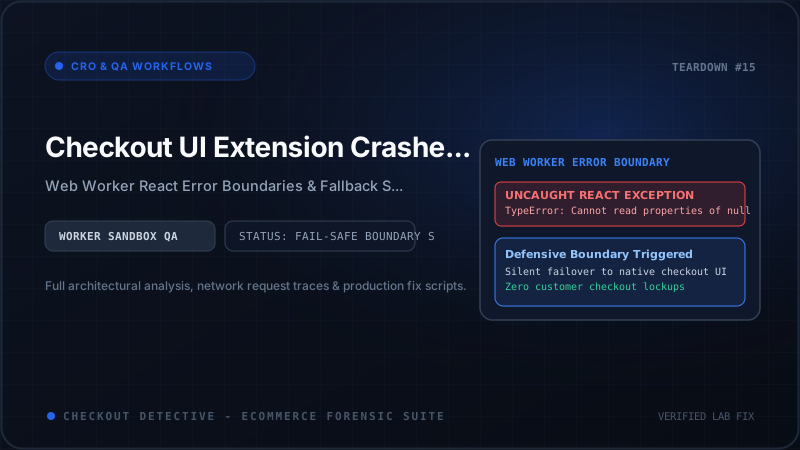
You have encountered an unhandled React crash inside Shopify's Checkout UI Extension Web Worker Sandbox. Because Checkout Extensibility isolates custom UI components inside background workers using remote message bridges, an unhandled runtime error doesn't just log a harmless warning in the console—it can unmount entire UI blocks, leave orphaned loading spinners, or permanently lock Shopify's buyer journey intercept state machine.
In this forensic diagnostic guide, we examine how Shopify executes Checkout UI Extensions under the hood, analyze the top five production crash triggers, provide a complete production-grade Error Boundary architecture, and demonstrate how to capture remote telemetry before a bug drains your store's conversion rate.
The Remote-UI Execution Model: Why Checkout Extensions Fail Silently
To debug crashes effectively, you must understand the architectural separation between Shopify's checkout page and your extension code.
Unlike traditional theme JavaScript or legacy checkout.liquid modifications, Shopify Checkout UI Extensions do not execute in the main browser document thread. Instead, Shopify runs your React code inside a dedicated Web Worker using an open-source protocol called Remote-UI:
┌────────────────────────────────────────────────────────────────────────┐
│                        MAIN BROWSER THREAD                             │
│  [ Shopify Checkout Host Document ]                                    │
│   ├── Native Form Inputs (Name, Address, Payment iFrame)               │
│   ├── One-Page Checkout State Machine & Buyer Journey Interceptor      │
│   └── Remote-UI Host Receiver (Mounts Native Component Primitives)     │
└───────────────────────────────────▲────────────────────────────────────┘
                                    │
                       PostMessage / RPC Channel
                  (Marshals UI Operations & Events)
                                    │
┌───────────────────────────────────▼────────────────────────────────────┐
│                    ISOLATED WEB WORKER SANDBOX                         │
│  [ Your Checkout UI Extension ]                                        │
│   ├── React 18 Reconciler & Fiber Tree                                 │
│   ├── Extension Hooks (useCartLines, useShippingAddress, useApi)       │
│   ├── Third-Party API Calls (fetch to app backend)                     │
│   └── [FATAL CRASH HAZARD]:                                            │
│       Unhandled TypeError ──▶ React Unmounts Fiber Tree                │
│       RPC Channel Emits NULL ──▶ Host Screen Blanks or Locks           │
└────────────────────────────────────────────────────────────────────────┘
When your extension renders, it does not output HTML <div> or <span> elements. Instead, it renders abstract primitives provided by @shopify/ui-extensions-react/checkout (such as BlockStack, Banner, Text, and Button). The worker serializes these component representations into JSON-like RPC messages and dispatches them across the worker boundary. The host document receives these messages and constructs real DOM nodes in the checkout layout.
Here is the catastrophic failure mode: if an unhandled JavaScript error is thrown during component rendering or lifecycle execution inside the Web Worker, React's default behavior is to completely unmount the entire component tree.
Because the worker crashes without native DOM error surfacing:
- The shopper sees an empty, collapsed white space where the component should have been.
- If the extension was placed in a critical slot (e.g.
purchase.checkout.payment-method-list.render-before), the layout can shift jarringly. - If the extension utilized
useBuyerJourneyInterceptto validate input (such as an age verification checkbox or gift note length), the pending validation promise may never resolve, leaving the "Complete order" button permanently disabled.
The 5 Most Common Production Crash Triggers
After auditing hundreds of high-volume Shopify Plus stores with Checkout Detective, we have identified five recurring bugs responsible for over 90% of checkout extension crashes:
1. Unchecked Deep Property Access on Cart Lines
Developers frequently write code assuming that every line item has standard merchandise properties:
// ANTI-PATTERN: Fatal if product variant or options are undefined
const lines = useCartLines();
const firstOption = lines[0].merchandise.selectedOptions[0].value;
In production, carts contain edge cases: custom line items created by draft orders, digital gift cards without variants, bundled items with empty option arrays, or zero-dollar promotional giveaways. When selectedOptions is undefined or empty, accessing [0].value throws an immediate TypeError: Cannot read properties of undefined.
2. Delivery Group & Shipping Address Race Conditions
In Shopify's one-page checkout, shipping calculations and delivery groups update asynchronously as the buyer types their address. Many extensions hook into useDeliveryGroups():
// ANTI-PATTERN: Assumes delivery groups and selected options are always populated
const deliveryGroups = useDeliveryGroups();
const selectedHandle = deliveryGroups[0].selectedDeliveryOption.handle;
During the initial render phase, or when a customer changes their postal code from an international destination to a domestic one, deliveryGroups can momentarily be empty ([]), or selectedDeliveryOption can be undefined while rates recalculate. Unchecked property access instantly collapses the extension.
3. Unhandled Network Timeouts & CORS Failures
Many extensions make HTTP fetch() requests to external backends—such as custom inventory microservices, loyalty points engines (Smile, Yotpo), or shipping insurance APIs (Route).
If your backend responds with an unexpected HTTP 502, times out after 10 seconds, or fails due to a Content Security Policy (CSP) restriction, an unhandled rejection in an async/await block inside a useEffect will crash the component tree.
4. Buyer Journey Interceptor Deadlocks
The useBuyerJourneyIntercept hook allows extensions to block the customer from completing checkout until specific conditions are met:
// ANTI-PATTERN: Unhandled exception deadlocks the buyer journey
useBuyerJourneyIntercept(async ({ canBlockProgress }) => {
  if (!canBlockProgress) return { behavior: 'allow' };

  // If this external API call throws an error or times out:
  const validation = await fetch('https://api.brand.com/validate-tax-id', { ... });
  const data = await validation.json(); // Throws if response is non-JSON

  return data.valid
    ? { behavior: 'allow' }
    : { behavior: 'block', reason: 'Invalid Tax ID' };
});
If the API throws a network error, the intercept promise rejects. Shopify's core checkout receives an unhandled rejection, assumes the validation is still pending, and freezes the checkout submit button indefinitely. The customer is completely trapped.
5. API Version Incompatibility
Shopify updates the Checkout UI Extensions API quarterly (e.g., 2024-04, 2024-07, 2024-10). If an extension targets deprecated attributes without fallback guards, deploying against a store on a newer API version can trigger runtime schema parsing errors.
Building a Production-Grade Error Boundary for Checkout Extensions
Because React Error Boundaries require componentDidCatch and getDerivedStateFromError, they must be implemented as React class components.
Here is the definitive, production-ready ExtensionErrorBoundary designed specifically for Shopify Checkout UI Extensions. It captures exceptions, displays a graceful, user-friendly fallback banner (or renders nothing at all to prevent disruption), and dispatches asynchronous telemetry to your monitoring endpoint:
// =========================================================================
// ExtensionErrorBoundary.tsx
// Production Error Boundary for Shopify Checkout UI Extensions
// =========================================================================

import React, { Component, type ReactNode, type ErrorInfo } from 'react';
import { Banner, BlockStack, Text, View } from '@shopify/ui-extensions-react/checkout';

interface Props {
  children: ReactNode;
  extensionName: string;
  fallbackMode?: 'silent' | 'banner';
  telemetryEndpoint?: string;
}

interface State {
  hasError: boolean;
  errorMessage: string;
}

export class ExtensionErrorBoundary extends Component {
  constructor(props: Props) {
    super(props);
    this.state = {
      hasError: false,
      errorMessage: ''
    };
  }

  static getDerivedStateFromError(error: Error): State {
    return {
      hasError: true,
      errorMessage: error.message || 'Unknown extension runtime error'
    };
  }

  componentDidCatch(error: Error, errorInfo: ErrorInfo): void {
    const { extensionName, telemetryEndpoint } = this.props;

    // 1. Log error cleanly to worker console for DevTools debugging
    console.error(`[CheckoutExtensionError][${extensionName}]:`, error, errorInfo);

    // 2. Dispatch telemetry beacon asynchronously
    if (telemetryEndpoint) {
      this.sendTelemetry({
        extension: extensionName,
        error: {
          name: error.name,
          message: error.message,
          stack: error.stack?.slice(0, 1000)
        },
        componentStack: errorInfo.componentStack?.slice(0, 1000),
        timestamp: new Date().toISOString()
      });
    }
  }

  private async sendTelemetry(payload: Record): Promise {
    const { telemetryEndpoint } = this.props;
    if (!telemetryEndpoint) return;

    try {
      await fetch(telemetryEndpoint, {
        method: 'POST',
        headers: { 'Content-Type': 'application/json' },
        body: JSON.stringify(payload),
        // keepalive ensures payload delivery even if worker terminates
        keepalive: true
      });
    } catch {
      // Silently discard telemetry dispatch failures to prevent recursive errors
    }
  }

  render(): ReactNode {
    if (this.state.hasError) {
      // Mode A: Silent Fallback (Best for upsells, tips, non-critical UI)
      // The extension simply disappears, leaving checkout 100% functional.
      if (this.props.fallbackMode === 'silent') {
        return null;
      }

      // Mode B: Non-blocking Banner Fallback (For user-actionable features)
      return (


                We were unable to load the custom options for your order.
                You can proceed with checkout normally.


      );
    }

    return this.props.children;
  }
}
Wrapping Your Checkout Extension Components
To use this Error Boundary, wrap your root checkout extension component at the target registration point:
// =========================================================================
// CheckoutUpsellExtension.tsx
// =========================================================================
import { render, Banner, BlockStack, Button, Text, useCartLines } from '@shopify/ui-extensions-react/checkout';
import { ExtensionErrorBoundary } from './ExtensionErrorBoundary';
// 1. Register the extension entry point
render('purchase.checkout.block.render', () =>
);
}
function UpsellComponent() {
const lines = useCartLines();
// Defensive programming: Guard against empty or unexpected cart arrays
if (!lines || lines.length === 0) {
return null;
}
const firstItem = lines[0];
const merchandise = firstItem?.merchandise;
// Safe optional chaining prevents undefined property exceptions
const title = merchandise?.title ?? 'Special Offer';
const price = merchandise?.price?.amount ?? '0.00';
return (
Recommended for your cart
{title} — ${price}
);
}Defensive Coding Rules for Shopify Plus Engineers
In addition to Error Boundaries, implement these four defensive engineering rules across your Checkout UI codebase:
Rule 1: Always Provide a Timeout on useBuyerJourneyIntercept
Never allow an asynchronous network request to hold a buyer journey intercept indefinitely. Wrap all external calls in a strict 1,500ms Promise.race timeout and fail open:
useBuyerJourneyIntercept(async ({ canBlockProgress }) => {
  if (!canBlockProgress) return { behavior: 'allow' };

  try {
    // Enforce strict 1500ms timeout
    const timeoutPromise = new Promise((resolve) =>
      setTimeout(() => resolve({ timeout: true }), 1500)
    );

    const validationPromise = fetch('https://api.brand.com/verify-zip', { ... });

    const result = await Promise.race([validationPromise, timeoutPromise]);

    if ('timeout' in result) {
      console.warn('Zip validation timed out — failing open to preserve checkout flow');
      return { behavior: 'allow' }; // Never block customer on backend latency
    }

    return { behavior: 'allow' };
  } catch (err) {
    console.error('Validation error caught:', err);
    return { behavior: 'allow' }; // Fail open on exceptions
  }
});
Rule 2: Never Trust Nested Properties Without Nullish Coalescing
Replace all direct dot-navigation chains with optional chaining (?.) and nullish coalescing (??):
| Dangerous Syntax | Defensive Production Replacement | Failure Mode Avoided |
|---|---|---|
| lines[0].merchandise.title | lines?.[0]?.merchandise?.title ?? '' | Crashes if cart is empty or merchandise object is missing. |
| groups[0].selectedDeliveryOption.title | groups?.[0]?.selectedDeliveryOption?.title ?? 'Standard Shipping' | Crashes during shipping address recalculation pauses. |
| address.countryCode.toLowerCase() | address?.countryCode?.toLowerCase() ?? 'us' | Crashes if buyer has not entered their country yet. |
Rule 3: Audit App Bloat and Script Overhead
Every additional extension installed on your checkout adds Web Worker CPU cycles and memory overhead. If your store runs five different apps injecting extensions into the one-page checkout, low-end mobile devices can experience severe input lag when customers type their credit card numbers.
Use our Shopify App Bloat Estimator to benchmark the total script weight and execution overhead across your checkout funnel.
Diagnostic Checklist Before Production Deployment
Before rolling out any Checkout UI Extension to 100% of live traffic, execute this rigorous validation workflow:
- Test with Zero-Value & Digital Carts: Test checkout with a 100% discount code, a digital gift card (zero weight, no shipping), and an out-of-stock bundle line item. Ensure all extension hooks handle these edge cases without throwing exceptions.
- Simulate Backend Failures: Disconnect your backend API or configure a proxy to return HTTP 500 errors. Verify that the extension gracefully renders its fallback state and that the "Pay now" button remains clickable.
- Review Pre-Flight Checklist: Validate your entire extension deployment against our comprehensive Pre-Flight Checkout Testing Checklist.
- Verify Live Telemetry with Checkout Detective: Install the Checkout Detective Chrome Extension, navigate to your checkout, and inspect the Extension Health monitor in the side panel to detect silent worker exceptions in real time.
Summary: Resilience Is the Ultimate Conversion Optimization
A checkout extension should elevate the buying experience—never jeopardize it. In the sandboxed Web Worker world of Shopify Checkout Extensibility, resilience is not an optional enhancement; it is an architectural requirement.
By wrapping every extension in a dedicated Error Boundary, enforcing defensive null checks, failing open on validation intercepts, and streaming telemetry back to your engineering team, you ensure that even when an edge-case error occurs, your customers can still complete their purchases without missing a beat.
Eliminate silent checkout crashes today
Install Checkout Detective to inspect live Web Worker events, detect unhandled exceptions, and verify that your one-page checkout is fast, stable, and resilient.
Install Checkout Detective Free