Scaling performance marketing on TikTok Ads is an exercise in algorithmic precision. When an ad set catches fire, your media buyers pump budget into high-performing creative hooks, watching the in-platform dashboard report a 3.8x Return on Ad Spend (ROAS). But when you cross-examine Stripe payouts and Shopify Admin gross revenue three days later, the real blended numbers tell a chilling story: revenue is down 26%, and ad spend is burning through cash reserves.
Even worse is the inverse symptom: your TikTok Ads Manager displays a dismal 0.7x ROAS, prompting your performance team to pause winning campaigns—even though Shopify is logging record daily sales.
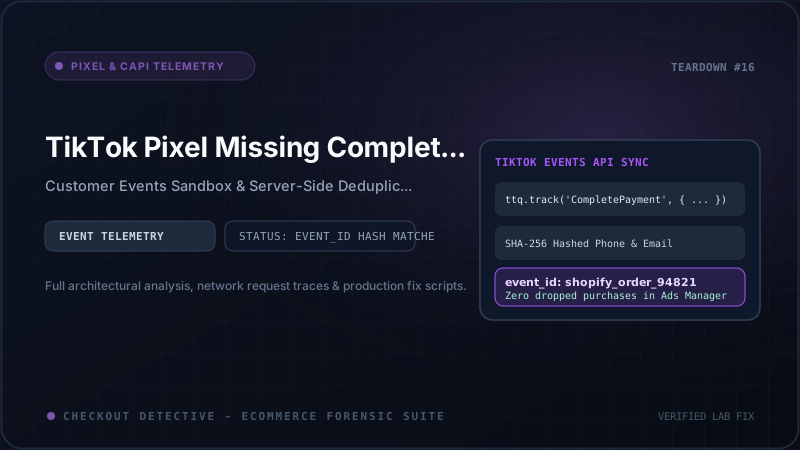
What causes this systemic attribution collapse? The culprit is almost invariably a broken TikTok Pixel and TikTok Events API (Server-Side) deduplication pipeline running inside Shopify's Customer Events Web Pixel Sandbox.
In this forensic engineering guide, we dissect how TikTok's conversion attribution pipeline processes client and server telemetry, why Shopify's Customer Events sandbox breaks standard window.ttq implementations, the exact mechanics of dropped and duplicated CompletePayment events, and how to deploy a bulletproof, production-grade Web Pixel integration with deterministic deduplication and SHA-256 advanced matching.
The Mechanics of TikTok Dual-Tracking: Browser vs. Events API
In the post-iOS 14.5 and post-cookie ecosystem, relying exclusively on client-side browser tracking is suicide for direct-to-consumer (DTC) brands. Safari's Intelligent Tracking Prevention (ITP), mobile ad blockers, Brave browser shields, and network firewalls strip or block between 15% and 35% of client-side JavaScript beacons.
To combat this tracking erosion, TikTok provides a redundant tracking architecture known as TikTok Events API (often combined with the browser-side TikTok Pixel). Under a redundant setup, every critical conversion action—most crucially CompletePayment—is transmitted simultaneously across two distinct data pathways:
-
The Client-Side Channel (Browser Pixel): Executed inside the shopper's browser via TikTok's pixel library (
ttq.track()). It collects instantaneous browser session context, screen resolution, viewport geometry, client timestamp, and first-party cookies (_ttpandttclid). -
The Server-Side Channel (TikTok Events API): Dispatched directly from Shopify's cloud servers or an intermediary ingestion proxy (such as a Cloudflare Worker or AWS Lambda) to TikTok's Open API endpoint (
https://business-api.tiktok.com/open_api/v1.3/event/track/). This channel is 100% resilient against browser ad blockers, DNS filters, and network dropouts.
                   ┌─────────────────────────────────────────┐
                   │            Customer Checkout            │
                   │    (Shopify One-Page Checkout DOM)     │
                   └───────────────────┬─────────────────────┘
                                       │
                      Dispatches checkout_completed
                                       │
            ┌──────────────────────────┴──────────────────────────┐
            │                                                     │
            ▼                                                     ▼
┌───────────────────────┐                             ┌───────────────────────┐
│ Client Web Pixel      │                             │ Server Webhook / App  │
│ (Customer Events Box) │                             │ (Shopify Cloud Order) │
│                       │                             │                       │
│ event_name:           │                             │ event_name:           │
│  "CompletePayment"    │                             │  "CompletePayment"    │
│ event_id:             │                             │ event_id:             │
│  "order_8920194819"   │                             │  "order_8920194819"   │
│ email_hash: SHA-256   │                             │ email_hash: SHA-256   │
│ _ttp cookie attached  │                             │ IP + User-Agent       │
└───────────┬───────────┘                             └───────────┬───────────┘
            │                                                     │
    Client Beacon (HTTP POST)                             Server REST Payload
    https://analytics.tiktok.com/api/v2/pixel             https://business-api.tiktok.com
            │                                                     │
            └──────────────────────────┬──────────────────────────┘
                                       │
                                       ▼
                   ┌─────────────────────────────────────────┐
                   │    TikTok Event Ingestion Engine        │
                   │                                         │
                   │   Matches: event_name + event_id        │
                   │   Window: 48-Hour Sliding Window        │
                   └───────────────────┬─────────────────────┘
                                       │
                         Deduplication Evaluation
                                       │
                   ┌───────────────────┴───────────────────┐
                   │                                       │
          [ Keys Match Exactly ]                   [ Keys Disagree ]
                   │                                       │
                   ▼                                       ▼
        ┌─────────────────────┐                 ┌─────────────────────┐
        │  1 Recorded Order   │                 │  2 Duplicate Orders │
        │  Merged Match Keys  │                 │  ROAS Inflated 200% │
        │  EQS: 9.4 / 10.0    │                 │  Budget Misallocated│
        └─────────────────────┘                 └─────────────────────┘
When TikTok's ingestion servers receive both events within a 48-hour window, the deduplication engine matches the event_name and the event_id. It merges the rich device context from the browser beacon with the authenticated billing data from the server payload, yielding a single, enriched conversion record with an optimal Event Quality Score (EQS).
However, if the event_id is absent, malformed, or out of sync between the two channels, the engine is blind. It has no mechanism to recognize that both payloads represent the same financial transaction. Consequently, one of two catastrophic failures occurs: severe double-counting or total event drop.
The Customer Events Sandbox: Why Traditional Pixels Fail
Prior to Shopify Checkout Extensibility, developers integrated the TikTok Pixel by injecting JavaScript directly into theme.liquid and pasting custom scripts into the Shopify admin under Settings > Checkout > Additional Scripts.
While flexible, this legacy architecture opened massive security vulnerabilities and degraded page performance. In modern Shopify Plus stores, checkout.liquid and "Additional Scripts" have been completely eliminated. They are replaced by the Shopify Customer Events Web Pixel API.
Under Customer Events, your tracking scripts execute inside an isolated Web Worker / iframe sandbox. This architectural shift introduces strict technical constraints that break conventional tracking code:
-
No Direct DOM Access: Tracking code cannot query
document.getElementById(), inspect form inputs, or scrape checkout HTML elements. -
No Global
window.ttqObject: If your team attempts to load TikTok's nativettq.jsscript into the main window, the Web Worker sandbox cannot access it. Code that callswindow.ttq.track()will throw a fatalReferenceError: ttq is not definedinside the sandbox. -
Restricted Cookie Storage: The sandbox does not share raw
document.cookiestorage with the parent document. Reading first-party tracking cookies like_ttp(TikTok's first-party cookie ID) andttclid(TikTok Click ID) requires querying the specializedbrowser.cookieAPI provided by Shopify's pixel runtime. -
Asynchronous Event Lifecycle: Customer events are emitted via an event-driven pub/sub bus (
analytics.subscribe()). If an unhandled promise rejection occurs inside your event listener, the subscriber fails silently without throwing an error to the parent window.
The Multi-App Conflict Trap
The most common reason for attribution chaos on Shopify stores is running the official TikTok Sales Channel App simultaneously with a custom Customer Events pixel or an external tracking container (such as Elevar, Littledata, or Google Tag Manager Server-Side). The native Shopify TikTok app fires server-side conversions using its internal order ID, while custom scripts generate an independent checkout token. The result: TikTok receives two conflicting event IDs for every single purchase.
The 4 Forensic Causes of CompletePayment Failures
Through deep diagnostic audits of Shopify Plus stores using Checkout Detective, we have isolated the four primary mechanisms responsible for lost and duplicated TikTok conversions:
1. Mismatched Event IDs (The Dual-Identity Bug)
For deduplication to succeed, the client payload and the server payload must submit identical strings in their respective event_id parameters. Consider what happens in an improperly configured store:
| Tracking Channel | Source Property Used | Transmitted event_id | TikTok Engine Verdict |
|---|---|---|---|
| Client Web Pixel | checkout.order.id | "592819482910" | MISMATCH: TikTok interprets these as two distinct orders. ROAS is reported as 200% of reality. |
| Server Events API | order.name (Order #) | "#1042" |
If your client pixel pulls event.data.checkout.order.id (the raw numeric 12-digit database ID) while your backend webhook forwards order.name (e.g. #1042) or the GraphQL global identifier (gid://shopify/Order/592819482910), TikTok treats them as two completely separate conversions.
2. The Post-Purchase Redirect Race Condition
In modern Shopify Plus one-page checkouts, once the payment gateway authorizes the transaction, Shopify instantly redirects the buyer's browser to the thank_you page or routes them through a third-party post-purchase upsell application (e.g., ReConvert, CartHook, or Zipify).
If your client-side tracking script relies on heavy asynchronous chains—such as dynamically loading external scripts or resolving nested promises before calling ttq.track('CompletePayment')—the browser unloads the page before the HTTP beacon finishes transmitting. The client beacon is aborted (NS_BINDING_ABORTED in Firefox or net::ERR_CONNECTION_ABORTED in Chrome).
When this happens, only the server-side event reaches TikTok. Because the server event often lacks client-side fingerprinting cookies (like _ttp), TikTok's attribution algorithm may fail to link the purchase back to the initial ad click, recording the conversion as "Unattributed" or "Organic."
3. Missing or Unsanitized SHA-256 Hashing
TikTok's Advanced Matching algorithm requires customer contact identifiers—specifically email and phone_number—to be formatted according to strict cryptographic standards:
- Email: Must be trimmed of all leading/trailing whitespace, converted to lowercase, and hashed using SHA-256 (e.g.,
john.doe@example.com→sha256hash). - Phone Number: Must be formatted in standard E.164 international notation (e.g.,
+15551234567), stripped of parentheses, dashes, and spaces, and hashed using SHA-256.
Many custom pixel implementations send raw plaintext emails, or hash strings that retain uppercase characters or trailing spaces. A hash of " John.Doe@Example.com " generates a completely different digest than "john.doe@example.com". When TikTok receives an invalid hash, the matching algorithm discards the identifier, causing the Event Quality Score (EQS) to crater below 4.0.
4. Sandboxed First-Party Cookie Isolation (_ttp and ttclid)
When a user clicks a TikTok ad, TikTok appends a unique query parameter to the landing page URL: ?ttclid=E.C.P.xyz.... The TikTok browser script intercepts this parameter and stores it in a first-party cookie named _ttp.
Inside Shopify's Customer Events sandbox, scripts cannot access document.cookie. If your custom pixel fails to query browser.cookie.get('_ttp') and forward that value in the CompletePayment payload, TikTok cannot bind the conversion to the user's TikTok click session, resulting in lost attribution.
Production-Grade Web Pixel Implementation
Below is a complete, production-ready custom Web Pixel script designed for Shopify's Customer Events engine (Settings > Customer Events > Add Custom Pixel).
This implementation incorporates:
- Native Web Crypto API for zero-dependency, in-sandbox SHA-256 hashing.
- Strict whitespace trimming and lowercase normalization for email and phone numbers.
- Deterministic
event_idsynchronization using Shopify's canonical order and checkout tokens. - Extraction and forwarding of the
_ttpfirst-party cookie. - Full product line-item mapping matching TikTok's expected
contentspayload schema.
// Shopify Customer Events: Production TikTok Web Pixel
// Location: Shopify Admin > Settings > Customer Events > Add custom pixel

// Helper: Cryptographic SHA-256 Hashing via Web Crypto API
async function sha256(message: string): Promise<string> {
  if (!message) return '';
  const cleanMessage = message.trim().toLowerCase();
  const msgBuffer = new TextEncoder().encode(cleanMessage);
  const hashBuffer = await crypto.subtle.digest('SHA-256', msgBuffer);
  const hashArray = Array.from(new Uint8Array(hashBuffer));
  return hashArray.map(b => b.toString(16).padStart(2, '0')).join('');
}

// Helper: Normalize Phone Number to E.164
function normalizePhone(phone?: string): string {
  if (!phone) return '';
  // Remove all non-numeric characters except leading +
  const cleaned = phone.replace(/[^0-9+]/g, '');
  return cleaned.startsWith('+') ? cleaned : +1${cleaned};
}

// Subscribe to the canonical checkout completion event
analytics.subscribe('checkout_completed', async (event) => {
  const checkout = event.data.checkout;
  if (!checkout) return;

  // 1. Resolve Deterministic Event ID
  // Prioritize order.id; fallback to checkout.token if order object is delayed
  const orderId = checkout.order?.id;
  const checkoutToken = checkout.token;
  const deterministicEventId = orderId ? shopify_order_${orderId} : shopify_chk_${checkoutToken};

  // 2. Extract Customer Matching Identifiers
  const rawEmail = checkout.email || '';
  const rawPhone = checkout.phone || checkout.shippingAddress?.phone || '';

  const [hashedEmail, hashedPhone] = await Promise.all([
    sha256(rawEmail),
    rawPhone ? sha256(normalizePhone(rawPhone)) : Promise.resolve('')
  ]);

  // 3. Extract TikTok First-Party Cookie (_ttp)
  let ttpCookie = '';
  try {
    ttpCookie = await browser.cookie.get('_ttp') || '';
  } catch (err) {
    console.warn('[Checkout Detective] Could not read _ttp cookie:', err);
  }

  // 4. Map Line Items to TikTok Contents Schema
  const contents = (checkout.lineItems || []).map((item) => ({
    content_id: String(item.variant?.id || item.merchandise?.id || ''),
    content_name: item.title || '',
    content_type: 'product',
    quantity: item.quantity || 1,
    price: item.finalLinePrice?.amount || item.variant?.price?.amount || 0
  }));

  // 5. Construct TikTok Identify Payload
  const identifyPayload: Record<string, any> = {
    email: hashedEmail,
    ...(hashedPhone && { phone_number: hashedPhone }),
    ...(ttpCookie && { ttp: ttpCookie })
  };

  // 6. Construct TikTok CompletePayment Track Payload
  const completePaymentPayload = {
    event_id: deterministicEventId,
    content_type: 'product',
    contents: contents,
    value: checkout.totalPrice?.amount || 0,
    currency: checkout.totalPrice?.currencyCode || 'USD',
    query: event.context?.document?.location?.search || ''
  };

  // 7. Dispatch via TikTok Pixel SDK (if loaded) or REST Beacon
  if (typeof (window as any).ttq !== 'undefined') {
    (window as any).ttq.identify(identifyPayload);
    (window as any).ttq.track('CompletePayment', completePaymentPayload, {
      event_id: deterministicEventId
    });
  } else {
    // If running in pure headless Web Worker sandbox without global ttq:
    // Dispatch telemetry directly to your server ingestion bridge
    fetch('https://api.yourbrand.com/telemetry/tiktok-event', {
      method: 'POST',
      headers: { 'Content-Type': 'application/json' },
      body: JSON.stringify({
        event: 'CompletePayment',
        event_id: deterministicEventId,
        user: identifyPayload,
        properties: completePaymentPayload,
        timestamp: new Date().toISOString()
      }),
      keepalive: true // Crucial: Prevents browser from killing request on navigation
    }).catch((e) => console.error('[Checkout Detective] TikTok bridge error:', e));
  }
});
Notice: keepalive: true is Essential
When sending beacons during checkout completion, always set keepalive: true on your fetch() requests. This instructs the browser's HTTP networking stack to complete the network transmission in the background even after the checkout window navigates away to the order confirmation screen.
The Server-Side Mirror: TikTok Events API v1.3 Payload
To achieve true deduplication, your server-side pipeline (dispatched via Shopify order creation webhooks or a Cloudflare Worker) must mirror the exact same event_id structure.
Below is the server-side payload sent to TikTok's Open API endpoint:
{
  "pixel_code": "C1234567890ABCDEF",
  "event": "CompletePayment",
  "event_id": "shopify_order_592819482910",
  "timestamp": "2026-09-20T14:32:10.000Z",
  "context": {
    "ad": {
      "callback": "E.C.P.xyz987654321"
    },
    "page": {
      "url": "https://shop.yourbrand.com/checkouts/cn/c1-a8d29f82/thank_you"
    },
    "user": {
      "email": "e3b0c44298fc1c149afbf4c8996fb92427ae41e4649b934ca495991b7852b855",
      "phone_number": "4f53cda18c2baa0c0354bb5f9a3ecbe5ed12ab4d8e11ba873c2f11161202b945",
      "ttp": "f47ac10b-58cc-4372-a567-0e02b2c3d479",
      "ip": "172.56.21.89",
      "user_agent": "Mozilla/5.0 (iPhone; CPU iPhone OS 17_5 like Mac OS X) AppleWebKit/605.1.15..."
    }
  },
  "properties": {
    "content_type": "product",
    "contents": [
      {
        "content_id": "428194829104",
        "content_name": "Performance Running Shoes - Size 10",
        "quantity": 1,
        "price": 140.00
      }
    ],
    "value": 140.00,
    "currency": "USD"
  }
}
Notice the critical synchronization point: both payloads use "shopify_order_592819482910" as the event_id. When TikTok's cluster ingests the browser beacon and the server webhook, it matches the keys, recognizes the exact same content_id and price, and credits exactly one conversion to your ad campaign.
Verifying Deduplication in Meta vs. TikTok
While Meta's Conversions API (CAPI) provides explicit diagnostic logs in Meta Events Manager showing deduplication overlap percentages, TikTok's Events Manager presents different telemetry markers.
If you are managing both Meta and TikTok attribution stacks, you can use our Shopify Meta CAPI & Pixel Setup Generator to audit your Meta payload schemas alongside your TikTok setup. Additionally, make sure to read our technical deep-dive on Debugging Meta CAPI & Pixel Deduplication in the Shopify Customer Events Sandbox to understand how Meta and TikTok differ in their handling of browser event IDs.
| Dimension | TikTok Events API | Meta Conversions API (CAPI) |
|---|---|---|
| Primary Matching Key | event_id + event | event_id + event_name |
| Deduplication Time Window | 48 Hours | 48 Hours |
| First-Party Cookie Keys | _ttp, ttclid | _fbp, _fbc |
| Quality Scoring Metric | Event Quality Score (EQS, 0-10) | Event Quality Match (EMQ, 0-10) |
| Hashing Requirement | SHA-256 (Hexadecimal lowercase) | SHA-256 (Hexadecimal lowercase) |
Step-by-Step Diagnostic Audit Protocol
To verify whether your live Shopify store is currently dropping or duplicating TikTok conversion events, execute this systematic forensic audit:
Step 1: Inspect Browser Network Beacons
Open Google Chrome, open Developer Tools (F12 or Cmd + Option + I), and switch to the Network tab. Filter the request list by typing tiktok.com or /api/v2/pixel.
Complete a test transaction on your store using a Shopify test gateway or a 100% discount coupon. When the checkout reaches the thank_you screen, inspect the outgoing POST requests:
- Verify that an event with
event: "CompletePayment"is dispatched. - Inspect the Request Payload and confirm that
event_idis present and populated with your deterministic prefix (e.g.shopify_order_...). - Confirm that
user.emailcontains a 64-character SHA-256 hex string, NOT a plaintext email address.
Step 2: Check TikTok Events Manager Test Events
Navigate to TikTok Ads Manager > Assets > Events > Web Events > Test Events. Enter your store's URL to launch the TikTok Pixel Helper session.
Trigger a purchase. Review the incoming event stream:
- Confirm that both Browser and Server badges appear under the
CompletePaymentevent entry. - Ensure that TikTok reports "Deduplicated" rather than displaying two distinct conversion records.
- Check the Event Quality Score breakdown: verify that Match Keys for Email, Phone, and First-Party Cookie (
_ttp) all register as "Good" or "Matched".
Step 3: Run Real-Time Telemetry with Checkout Detective
Rather than manually inspecting nested network payloads for every test checkout, install the Checkout Detective Chrome Extension.
Checkout Detective intercepts Shopify Customer Events, Web Worker postMessages, and outgoing ad network beacons in real time. It automatically flags missing event_id parameters, warns you if your email hashing algorithm produces non-normalized digests, and alerts you if third-party checkout extensions crash before the pixel can fire.
Summary: Achieving Flawless Attribution Governance
Attribution inaccuracy is not an unavoidable cost of running e-commerce ads—it is an engineering bug with a deterministic solution. When TikTok's ad delivery algorithms receive clean, non-duplicated conversion signals enriched with high-fidelity match keys, their bidding models allocate ad spend with devastating effectiveness.
By migrating away from fragile theme hacks, standardizing on Shopify's Customer Events API, enforcing deterministic event_id generation across both client and server channels, and sanitizing SHA-256 customer parameters, your brand can eliminate phantom ROAS and scale TikTok campaigns with absolute confidence.
Stop Bleeding Ad Spend to Attribution Blindness
Checkout Detective provides instant, real-time diagnostic visibility into your TikTok, Meta, and GA4 checkout pixels. Detect dropped purchase events, diagnose broken CAPI deduplication, and restore ROAS accuracy.
Inspect Pixel Telemetry with Checkout Detective Free