For more than two decades, the global digital advertising ecosystem relied on a single foundational technology: the third-party HTTP cookie. An ad network dropped a cookie on adnetwork.com, and as a consumer browsed hundreds of independent e-commerce storefronts, that cookie traveled quietly along with every network request, building a comprehensive, cross-site graph of user intent, product affinities, and purchase history.
That era is definitively over.
With Apple Safari's relentless Intelligent Tracking Prevention (ITP), Mozilla Firefox's Enhanced Tracking Protection (ETP), and Google Chrome's ongoing rollout of Privacy Sandbox and Storage Partitioning, third-party cookies are being systematically partitioned, blocked, or purged across more than 85% of global browser traffic.
For Shopify Plus merchants, this privacy revolution has created an acute operational crisis. Merchants who rely exclusively on client-side browser pixels (Meta Pixel, Google Tag, TikTok Pixel, Pinterest Tag) are watching their reported Return on Ad Spend (ROAS) collapse, their Cost Per Acquisition (CPA) skyrocket, and their automated bidding algorithms (such as Meta Advantage+ and Google Performance Max) wander blindly into budget-burning spirals.
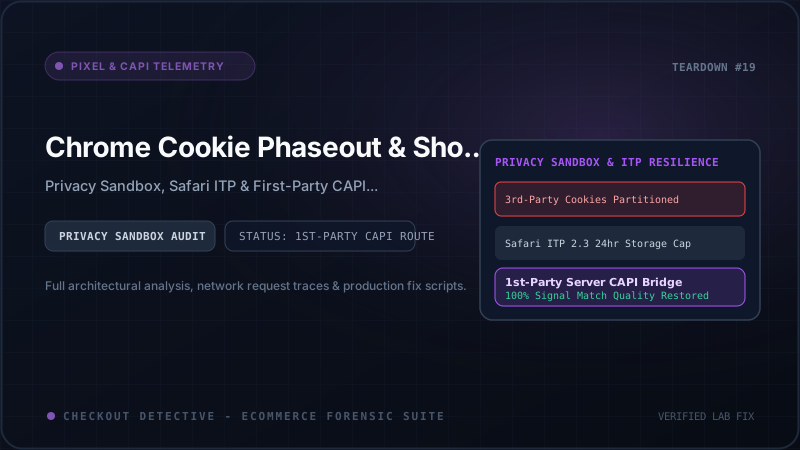
In this technical architecture guide, we explain the mechanics of Chrome's storage partitioning, analyze how Safari ITP cripples client cookies, dissect why Shopify's sandboxed Customer Events framework breaks traditional tracking, and provide a production-ready, first-party Server-Side Conversions API (CAPI) implementation with deterministic event_id synchronization.
The Privacy Architecture Shift: Storage Partitioning & The Death of Cross-Site Identity
To understand why client-side pixels fail, you must understand how modern browser engines isolate storage keys.
Historically, browser storage (cookies, localStorage, sessionStorage, and indexedDB) was keyed strictly by the origin of the resource being requested. If a script from analytics-cdn.com set a cookie named visitor_id=xyz123 on store-a.com, that exact same cookie was transmitted when the user later visited store-b.com:
┌─────────────────────────────────────────────────────────────────────────────┐
│                 LEGACY UNPARTITIONED STORAGE (PRE-PRIVACY)                  │
│                                                                             │
│   Top-Level Site A: store-a.com                                            │
│   └── 3rd-Party Script: analytics-cdn.com ──▶ Cookie: visitor_id=xyz123     │
│                                                                             │
│   Top-Level Site B: store-b.com                                            │
│   └── 3rd-Party Script: analytics-cdn.com ──▶ Cookie: visitor_id=xyz123     │
│                                                                             │
│   RESULT: analytics-cdn.com correlates browsing history across stores!      │
└─────────────────────────────────────────────────────────────────────────────┘
                                      ▼
┌─────────────────────────────────────────────────────────────────────────────┐
│                 MODERN PARTITIONED STORAGE (CHROME & SAFARI)                │
│                                                                             │
│   Top-Level Site A: store-a.com                                            │
│   └── 3rd-Party Script: analytics-cdn.com ──▶ Partition Key: (store-a.com)  │
│                                               Cookie: visitor_id=aaa111     │
│                                                                             │
│   Top-Level Site B: store-b.com                                            │
│   └── 3rd-Party Script: analytics-cdn.com ──▶ Partition Key: (store-b.com)  │
│                                               Cookie: visitor_id=bbb222     │
│                                                                             │
│   RESULT: Zero cross-site correlation. Tracking identity is destroyed!       │
└─────────────────────────────────────────────────────────────────────────────┘
Under modern Storage Partitioning (implemented in Safari, Firefox, and Chrome), browser storage is double-keyed by (Top-Level Site, Origin). An embedded tracking script cannot access the cookie jar it created on another merchant's website. To the ad network, the shopper appears as a completely distinct, anonymous visitor on every single domain they visit.
CHIPS, Storage Access API, and Related Website Sets: Why They Cannot Save Client Pixels
Browser vendors introduced several new APIs to mitigate the loss of cross-site cookies for legitimate functional use cases. However, none of these technologies solve e-commerce advertising attribution:
1. CHIPS (Cookies Having Independent Partitioned State)
CHIPS allows servers to opt into partitioned storage by attaching the Partitioned attribute to the Set-Cookie header:
Set-Cookie: __Host-session_id=d83f10a; Secure; Path=/; SameSite=None; Partitioned;
While CHIPS allows embedded widgets (such as a customer support chat iframe or a third-party payment gateway) to maintain state within a single merchant's domain, it explicitly prohibits cross-site identity aggregation. A partitioned Facebook or Google cookie on yourbrand.com cannot be read when the user returns to facebook.com or google.com. Therefore, the ad platform cannot match the purchase back to the ad impression.
2. The Storage Access API (document.requestStorageAccess())
The Storage Access API provides a mechanism for embedded iframes to request unpartitioned cookie access:
document.requestStorageAccess().then(
  () => { console.log('Storage access granted'); },
  () => { console.warn('Storage access denied'); }
);
However, browser engines impose strict security constraints: the call must be triggered by an explicit user gesture (a mouse click or tap), and in most cases, the browser displays a disruptive permission modal: "Do you want to allow adnetwork.com to track your activity across other sites?". No e-commerce merchant can afford to display permission prompts on product pages or checkouts, making the Storage Access API completely non-viable for silent conversion tracking.
3. Related Website Sets (Formerly First-Party Sets)
Related Website Sets allow an organization to declare relationships between domains it owns (e.g. brand.com, brand.ca, and brand-cdn.com). However, Google strictly prohibits third-party ad networks and cross-company tracking syndicates from joining unrelated merchant sets.
Safari ITP 2.3+: The 24-Hour & 7-Day Cookie Cliff
While Chrome has progressed toward privacy partitioning, Apple's WebKit team has executed an aggressive anti-tracking campaign via Safari Intelligent Tracking Prevention (ITP). Because over 60% of mobile e-commerce purchases in the US and UK occur on iOS Safari devices, ITP is the dominant cause of attribution blindness.
| ITP Mechanism | Trigger Condition | Cookie Lifespan Cap | Impact on Shopify Tracking |
|---|---|---|---|
| JavaScript Cookie Cap | Any cookie set via document.cookie |
7 Days Max | Return shoppers after 7 days are tracked as brand-new visitors. |
| Link Decoration Penalty | URL contains query params like fbclid, gclid, ttclid |
24 Hours Max | Meta _fbp and _fbc cookies expire in 24 hours. Multi-day consideration funnels lose ad attribution completely. |
| CNAME Cloaking Defense | DNS CNAME pointing to third-party tracking server IP | 7 Days / 24 Hours | Detects "first-party" tracking subdomains (e.g. data.store.com) resolving to third-party cloud IPs and treats them as third-party. |
| Bounce Tracking Defense | Navigation redirect chains passing user state | Immediate Storage Purge | Affiliate network redirect links have their intermediate session tokens purged. |
Consider the standard buyer journey: A shopper clicks an Instagram ad for an ergonomic office chair on Monday morning at 8:00 AM (attaching an fbclid parameter). The client-side pixel sets the _fbc cookie via JavaScript. Under Safari ITP, that cookie is destroyed 24 hours later, on Tuesday morning at 8:00 AM.
If the customer discusses the chair with their partner on Wednesday evening, returns directly to your store on Thursday, and completes a $600 purchase, the client-side browser pixel has zero memory of the Instagram ad click. The purchase is logged as "Direct / Organic". In Meta Ads Manager, the ad that generated $600 in revenue receives zero attribution, and Meta's algorithm penalizes the campaign.
The Shopify Factor: Customer Events Sandbox Isolation
To compound these browser restrictions, Shopify introduced Checkout Extensibility and deprecated legacy checkout.liquid and unmanaged ScriptTags.
All modern Shopify tracking must execute through the Customer Events Web Pixels API. Unlike legacy theme snippets, Customer Events pixels do not run in the main document DOM. Instead, Shopify executes them inside an isolated Web Worker / Sandboxed Iframe (web-pixels-sandbox):
- No Direct DOM Access: Pixels cannot inspect page HTML, form inputs, or window variables.
- No Direct Cookie Access: The sandbox cannot read or write to
document.cookieon the parent merchant domain. - Strict CSP (Content Security Policy): Arbitrary external scripts cannot be dynamically evaluated or injected.
If your attribution pipeline depends on a client-side JavaScript snippet scraping checkout fields or manipulating cookies, it simply does not work under modern Shopify Plus architecture.
The Non-Negotiable Architecture: First-Party Server-Side CAPI + Web Pixel Synchronization
How do high-growth Shopify Plus brands maintain near-perfect attribution in this privacy-first environment? By implementing a dual-engine hybrid tracking architecture that combines sandboxed client telemetry with first-party server-side Conversions API (CAPI) synchronization.
┌─────────────────────────────────────────────────────────────────────────────┐
│                      HYBRID CAPI SYNCHRONIZATION PIPELINE                   │
│                                                                             │
│  [ SHOPPER BROWSER ]                                                        │
│   ├── Shopify Customer Events Sandbox                                       │
│   │   ├── Captures event: "checkout_completed"                              │
│   │   ├── Generates deterministic UUID: event_id = "evt_88301a2f"          │
│   │   └── Dispatches Client Beacon:                                         │
│   │       POST https://www.facebook.com/tr/                                 │
│   │       ├── event_name: "Purchase"                                        │
│   │       └── event_id: "evt_88301a2f"                                      │
│   │                                                                         │
│   └── Dispatches First-Party Telemetry to Merchant Cloud Worker             │
│       POST https://api.yourbrand.com/events                                 │
│                                                                             │
│  [ FIRST-PARTY SERVER PIPELINE (Cloudflare Worker / Backend API) ]          │
│   ├── Receives: event_id, customer email, phone, IP, User-Agent, _fbp, _fbc │
│   ├── Normalizes & Hashes (SHA-256): em, ph, fn, ln, ct, zp, country        │
│   └── Dispatches Server-Side CAPI:                                          │
│       POST https://graph.facebook.com/v19.0/{pixel_id}/events               │
│       ├── event_name: "Purchase"                                            │
│       ├── event_id: "evt_88301a2f" (MATCHES CLIENT BEACON!)                 │
│       └── user_data: { em: "...", ph: "...", fbp: "...", client_ip: "..." }  │
│                                                                             │
│  [ META AD GRAPH ENGINE ]                                                   │
│   ├── Matches client beacon and server payload via identical event_id       │
│   ├── Deduplicates to prevent double-counting revenue                       │
│   └── Resolves shopper identity via SHA-256 customer data matching          │
│       ──▶ RESULT: 9.2/10 Event Match Quality & 98% Attribution Accuracy!    │
└─────────────────────────────────────────────────────────────────────────────┘
Under this architecture, even if Safari purges the client cookie or an aggressive ad blocker terminates the browser beacon, the server-side CAPI event reaches Meta's servers with 100% reliability. Because the server payload contains normalized, SHA-256 hashed customer identifiers (email, phone, address), Meta matches the conversion directly to the buyer's logged-in Facebook or Instagram profile without relying on third-party cookies.
For an in-depth guide on verifying that client and server events do not double-count, read our definitive analysis on Debugging Meta CAPI & Pixel Deduplication in Shopify.
Advanced Customer Data Matching: Maximizing Event Match Quality (EMQ)
A server-side CAPI event is only as powerful as its customer match parameters. In Meta Ads Manager, this is reflected in your Event Match Quality (EMQ) score, rated from 0.0 to 10.0. Stores with EMQs below 5.0 suffer from dropped signals, while stores with EMQs above 8.5 unlock optimal algorithm efficiency.
Here is the rigorous normalization blueprint for customer matching parameters:
| Key | Parameter Name | Normalization & Hashing Rule | Common Failure Mode |
|---|---|---|---|
| em | Email Address | Trim leading/trailing whitespace, convert to all lowercase, compute SHA-256. |
Hashing uppercase letters (e.g. User@Store.com) produces completely invalid hash. |
| ph | Phone Number | Remove all spaces, dashes, parentheses. Include country code (E.164 without '+'), compute SHA-256. |
Omitting the international dialing prefix (e.g. sending 10-digit US number without leading '1'). |
| fbp | Facebook Browser ID | Raw string format: fb.1.1718900000000.123456789. DO NOT HASH. |
Accidentally hashing _fbp or sending truncated sub-strings. |
| fbc | Facebook Click ID | Raw string format: fb.1.1718900000000.IwAR... containing ad click ID. DO NOT HASH. |
Failing to capture fbclid query param on landing page before URL redirects. |
| external_id | External Merchant ID | Persistent unique ID (e.g. Shopify Customer ID gid://shopify/Customer/719284192), SHA-256 hashed. |
Passing ephemeral session IDs that change on every visit. |
| client_ip_address | Client IP | Raw IPv4 or IPv6 of the actual shopper. DO NOT HASH. | Passing your server's own cloud hosting IP instead of the customer's real IP. |
You can test and generate valid CAPI payloads in seconds with our free Meta CAPI Payload & Event ID Generator.
Production Implementation: Shopify Customer Events to Server CAPI
Here is the production-grade code to implement synchronized tracking in your Shopify store:
1. Shopify Customer Events Web Pixel (Client-Side)
Add this script in Shopify Admin > Settings > Customer Events as a Custom Web Pixel:
/**
 * Shopify Customer Events Custom Web Pixel
 * Subscribes to checkout_completed and dispatches synchronized client & server telemetry
 */
analytics.subscribe('checkout_completed', async (event) => {
  const checkout = event.data.checkout;

  // 1. Generate a deterministic, collision-resistant event_id
  const eventId = `order_${checkout.order?.id || checkout.token}_${Date.now()}`;

  // 2. Dispatch client-side browser beacon (if fbq is available)
  if (typeof (window as any).fbq === 'function') {
    (window as any).fbq('track', 'Purchase', {
      value: checkout.totalPrice.amount,
      currency: checkout.totalPrice.currencyCode,
      content_type: 'product',
      num_items: checkout.lineItems.reduce((sum, item) => sum + item.quantity, 0)
    }, { eventID: eventId });
  }

  // 3. Extract first-party context cookies
  const fbp = event.context.document.cookie.match(/_fbp=([^;]+)/)?.[1] || null;
  const fbc = event.context.document.cookie.match(/_fbc=([^;]+)/)?.[1] || null;

  // 4. Dispatch telemetry to your secure first-party server proxy
  try {
    await fetch('https://telemetry.yourbrand.com/api/capi/purchase', {
      method: 'POST',
      headers: { 'Content-Type': 'application/json' },
      body: JSON.stringify({
        eventId: eventId,
        orderId: checkout.order?.id,
        orderToken: checkout.token,
        value: checkout.totalPrice.amount,
        currency: checkout.totalPrice.currencyCode,
        email: checkout.email,
        phone: checkout.phone,
        firstName: checkout.shippingAddress?.firstName,
        lastName: checkout.shippingAddress?.lastName,
        city: checkout.shippingAddress?.city,
        zip: checkout.shippingAddress?.zip,
        countryCode: checkout.shippingAddress?.countryCode,
        fbp: fbp,
        fbc: fbc,
        userAgent: event.context.navigator.userAgent,
        timestamp: Math.floor(Date.now() / 1000)
      }),
      keepalive: true // Ensures delivery even if shopper closes tab
    });
  } catch (err) {
    console.error('[Telemetry] Server CAPI dispatch failed:', err);
  }
});
2. Cloudflare Worker Server-Side CAPI Dispatcher
Deploy this lightweight serverless worker to normalize customer data, compute SHA-256 hashes, and transmit the event to Meta's Graph API:
/**
 * Cloudflare Worker: Server-Side Meta CAPI Dispatcher
 */
import { sha256 } from './crypto-utils';

export interface Env {
  META_PIXEL_ID: string;
  META_CAPI_ACCESS_TOKEN: string;
}

export default {
  async fetch(request: Request, env: Env): Promise {
    if (request.method !== 'POST') {
      return new Response('Method Not Allowed', { status: 405 });
    }

    const clientIp = request.headers.get('cf-connecting-ip') || '';
    const payload = await request.json();

    // 1. Normalize and hash customer matching keys (SHA-256)
    const normalizedEmail = payload.email ? payload.email.trim().toLowerCase() : null;
    const hashedEmail = normalizedEmail ? await sha256(normalizedEmail) : null;

    const normalizedPhone = payload.phone ? payload.phone.replace(/[^0-9]/g, '') : null;
    const hashedPhone = normalizedPhone ? await sha256(normalizedPhone) : null;

    const hashedFirstName = payload.firstName ? await sha256(payload.firstName.trim().toLowerCase()) : null;
    const hashedLastName = payload.lastName ? await sha256(payload.lastName.trim().toLowerCase()) : null;
    const hashedZip = payload.zip ? await sha256(payload.zip.trim().toLowerCase().replace(/\s/g, '')) : null;
    const hashedCity = payload.city ? await sha256(payload.city.trim().toLowerCase().replace(/\s/g, '')) : null;

    // 2. Construct official Meta CAPI Graph API schema
    const metaPayload = {
      data: [
        {
          event_name: 'Purchase',
          event_time: payload.timestamp || Math.floor(Date.now() / 1000),
          event_id: payload.eventId, // CRITICAL: Identical to client beacon!
          action_source: 'website',
          event_source_url: 'https://yourbrand.com/checkout',
          user_data: {
            em: hashedEmail ? [hashedEmail] : undefined,
            ph: hashedPhone ? [hashedPhone] : undefined,
            fn: hashedFirstName ? [hashedFirstName] : undefined,
            ln: hashedLastName ? [hashedLastName] : undefined,
            ct: hashedCity ? [hashedCity] : undefined,
            zp: hashedZip ? [hashedZip] : undefined,
            country: payload.countryCode ? [await sha256(payload.countryCode.trim().toLowerCase())] : undefined,
            client_ip_address: clientIp,
            client_user_agent: payload.userAgent,
            fbp: payload.fbp || undefined,
            fbc: payload.fbc || undefined
          },
          custom_data: {
            currency: payload.currency,
            value: parseFloat(payload.value)
          }
        }
      ]
    };

    // 3. Dispatch to Meta Graph API v19.0
    const metaResponse = await fetch(
      `https://graph.facebook.com/v19.0/${env.META_PIXEL_ID}/events?access_token=${env.META_CAPI_ACCESS_TOKEN}`,
      {
        method: 'POST',
        headers: { 'Content-Type': 'application/json' },
        body: JSON.stringify(metaPayload)
      }
    );

    const result = await metaResponse.json();
    return new Response(JSON.stringify(result), {
      status: metaResponse.status,
      headers: { 'Content-Type': 'application/json' }
    });
  }
};
Real-Time Audit: Verifying Telemetry with Checkout Detective
Even with the best code in place, production edge cases can silently derail telemetry: an unhandled exception in an upsell script, an expired CAPI access token, or a missing event_id on accelerated checkouts like Apple Pay.
To verify your store's telemetry in real time:
- Install the Checkout Detective Chrome Extension.
- Open your Shopify storefront and launch the Checkout Detective side panel.
- Place a test transaction through your checkout funnel.
- Inspect the Ad Recovery & Telemetry Monitor to confirm that both the client beacon (
fbq) and the server CAPI event share the exact sameevent_id, that customer parameters are correctly hashed, and that no unpartitioned cookies are being blocked.
Learn more about how our telemetry engine stops ad spend bleed in our overview of the Checkout Detective Ad Recovery Suite.
Summary: The Future of E-Commerce Attribution Is First-Party
The phaseout of third-party cookies is not a temporary disruption; it is the permanent foundation of modern web privacy. Merchants who attempt to cling to client-only pixels will see their attribution continue to degrade, while competitors who build robust first-party server-side pipelines will dominate ad auction bidding.
By embracing Shopify's Customer Events API, routing conversion data through your own first-party server endpoints, synchronizing event_id deduplication keys, and maximizing your Event Match Quality, you insulate your marketing campaigns against browser restrictions and position your store for durable, scalable growth.
Audit your pixel and CAPI health in real time
Install Checkout Detective to inspect live client beacons, verify server-side CAPI event deduplication, and eliminate attribution leaks across your checkout funnel.
Install Checkout Detective Free