When your Shopify store's checkout button freezes, cart drawer hangs on an infinite loading spinner, or customer clicks fail to redirect to /checkout, your natural instinct is to assume Shopify itself is experiencing an outage. You check the Shopify Status page, inspect your payment gateways, and clear your browser cache. Everything is green. Yet real customers are abandoning carts in droves, and your customer support inbox is flooded with complaints.
The reality of modern Shopify architecture is that the platform core is remarkably resilient. In more than 85% of documented checkout freezes, the breakdown is caused by a rogue third-party app, an orphaned script tag, or an unhandled promise rejection injected into your storefront.
Because direct-to-consumer (DTC) brands stack apps for customer reviews, loyalty programs, currency conversion, buy-now-pay-later (BNPL) widgets, and live chat, these disparate vendor scripts compete for the browser's single JavaScript execution thread. When one third-party script crashes or hijacks native browser APIs, it creates collateral damage that kills your checkout flow.
In this forensic engineering guide, we reveal the specific mechanisms through which third-party apps sabotage Shopify checkout, provide a systematic 4-step diagnostic workflow to pinpoint the guilty script in under five minutes, and demonstrate how to insulate your checkout buttons against future third-party failures.
Direct Answer: How Do You Find Which App Is Breaking Your Checkout?
To isolate the third-party app breaking your checkout: (1) open Chrome DevTools (F12), switch to the Sources tab, and click "Pause on caught/uncaught exceptions"; (2) click the checkout button to freeze the execution thread at the exact line of failing code; (3) inspect the call stack to identify the origin domain or script filename; and (4) use DevTools Network Request Blocking to disable suspected app domains systematically (binary search isolation) until checkout functionality is restored.
┌────────────────────────────────────────────────────────────────────────┐
│             User Taps "Proceed to Checkout" on Cart Drawer             │
└───────────────────────────────────┬────────────────────────────────────┘
                                    │
                               Dispatches:
                         click / submit DOM Event
                                    │
                                    ▼
┌────────────────────────────────────────────────────────────────────────┐
│                   Global DOM Event Dispatch Chain                      │
├────────────────────────────────────────────────────────────────────────┤
│                                                                        │
│   1. Native Theme Event Listener                                       │
│      └─ Validates line items and prepares AJAX payload                 │
│                                                                        │
│   2. App A: Loyalty Point Calculator                                   │
│      └─ Reads cart attributes successfully [PASS]                      │
│                                                                        │
│   3. App B: Rogue Currency Converter (Monkey-Patches window.fetch)     │
│      ├─ Intercepts POST /cart/change.js                                │
│      ├─ Uncaught TypeError: Cannot read properties of undefined        │
│      │  (reading 'currency_code')                                      │
│      └─ 💥 EXECUTION HALTED ON MAIN THREAD                             │
│                                                                        │
│   4. Native Checkout Redirect Handler (UNREACHED)                      │
│      └─ window.location.href = '/checkout' ◄── NEVER FIRES!            │
│                                                                        │
└────────────────────────────────────────────────────────────────────────┘
The 4 Primary Technical Failure Vectors of Third-Party Apps
1. Monkey-Patching window.fetch & XMLHttpRequest
To detect when a customer adds an item to cart or modifies quantities without modifying theme Liquid templates, many apps "monkey-patch" the browser's native networking APIs:
// How rogue apps wrap native fetch:
const originalFetch = window.fetch;
window.fetch = async function(...args) {
  // App attempts custom tracking logic here
  doSomethingCustom(); // If this throws an error, fetch fails completely!
  return originalFetch.apply(this, args);
};
If the app's custom interceptor encounters a network failure, throws an unhandled exception, or fails to return the cloned Response promise, the theme's native cart submission fails silently. The theme awaits a promise that is either rejected without a catch block or never resolves, leaving the checkout button locked in a permanent loading spinner.
2. Uncaught TypeError Halting the Main JavaScript Thread
JavaScript in the browser is single-threaded. When a third-party script triggers an unhandled synchronous TypeError (e.g., Uncaught TypeError: Cannot read property 'addEventListener' of null), the browser immediately terminates execution of the current call stack.
If a countdown timer widget, social proof popup, or product review app executes on the page before your theme's cart JavaScript, an error in that app prevents subsequent scripts from ever binding click listeners to the checkout button. To learn more about debugging these specific exceptions, read our analysis on fixing uncaught TypeErrors in Shopify cart.js.
3. Orphaned Theme Scripts from Uninstalled Apps
When you click "Uninstall" on an app in the Shopify Admin, Shopify revokes the app's API access. However, Shopify does not clean up the Liquid code the app injected into your theme.
The uninstalled app leaves behind code snippets like {% include 'old-app-snippet' %} in theme.liquid, alongside references to external CDN JavaScript bundles. Because the app's servers no longer recognize your store or the CDN endpoint is decommissioned, the browser attempts to fetch a resource that returns 404 Not Found or 500 Server Error. The missing script causes dependent initialization logic to fail, corrupting your cart pipeline. See our detailed guide on auditing and deleting orphaned Shopify app scripts.
4. Event Listener Hijacking & stopPropagation()
Upsell and discount apps frequently wrap the checkout button inside their own custom container to display pre-checkout modals ("Add this $15 socks bundle before you pay!").
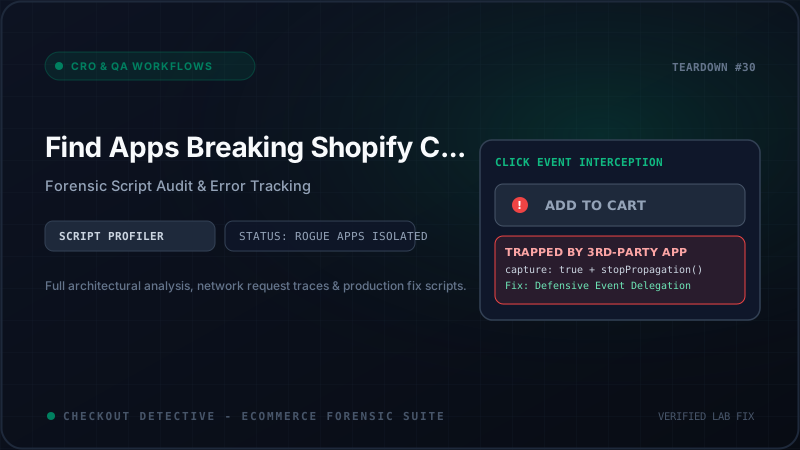
To control the checkout flow, the upsell app attaches an event listener in the capture phase and invokes event.stopPropagation() or event.stopImmediatePropagation(). If the app's internal modal logic fails to initialize—due to an ad blocker, slow 3G mobile connection, or backend timeout—the event is suppressed, and the native checkout redirection is permanently blocked.
| App Category | Common Culprits | Typical Failure Vector | DevTools Detection Marker |
|---|---|---|---|
| Pre-Purchase Upsell / Modals | ReConvert, CartHook, Monster Upsell | event.stopPropagation() without fallback |
Click fires, but no network request to /checkout |
| Currency & Geolocation | BEST Currency, Geolocation Apps | Monkey-patches fetch; swallows cart response |
TypeError: Failed to fetch on /cart/change |
| BNPL Messaging Widgets | Klarna, Afterpay, Affirm SDKs | Heavy DOM MutationObservers blocking main thread | Long Tasks > 250ms during cart drawer open |
| Orphaned Uninstalled Apps | Old loyalty, review, or timer apps | 404 script tags breaking script bundles | GET https://cdn.vendor.com/... 404 in Console |
Step-by-Step Forensic Script Audit Protocol
Execute this diagnostic protocol to pinpoint the exact third-party app breaking your checkout without touching live theme code:
Step 1: Pause on Uncaught Exceptions in DevTools
- Open your Shopify storefront in Google Chrome Incognito mode.
- Press
F12orCmd + Option + Ito launch Chrome Developer Tools. - Switch to the Sources tab. In the right-hand panel, find the pause icon and check "Pause on caught exceptions" and "Pause on uncaught exceptions".
- Add an item to your cart, open the cart drawer, and click the Checkout button.
- If a rogue script throws an error, Chrome freezes JavaScript execution immediately at the exact line of failure. Look at the Call Stack panel on the right: it will show the exact script URL and vendor domain responsible!
Step 2: Binary Search Request Blocking
If no exception is thrown, the failure is caused by silent interception (e.g., an app overriding fetch or invoking e.preventDefault()). Use Chrome's Network Request Blocking to conduct a binary search:
- In Chrome DevTools, press
Cmd + Shift + P(orCtrl + Shift + P) to open the Command Menu. - Type
Show Network request blockingand press Enter. Check "Enable network request blocking". - Click + Add pattern and block half of your third-party script domains (e.g.,
*.klarna.com*,*.judge.me*,*.gorgias.chat*). - Refresh the page and test the checkout button. If the button now works, the culprit is inside the blocked half.
- Continue halving the list (binary search) until you isolate the single domain causing the freeze. This technique isolates the broken app in under three minutes.
Step 3: Test for Monkey-Patched window.fetch
To verify whether an app has tampered with native browser fetch methods, execute this command directly in the DevTools Console:
window.fetch.toString();
Expected native output: "function fetch() { [native code] }"
Tampered output: If the output returns actual JavaScript code or "function(...args) { ... }", an app has monkey-patched your network pipeline! You can inspect console.dir(window.fetch) to identify which script wrapper modified it.
Step 4: Catch Silent Unhandled Promise Rejections
When modern AJAX cart drawers communicate with Shopify's backend endpoints (/cart/add.js, /cart/change.js, or /cart/update.js), third-party apps chain custom .then() promises. If an app fails to include a .catch() handler, an unexpected response (such as a 422 Unprocessable Entity due to inventory limits) triggers an unhandled promise rejection that terminates the execution chain.
To intercept and unmask these silent failures, paste this listener directly into the DevTools Console:
window.addEventListener('unhandledrejection', (event) => {

  console.error('[FORENSIC AUDIT] Unhandled Promise Rejection Detected!', {

    reason: event.reason,

    promise: event.promise,

    stack: event.reason?.stack

  });

});
Trigger the checkout button. If an unhandled promise rejection is caught, the stack trace directly pinpoints the asynchronous vendor script responsible for freezing your checkout funnel.
Step 5: Grep Theme Code for Orphaned App Injections
If an app was uninstalled months ago, its ghost code may still inhabit your theme. If you have the Shopify CLI installed, download your live theme and grep for orphaned app references across your codebase:
# Pull live theme to local machine

shopify theme pull --live


# Grep for uninstalled app snippets, dead CDN domains, or legacy scripts

grep -rnE "(cdn\.shopify\.com/s/files/.*/assets/|include '[a-zA-Z0-9_-]+-app'|async.*vendor)" layout/ snippets/
In the Shopify Theme Editor (Online Store > Themes > Customize), also navigate to App Embeds (the third icon on the left sidebar). Disable third-party app embeds one-by-one to verify if a recently updated app embed is injecting fatal runtime scripts.
The Production Code Fix: Defensive Checkout Guard
While you remove or reconfigure the broken app, protect your live conversion rate immediately by deploying this defensive checkout guard. This script restores native window.fetch if corrupted, isolates cart click events from third-party cancellation, catches unhandled promise errors, and enforces a guaranteed redirect to /checkout.
Insert this snippet into layout/theme.liquid directly before the closing </body> tag:
<script>
(function() {
  // 1. Capture pristine reference to native fetch before rogue apps load
  const _pristineFetch = window.fetch;

  document.addEventListener('DOMContentLoaded', () => {
    // Audit checkout triggers across the storefront
    const checkoutSelectors = [
      'button[name="checkout"]',
      'input[name="checkout"]',
      'form[action*="/cart"] [type="submit"]',
      '#checkout',
      '.checkout-button'
    ];

    document.querySelectorAll(checkoutSelectors.join(',')).forEach((button) => {
      // 2. Attach capture-phase listener to execute BEFORE rogue app interceptors
      button.addEventListener('click', function(event) {
        // If button is already executing a valid theme loader, permit it
        if (button.classList.contains('is-loading')) return;

        console.info('[Checkout Guard] Checkout click registered in capture phase.');

        // 3. Fallback Navigation Timer
        // If third-party scripts block redirect or hang for > 1200ms, force direct navigation
        const fallbackTimer = setTimeout(() => {
          if (!window.location.pathname.includes('/checkout')) {
            console.warn('[Checkout Guard] Third-party script timeout detected. Enforcing redirect to /checkout');
            window.location.href = '/checkout';
          }
        }, 1200);

        // Cancel fallback if page successfully begins unload
        window.addEventListener('beforeunload', () => clearTimeout(fallbackTimer));
      }, true); // true = Capture Phase (Runs first!)
    });
  });
})();
</script>
Isolating Rogue Scripts in 60 Seconds with Checkout Detective
Conducting manual DevTools stack-trace reviews and binary request blocking during a high-traffic sales event or flash sale is stressful and prone to error.
The Checkout Detective Chrome Extension automates the entire forensic script audit. Its built-in Third-Party Script Profiler hooks into the browser execution thread, continuously measuring:
- Long Tasks > 50ms: Detects which third-party app bundles are freezing the main thread while the customer interacts with cart drawers.
- Monkey-Patch Auditing: Instantly alerts you if an app has tampered with
window.fetch,XMLHttpRequest, orEventTarget.prototype.addEventListener. - Orphaned Snippet Detection: Flags 404 script requests and dead CDN bundles left behind by deleted apps.
- Event Propagation Blockers: Identifies any vendor script calling
stopPropagation()on cart-to-checkout event triggers.
You can also gauge the overall performance tax of your current app stack using our free App Bloat Estimator or calculate lost revenue with the Revenue Leak Calculator.
Isolate Rogue Apps Breaking Your Checkout
Don't let broken scripts and orphaned snippets destroy your conversion rate. Detect unhandled promise rejections, profile third-party apps, and secure your checkout in 60 seconds.